Ken & Mike on the MATLAB Desktop

November 10th, 2008

Become a groupie

Organize your folders and become a “groupie”. The new Current Directory Browser allows you to group your files into custom views by Type, Size or Date Modified. Additionally, you can expand and collapse the groups to conveniently view portions of your directory at a time. For example, you could view all your MATLAB files by grouping by Type, and then collapsing all file types except MATLAB files.

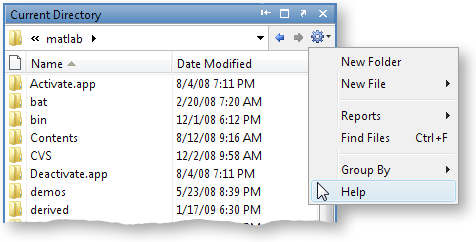
You can access the Group By option from the context menu of any column header in the Current Directory Browswer or via the button. I think grouping by Type is the most useful grouping attribute:

But grouping by Date Modified can be useful if you want to see what files you’ve been working on recently:

To switch back to a flat list of files right-click a column header and select Stop Grouping. Alternatively, you can press the button and select Stop Grouping.

Hope this helps you become a groupie!

Leave a Reply

Wrap code fragments inside <pre> tags, like this:

<pre class="code">
a = magic(3);
sum(a)
</pre>

If you have a "<" character in your code, either follow it with a space or replace it with "&lt;" (including the semicolon).


Ken & Mike work on the MATLAB Desktop team.
  • Ori: The current folder shortcut used to be alt-y. Now it is alt-o. However, while in the editor window, alt-o opens...
  • Jose Miguel: Hi First of all, thanks for the post, it is really useful. I am trying to develop a Java GUI within...
  • Ken: Hi Siddharth, There isn’t currently any way to move the docking controls. Feel free to submit an...
  • Phil: I have the same problem as described above with UITable working fine in the Matlab environment but showing no...
  • Siddharth: Is there any way to move the position of the docking controls (or eliminate them through some...
  • Chris: Yes, it is a challenge to organize functions into categories, especially with so many functions. Ken and I...
  • Mike: Thanks for fielding that one, Yair.
  • Yair Altman: Jimmy - if you mean that you wish to include hyperlinks in your function’s help comment, that will...
  • OysterEngineer: Thanks for explaining the Function Browser. I fired it up and gave it a try. It appears that it has...
  • Jimmy: Is there any way to include hyperlinks in a comment, such as the standard help at the beginning of a function?

These postings are the author's and don't necessarily represent the opinions of The MathWorks.