Ken & Mike on the MATLAB Desktop

November 24th, 2008

Customize your Current Directory toolbar

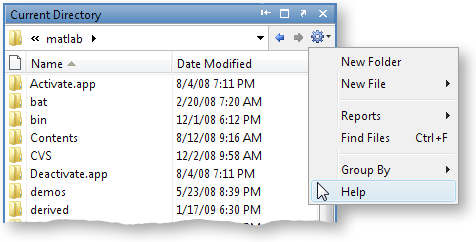
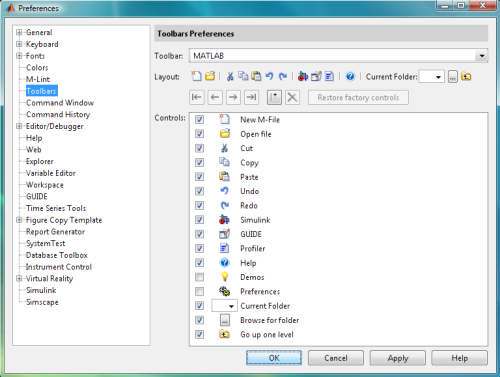
In the new Current Directory Browser you can easily add, remove or rearrange the actions on your Current Directory Browser’s toolbar. There are lots of choices on the Toolbars Preferences panel to help make you work faster. Start customizing by right-clicking on the button and selecting Customize… (also available via Preferences -> Toolbars) like this:

Select the actions you most frequently use from the full list of actions:
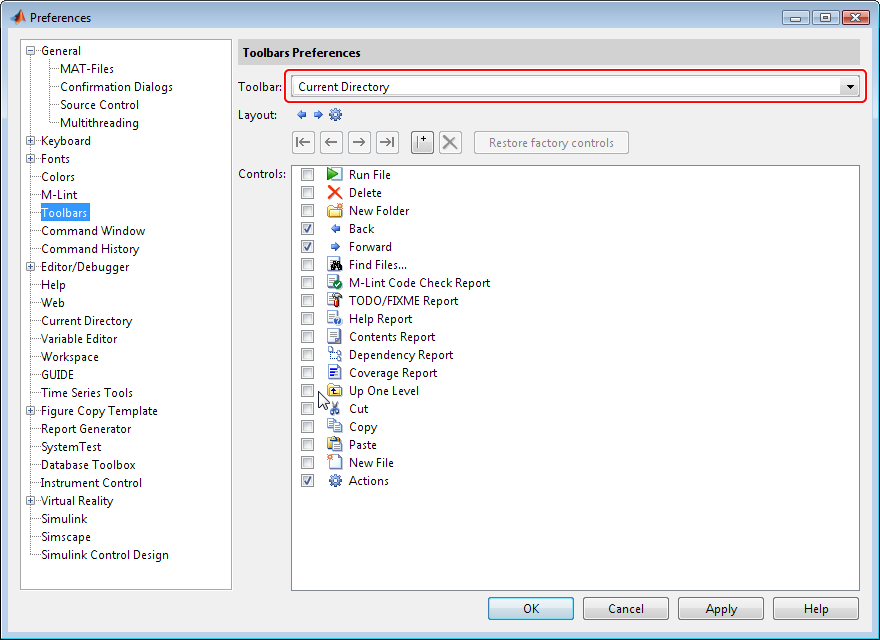
I like the tools that were displayed on the 2008a toolbar, so here’s my toolbar configuration.

The best part of customizing your toolbar is laying it out the way you want. In the Toolbar Preferences panel you can rearrange the order of the icons either by dragging or selecting and using the arrows to move them.
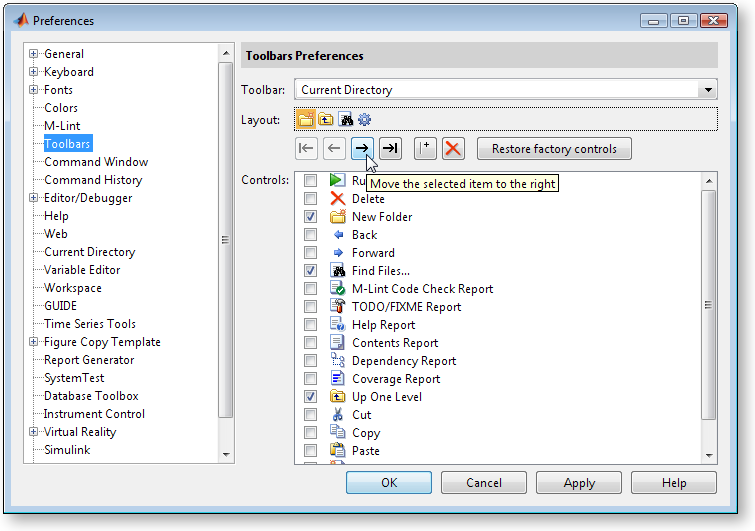
What does your Current Directory toolbar look like?

Leave a Reply

Wrap code fragments inside <pre> tags, like this:

<pre class="code">
a = magic(3);
sum(a)
</pre>

If you have a "<" character in your code, either follow it with a space or replace it with "&lt;" (including the semicolon).


Ken & Mike work on the MATLAB Desktop team.
  • DP: Hi i have a problem with ezplot3, i want to plot more than i curve in the same graph but hold on command...
  • Ken: Hi Arsalan, Unfortunately there is no way to get the new Editor API in older versions of MATLAB. -Ken
  • Arsalan: Hi, I am very excited about the MATLAB API for editor because right now i am working on a project and i need...
  • Johannes: Since I started using matlab-emacs some days ago I never experienced Emacslink. But I experienced some...
  • Francisco J. Beron-Vera: Hi all, I have recently learned about ViEmu (http://www.vimemu.c om) which, for Vi/Vim...
  • OysterEngineer: When I first learned of the Publish feature in MatLab, I thought it might be useful to help to...
  • Ken: Hi Herve, I’m not quite sure what you mean by “stand-alone&# 8221; mode? -Ken
  • Herve: I wonder when the publish fonction will be supported in standalone mode.
  • Mike: Ravi, What you described should work as far I understand it. Please follow up with technical support. With a...
  • Mike: @Daniel, Thanks for that note.

These postings are the author's and don't necessarily represent the opinions of The MathWorks.