
Bring along your syntax highlighted code
People often ask how they can incorporate their syntax highlighted code into other mediums, like Microsoft Word, Microsoft PowerPoint, web pages etc. There are actually a number of ways to bring along your colorful code, one of which will likely meet your needs.
Microsoft Word
You can paste text right into Word that you’ve copied in the MATLAB Editor, and it will be auto-magically highlighted. It doesn’t get much easier than that.

Microsoft PowerPoint
It’s not quite as simple to paste syntax-highlighted code into PowerPoint as it is in Word, but it’s still not too difficult.
Select Edit -> Paste Special….

In the Paste Special dialog, select Formatted Text (RTF), and press OK.
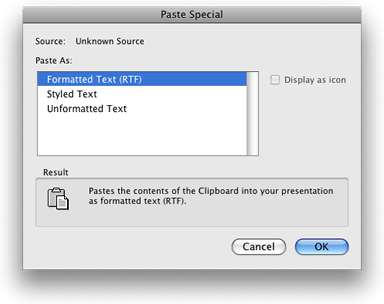
That’s it.
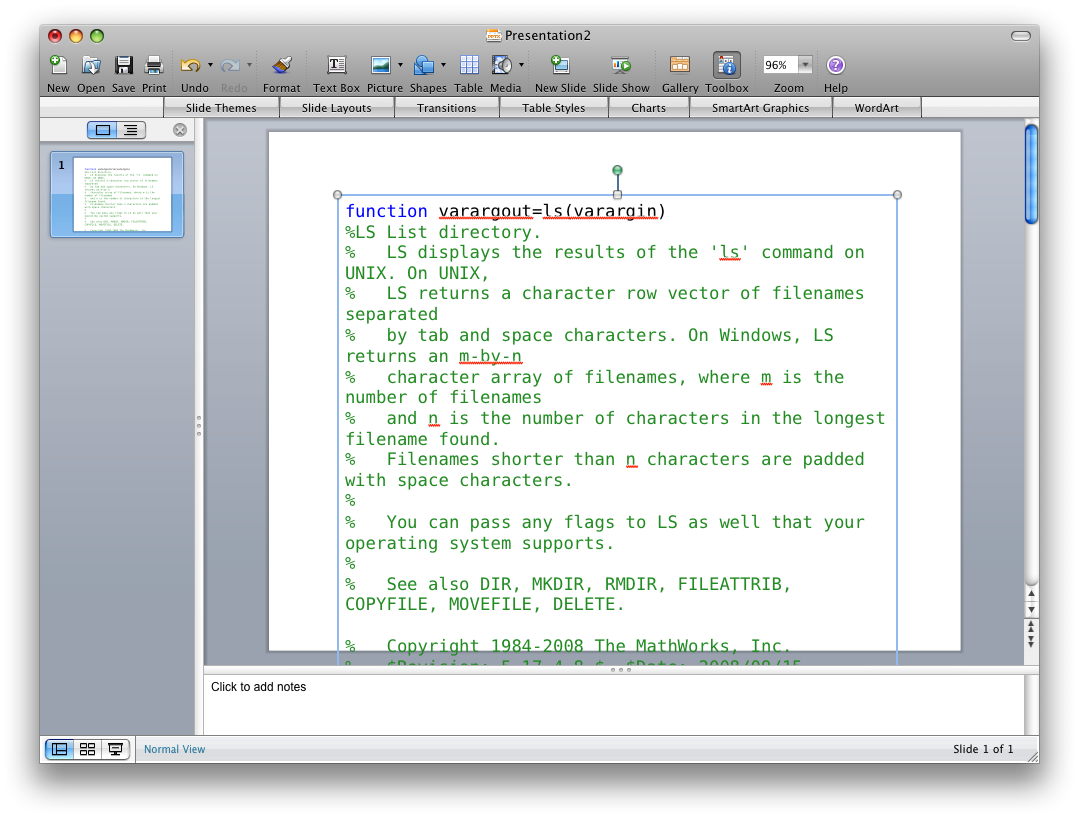
HTML
You can also publish your MATLAB code to HTML, which allows you view it in a web browser or insert it into anything that can render HTML. To publish to HTML, open your file in the MATLAB Editor and press the publish ( ) button (note that the default output format is HTML).

In general, I find that if I can show code in a syntax-highlighted form, it’s easier for the viewer to understand — hopefully you find these tips useful for doing just that.


See Also
-

Export to PowerPoint®
Blogs



Comments
To leave a comment, please click here to sign in to your MathWorks Account or create a new one.