
New figure capture methods for publish
In R2009a, we added two new figure capture methods to publish. The figure capture method determines the way in which publish grabs screen shots of your figures, in order to insert it into the final published document.
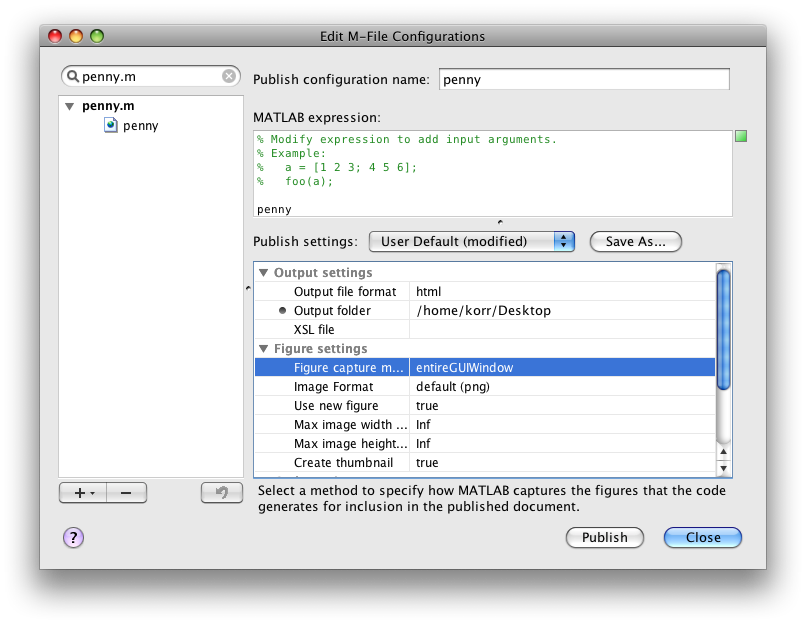
Here are descriptions of the new figure capture methods, along with exactly what they capture:
entireGUIWindow (the new default):
This figure capture method grabs the content of your figure window. For a plot, this will be the axis. For a GUIDE figure, this will include the title bar (note that the getFrame method would not include the title bar on the GUIDE figure). This will be the option you want to use most of the time.

entireFigureWindow
This figure capture method grabs the entire figure window (including the window chrome, e.g. the title bar) for all types of MATLAB figures. Use this option with prudence, as including the window chrome will detract from the content of your figure. This option is most appropriate if your creating a tutorial where you want to make it obvious that the graphic is a MATLAB figure.
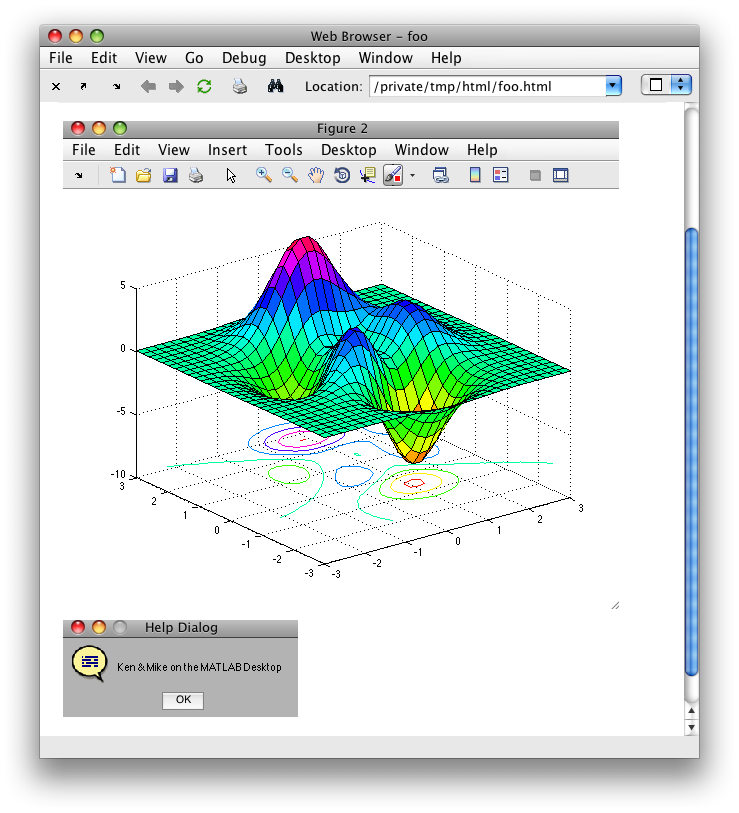
To see descriptions and visuals of all the figure capture methods, check out the doc.
- Category:
- Configuration Editor,
- Publish


Comments
To leave a comment, please click here to sign in to your MathWorks Account or create a new one.