Ken & Mike on the MATLAB Desktop

June 1st, 2009

Changing the error color for visibility

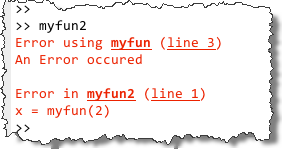
We understand that colors in the editor can cause difficulty for some users or with certain display devices. Each release we try to make the MATLAB UI more friendly in this area. For MATLAB R2009a, we rolled in some minor enhancements in this area with the new M-Lint display. For example, you can set the color of an error underline from the color preferences: File -> Preferences -> Colors -> Errors.
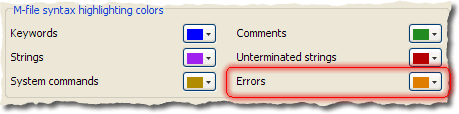
Colors Preference

This preference changes not only the color of error strings in the Command Window, but also the color of the error underline in the editor and the stripe in the M-Lint panel.
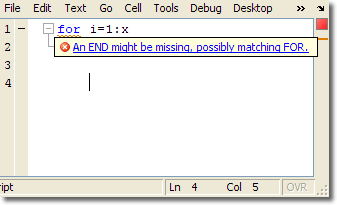
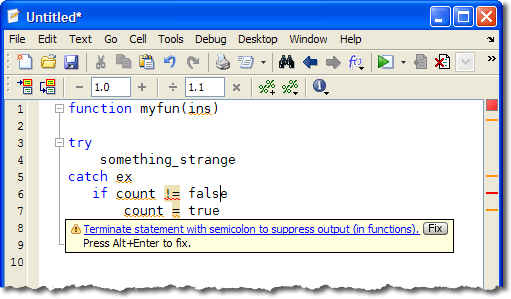
Orange error color in editor

In addition to a configurable color, there are new severity icons associated with each m-lint message. For error messages, the icon is a red circle with a white x, and for warnings it is a yellow triangle with an exclamation point. This improves the usability by providing a shape as well as color to identify the severity of the message. Those of you who tried out the pre-release version of R2009a will notice the icons changed from colored dots for this reason.

Leave a Reply

Wrap code fragments inside <pre> tags, like this:

<pre class="code">
a = magic(3);
sum(a)
</pre>

If you have a "<" character in your code, either follow it with a space or replace it with "&lt;" (including the semicolon).


Ken & Mike work on the MATLAB Desktop team.
  • DP: Hi i have a problem with ezplot3, i want to plot more than i curve in the same graph but hold on command...
  • Ken: Hi Arsalan, Unfortunately there is no way to get the new Editor API in older versions of MATLAB. -Ken
  • Arsalan: Hi, I am very excited about the MATLAB API for editor because right now i am working on a project and i need...
  • Johannes: Since I started using matlab-emacs some days ago I never experienced Emacslink. But I experienced some...
  • Francisco J. Beron-Vera: Hi all, I have recently learned about ViEmu (http://www.vimemu.c om) which, for Vi/Vim...
  • OysterEngineer: When I first learned of the Publish feature in MatLab, I thought it might be useful to help to...
  • Ken: Hi Herve, I’m not quite sure what you mean by “stand-alone&# 8221; mode? -Ken
  • Herve: I wonder when the publish fonction will be supported in standalone mode.
  • Mike: Ravi, What you described should work as far I understand it. Please follow up with technical support. With a...
  • Mike: @Daniel, Thanks for that note.

These postings are the author's and don't necessarily represent the opinions of The MathWorks.