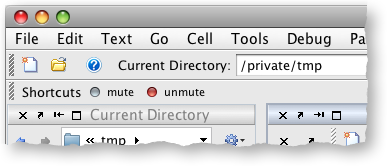
Debugging is an integral part of my workflow. One thing I continually encounter is the need to quickly disable all my breakpoints. After spending time inserting breakpoints at the right places with the right conditions, I sometimes want to quickly mute (disable) all of my breakpoints without actually removing them.
In order to do this, I wrote a couple of scripts, which mute and un-mute your breakpoints. I did this by reinstalling each breakpoint with a disabling expression (e.g. turn 'x==1' into 'false&&(x==1)') . To get all of the breakpoints currently installed in MATLAB, use dbstatus.
function dbmute
%dbmute disables all breakpoints currently set in MATLAB.
% iterate over each entry in the result of dbstatus,
% and disable each of the breakpoints.
breakpoints = dbstatus('-completenames');
for i=1 : length(breakpoints)
muteDbStatusEntry(breakpoints(i));
end
end
function muteDbStatusEntry(dbstatusEntry)
%muteDbStatusEntry disables each breapoint in the given entry.
for i=1 : length(dbstatusEntry.line)
file = dbstatusEntry.file;
line = dbstatusEntry.line(i);
anonymousIndex = dbstatusEntry.anonymous(i);
expression = dbstatusEntry.expression{i};
lineNumberString = [num2str(line) '@' num2str(anonymousIndex)];
newExpression = createDisabledExpression(expression);
dbstop(file, lineNumberString, 'if', newExpression);
end
end
function newExpression = createDisabledExpression(expression)
%createDisabledExpression wraps the given expression in a disabling
% expression if necessary.
if (isDisabled(expression))
newExpression = expression;
elseif strcmp(expression, '')
newExpression = 'false';
else
newExpression = ['false&&(' expression ')'];
end
end
By
Ken Orr
Ken is a developer on the MATLAB Desktop team. He loves the art of graphic design as well as developing visually pleasing user interfaces - he's one of those 'crazy' Mac guys!
nice.
though a nice feature would be if it remembered which breakpoints were already disabled before clicking mute, and left them disabled when unmuting.
Hi David,
Thanks! My original version of dbmute actually did save the breakpoints at the time that you muted them by saving the results of dbstatus. The reason I moved away from that was because breakpoints that you removed *after* pressing mute would reappear when you unmuted, as the saved state was blinding reinstalled. Maybe I could coalesce the two solutions.
-Ken
Very nice, Ken–your code has taken a place of honor on my shortcut bar! One thought: why not post mute/unmute to the MATLAB Central File Exchange? They have “Pick of the Week” written all over them. ;)
Brett
Glad your finding dbmute and dbunmute useful! I’ve submitted these to the file exchange — I’ll update the post when they get approved.
-Ken
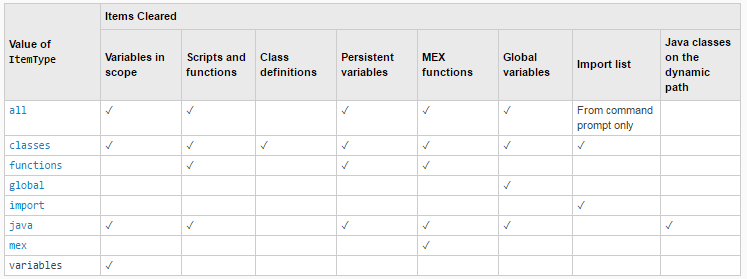
Nice function. One thing that has been bugging me for a while is that ‘clear classes’ removes breakpoints. This makes the workflow for debugging classes more of a challenge than necessary. To avoid this I wrote a small function below. I thought I would have to save the breakpoints to file due to the ‘clear all’ part of ‘clear classes’, but this seems to work OK. One thing I note is that after I call the new ‘clear_classes’ function the breakpoints are not visible in the editor even though they do work.
Is there an easier way to do this? Are there any likely side-effects of doing this?
function clear_classes() %CLEAR_CLASSES Clears classes but keeps breakpoints. % CLEAR_CLASSES() performs a 'clear classes' in the base workspace, but reestablishes the % breakpoints after the clear operation. % % See also CLEAR. breakpoints = dbstatus('-completenames'); evalin('base', 'clear classes'); dbstop(breakpoints); endThanks,
Kieran
Thanks for the feedback Kieran. I don’t think there is a simpler way to do what you’re trying to do. The breakpoints not showing up in the Editor is definitely a bug, which I’ve filed.
-Ken
Thanks Ken. Unfortunately my function does not work in practice very well as I discovered after a bit more testing.
If clear_classes is run then the breakpoints are reestablished correctly but do not appear in the editor (as mentioned). Unfortunately this means that if you make changes to the file and then save it they disappear (ie the editor has lost track of them and so removes them on a save). Presumably this is the same or a related bug to why they do not appear, but its impact is more of a problem.
I will add an enhancement request that clear classes should not remove breakpoints.
Thanks,
Kieran
Hi Kieran,
You could iterate over the results of dbstatus and call dbstop — I’m sure that will work, as that’s what my function does.
I’ve submitted a bug report for the breakpoints disappearing from the Editor.
-Ken
Thanks Ken. I tried that (and a bunch of other things) without success. After a lot of experimenting with dbclear etc and not understanding why things that worked in the command window would not work in a function, I finally realized that you need to add a pause between the ‘clear classes’ or ‘dbclear all’ and the dbstop. A pause of 0.01 was sufficient for me to get it to work.
I added the enhancement request that clear classes should not remove breakpoints.
Thanks,
Kieran
Hi Ken,
In future versions will it be possible to interactively pause and resume execution or resume after errors (such as Ctrl-C)?
thanks,
Ben
Hi Ben,
We have an enhancement request to pause execution. Theres no request yet to resume after errors (you can submit on
here if you like).
-Ken