Well it’s almost Spring 2010, and that means another installment of MATLAB: MATLAB R2010a (version 7.10) is here! You’ll find the full release notes here. You can also find a video of the new Desktop features here. Below, I’ve called out some of my favorite new and updated Desktop features.
To get this latest release go here, or if you’re using R2008b or later, you can select Help -> Check for Updates.
Be sure to let us know what you think of these new features!
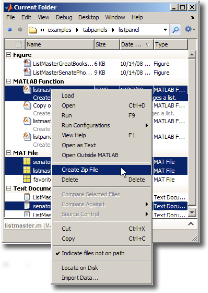 |
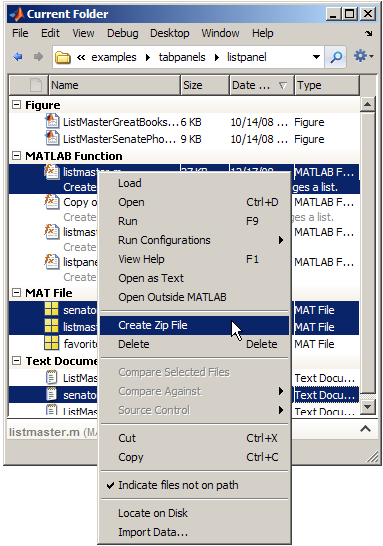
You can now create .zip archive files and unzip them from the Current Folder context menu. This makes it easier to share projects and organize code. |

|
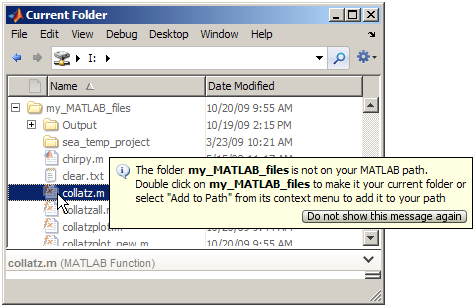
The Current folder browser indicates folders and files not on MATLAB path with an adjustable dimming. You can add and remove folders from the path using the context menu. This feature shows you at a glance what’s on or not on the path.
|

|
The tab completion feature in the Editor now lists subfunctions, nested functions, and local variables in scope from the cursor position, without having to define them first in the workspace. Make sure tab completion is enabled with File -> Keyboard -> Tab Completion.
|

|
The plot selector now supports plots from additional installed toolboxes including the Curve Fitting Toolbox, Filter Design Toolbox, Image Processing Toolbox, and Signal Processing Toolbox.
|

|
File and Folder Comparisons tool received several enhancements this release.
- File comparisons now highlight changes within lines.
- New toolbar buttons for stepping through differences.
- Results are now sortable by name, type, size, timestamp, or change summary.
- When comparing subfolders, the tool continues analysis in the background
|
|
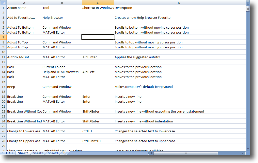
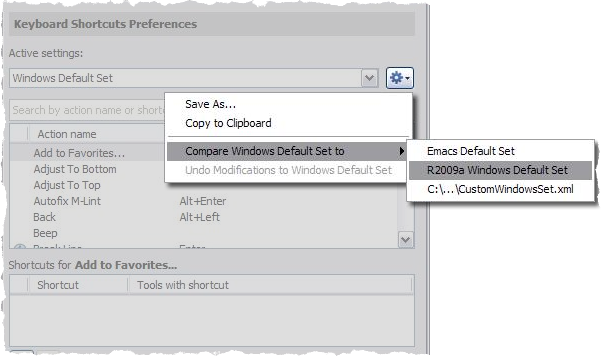
From the Keyboard Shortcut preferences, you can now export a keyboard shortcut set, so it can be viewed in an external tool. You can also compare two different keyboard shortcut sets with our Comparison tool directly from the preference panel. This is a great way to see what is different between two different sets, especially if you have received a modified set from another user.
|

|
Searching the MATLAB documentation just got a whole lot easier. From the search widget, we now provide a type-ahead list of suggestions. This means you’ll get to your results faster, and more accurately. The search history is also now persistent between MATLAB sessions, and you can also hide the previews in the search results, allowing you see more results in the same space.
|

|
You can now control the amount of memory allocated to the java heap right from File -> Preferences -> General -> Java Heap Memory. I wrote a bit about how Java heap memory last year, and I’ll expand upon that when I get around to talking about this new feature
|
EDIT (Oct 15, 2010): Updated link to 10a release notes.











Comments
To leave a comment, please click here to sign in to your MathWorks Account or create a new one.