
Command-Line Preferences
I received some criticism regarding my post about using shell command because it wasn’t very Desktop-y. The way I see it, the MATLAB Environment includes a broader picture of everything going on around MATLAB, which includes not only the Desktop GUI but also operating system, and anything else you can access. I’m mentioning this to ward off any similar comments for this post about getting/setting preferences from the command line. To be clear I’m not talking about programmatically setting the Desktop preferences that are controlled from the Preferences GUI, but rather how to add persistent preferences to your own programs through the getpref and setpref methods.
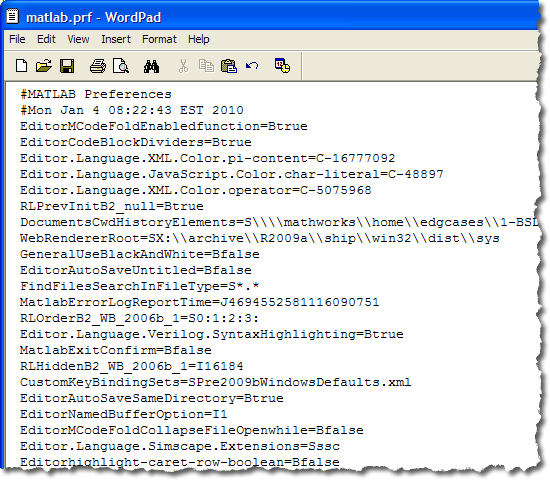
To use the MATLAB preferences functions you need to come up with a “group” name and a preference name. Think of the group as a the toolbox name if you were making your own toolbox. The preference name is the unique key within that group. Unlike the desktop preferences which are stored in the matlab.prf text file, the values used by preference mechanism are stored in a MAT-file (matlabprefs.mat). This means that the preferences can be any MATLAB value, not just strings and scalars. Like matlab.prf, the matlabprefs.mat file is stored in your prefdir.
Here is an example where I store the URL of my blog as a preference:
%% get the pref with the default value
ispref('desktop_blog','url')
% getpref(PREF_GROUP, PREF_NAME, DEFAULT_VALUE)
getpref('desktop_blog','url','https://blogs.mathworks.com/desktop')
ans =

     0


ans =

https://blogs.mathworks.com/desktop
%% change the pref to point to the MATLAB Central Main page
setpref('desktop_blog','url','http://www.matlabcentral.com')
ispref('desktop_blog','url')
getpref('desktop_blog','url','https://blogs.mathworks.com/desktop')
ans =

     1


ans =

http://www.matlabcentral.com
%% reset the pref
rmpref('desktop_blog','url')
ispref('desktop_blog','url')
ans =

     0
%% how might this be used?
web(getpref('desktop_blog','url','https://blogs.mathworks.com/desktop'))
Just so you don’t get confused when looking around the documentation, there’s also an addpref which as far as I can tell does the same thing as setpref except throw an exception if the preference group and name already exist. There’s also a ui(get/set)pref which seems to me to just be a generic dialog that the user can set a preference whether or not that specific dialog is shown again; the command does not explicitly create a dialog to get or set a specific preference. You can easily build such a UI with the (get/set)pref functions and GUIDE or any of the dialog functions.
David Schwartz, one of Loren’s readers uses getpref to save/restore the last current working directory between MATLAB sessions. How do you or might you use these preferences functions?
- Category:
- Preferences






Comments
To leave a comment, please click here to sign in to your MathWorks Account or create a new one.