 Cleve’s Corner: Cleve Moler on Mathematics and Computing
 The MATLAB Blog
 Guy on Simulink
 MATLAB Community
 Artificial Intelligence
 Developer Zone
 Stuart’s MATLAB Videos
 Behind the Headlines
 File Exchange Pick of the Week
 Hans on IoT
 Student Lounge
 MATLAB ユーザーコミュニティー
 Startups, Accelerators, & Entrepreneurs
 Autonomous Systems
 Quantitative Finance
 MATLAB Graphics and App Building
Opportunity to Hunt for MathWorks Swag
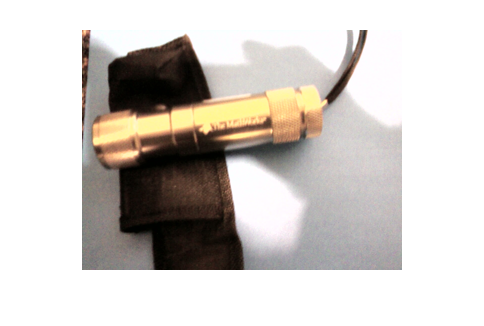
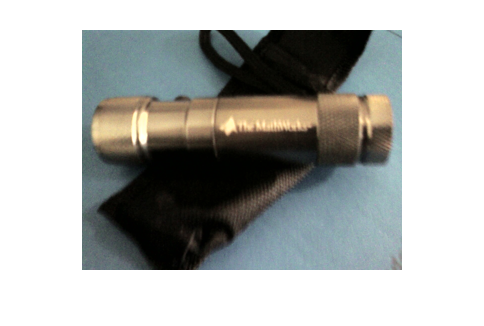
Have you ever gotten involved in geocaching? Have you ever wanted a MathWorks laser pointer / flashlight? You have a chance of combining both of these interests if you happen to be near the Los Angeles (used to incorrectly say Bay) area in California.
Sam Mirsky has posted the challenge to the MATLAB newsgroup.
Here's a couple of pictures of the swag from my phone camera.
I1 = imread('laser1.jpg');
I2 = imread('laser2.jpg');
whos
  Name        Size                  Bytes  Class    Attributes

  I1        960x1280x3            3686400  uint8
  I2        960x1280x3            3686400  uint8
  J1        240x320x3              230400  uint8
  J2        240x320x3              230400  uint8
Let me downsample the pictures to display in the blog using imresize from Image Processing Toolbox. You can a learn more about image processing on Steve's blog.
J1 = imresize(I1,.25);
imshow(J1)
J2 = imresize(I2,.25);
imshow(J2)
Don't forget the hint: Underground, but not buried, in a round hole. If you find it, in addition to returning the code to Sam, can you please post here? Have fun!
- Category:
- Travel


Comments
To leave a comment, please click here to sign in to your MathWorks Account or create a new one.