
Interfacing MATLAB and SAS
This morning, a customer wrote to ask me about the best way to interface MATLAB with SAS. Now, I've been using MATLAB for about 14 years, but it's been about that long since I last touched SAS. And I've never tried to interface the two.
What to do?
Whenever I'm faced with a challenge of this nature, my first stop is usually Google. (Isn't it everyone's?) So I Googled "MATLAB SAS" and was very pleased to see that the first "hit" was for a white paper by Dimitri Shvorob entitled "The Twain Shall Meet: Facilitating Data Exchange Between SAS and Matlab."
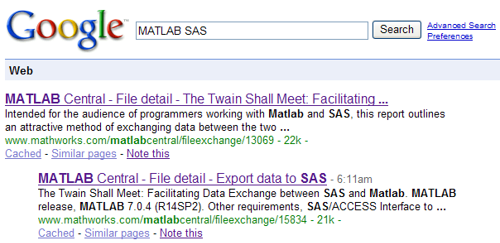
We'll forgive Dimitri here for his improper capitalization of "MATLAB"; his paper provides a nice overview of how to use a MySQL database as "conduit" to facilitate the interchange of data, and underscores the power of the File Exchange (and more broadly, of Google, and of the Internet!) to find solutions to commonly faced problems. It's clear from Dimitri's paper that he knows his way around SAS, and I'm pleased that he chose to share his knowledge on MATLAB Central. In fact, accompanying that paper were two additional files of note: Import data from SAS and Export data to SAS. This suite of files is Brett's choice for this week's Pick of the Week.
Let us know here if you've solved "interfacing problems" of this nature--particularly ones you haven't (yet) shared on the File Exchange!
- Category:
- Picks





Comments
To leave a comment, please click here to sign in to your MathWorks Account or create a new one.