
Finding where variables are used from the Model Explorer
In a previous post, we illustrated the Simulink.findVars function.
To be honest, I am not very good at remembering the syntax of functions. Every time I encounter a situation where I could use Simulink.findVars, I need to open the documentation to figure out how to use it. Being a Simulink user, if there is a way I can click somewhere to get or set what I want, you can be sure I will go that way.
For those like me, I want to share this trick I just discovered.
Find Where Used
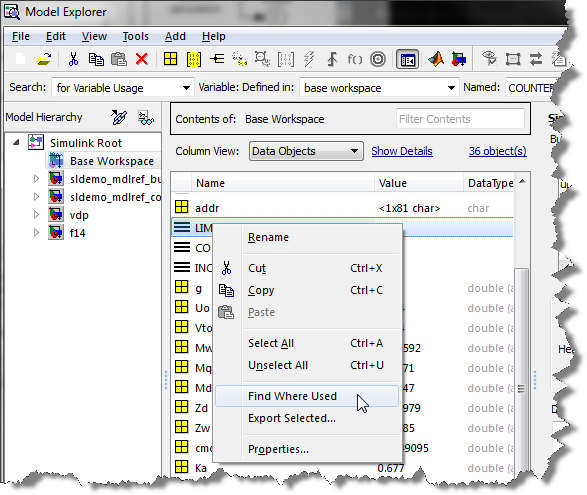
Most models rely on tens or even hundreds of variables in the workspace. Sometimes I need to know which blocks in the model use a specific variable. To accomplish this, open the model and right click on the variable. You will see a Find Where Used option:
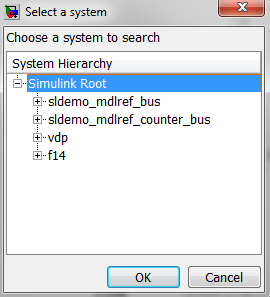
This will launch a window asking if you want to search for a specific model or all open models:
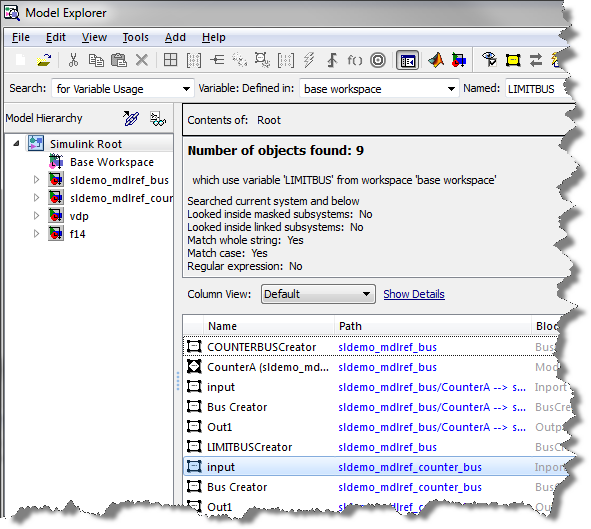
Depending on the type of variable, the search might require a model update. Once this is done, you will get the list of blocks using the variable.
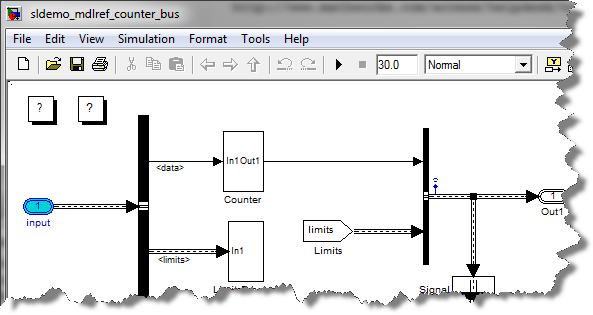
Double click on the block name. Simulink will bring it up and highlight it:
Now it's your turn
Look at the documentation section titled The Model Explorer: Working with Workspace Variables and let us know how this is applicable to your work-flow. Leave us a comment here.- Category:
- Model-Based Design,
- Parameters,
- Simulink Tips




Comments
To leave a comment, please click here to sign in to your MathWorks Account or create a new one.