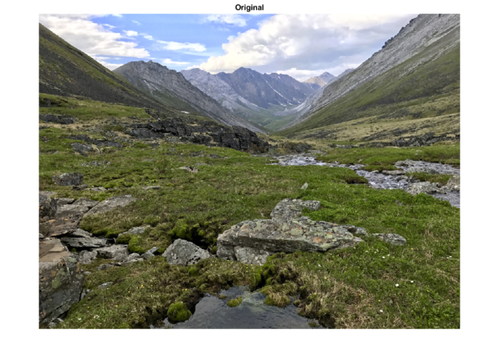
Were you intrigued by the custom spatial transformations I showed last week? Here's a challenge for you: Create a sample image transformation that is in some way creative, interesting, or just plain fun to look at. Use maketform('custom',...) and imtransform. Send an M-file script that demonstrates the idea to Steve.Eddins@mathworks.com. I'll pick the best ones, using a procedure carefully designed to be scientifically invalid, and show them on the blog.
You can either use a sample image that ships with the Image Processing Toolbox (look in toolbox/images/imdemos), or you can attach your own sample image. (Keep the attachments under 100 KB, please.) Note: If you send me an image, it should be one that you own. By sending it to me, you are giving me permission to publish it on this blog.
I am trying to transform an image in polar coordinates to cartesian coordinates.
I am using imtransform with the ‘custom’ option but I get an error message saying that atan2, in cart2pol.m which is my inverse_function, is not defined for input arguments of type ‘struct’.
I am entering as well UData, VData, XData and YData.
Do you have any suggestions on how to do it with imtransform or any other function?
Maria—Your description of what you’ve done is pretty vague, so it’s hard to give you specific advice. The first thing you should focus on is whether you are using maketform correctly. That’s the function with the custom option, not imtransform. See my 4-Aug-2006 post for an example.
Maria—Please read carefully the section on the custom option in the documentation for maketform. Note especially the part starting with “Those functions must support the following syntax …” The function cart2pol doesn’t support the syntax that maketform requires. You’ll need to create your own function that wraps cart2pol, either as an M-file or as an anonymous function.
I’d like to know how could I rotate an image not around its center. I’ve been looking on your blog for something related to this question but I cannot find the answer. if it does exist here, please accept my apologize.
Michael—Create an affine tform struct using maketform and then use imtransform. Your affine is a composition of three affines: (a) translate center point origin; (b) rotate about origin; and (c) translate back to desired center point.
Steve- thank you for your reply. can I make a maketform with one affine matrix which is the multiplication of the 3 affines you wrote? (I hope my question is clear enough). thanks again, Michael.
steve- I’ve been trying your suggestions. I’ve the following problems. the translation seems not doing the job and the rotation seems to occur always around the up-left corner of the image.below is the code I’m using. sorry to waste your time, but I’d be very grateful if you could help with this. if you want I can send you the heli1_512 mat.
Thank again for you support. Michael
Michael—Yes, you can multiply the three affines together to get a single affine matrix.
I don’t understand your code in comment #9. Since some of it is commented out, it looks like you are only applying the rotation matrix, and not the translation ones. Also, applying A1 twice, as you show in one of your commented-out lines, is just translating twice in the same direction. Instead, you need another translation matrix containing the negative of the translation offsets in the first.
About
Steve Eddins is a software development manager in the MATLAB and image processing areas at MathWorks. Steve coauthored Digital Image Processing Using MATLAB. He writes here about image processing concepts, algorithm implementations, and MATLAB.
Hi Mr. Eddins,
I am trying to transform an image in polar coordinates to cartesian coordinates.
I am using imtransform with the ‘custom’ option but I get an error message saying that atan2, in cart2pol.m which is my inverse_function, is not defined for input arguments of type ‘struct’.
I am entering as well UData, VData, XData and YData.
Do you have any suggestions on how to do it with imtransform or any other function?
Thank,
Maria
Maria—Your description of what you’ve done is pretty vague, so it’s hard to give you specific advice. The first thing you should focus on is whether you are using maketform correctly. That’s the function with the custom option, not imtransform. See my 4-Aug-2006 post for an example.
Hi Mr. Eddins,
Yes you are right, the custom option is for the maketform function. Here is what I have written:
XData = [x_o x_f]; YData = [y_o y_f]; UData = [aax(1) aax(length(aax))]; VData = [rax(1) rax(length(rax))]; size_xy_data = [length(y) length(x)]; frw_fct = []; inv_fct = @cart2pol; TFORM = maketform('custom',2,2,frw_fct,inv_fct,[]); xy_data = imtransform(rp_data,TFORM,'UData',UData,'VData',VData,... 'XData',XData,'YData',YData,'Size',size_xy_data);After running I obtain for TFORM:
Error messages edited out. -SLE
I hope this description of my problem is better than the previous one.
Thank you very much,
Maria
Maria—Please read carefully the section on the custom option in the documentation for maketform. Note especially the part starting with “Those functions must support the following syntax …” The function cart2pol doesn’t support the syntax that maketform requires. You’ll need to create your own function that wraps cart2pol, either as an M-file or as an anonymous function.
Thank you, I guess because I am always in a hurry I dont read carefully enough. Thanks and I will try to create my own cart2pol.
Hello Mr. Eddins,
I’d like to know how could I rotate an image not around its center. I’ve been looking on your blog for something related to this question but I cannot find the answer. if it does exist here, please accept my apologize.
thank you in advance,
Michael
Michael—Create an affine tform struct using maketform and then use imtransform. Your affine is a composition of three affines: (a) translate center point origin; (b) rotate about origin; and (c) translate back to desired center point.
Steve- thank you for your reply. can I make a maketform with one affine matrix which is the multiplication of the 3 affines you wrote? (I hope my question is clear enough). thanks again, Michael.
steve- I’ve been trying your suggestions. I’ve the following problems. the translation seems not doing the job and the rotation seems to occur always around the up-left corner of the image.below is the code I’m using. sorry to waste your time, but I’d be very grateful if you could help with this. if you want I can send you the heli1_512 mat.
Thank again for you support. Michael
%A1= [1 0 0; 0 1 0; 50 0 1];
for i=0:pi/16:2*pi
A2=[cos(i) sin(i) 0; -sin(i) cos(i) 0; 0 0 1];
% A=A1*A2*A1;
A=A2;
B=maketform(‘affine’,A);
rot=imtransform(heli1_512,B,’XData’,[1 512],’YData’,[1 512]);
figure;
imshow(rot);
end
Michael—Yes, you can multiply the three affines together to get a single affine matrix.
I don’t understand your code in comment #9. Since some of it is commented out, it looks like you are only applying the rotation matrix, and not the translation ones. Also, applying A1 twice, as you show in one of your commented-out lines, is just translating twice in the same direction. Instead, you need another translation matrix containing the negative of the translation offsets in the first.