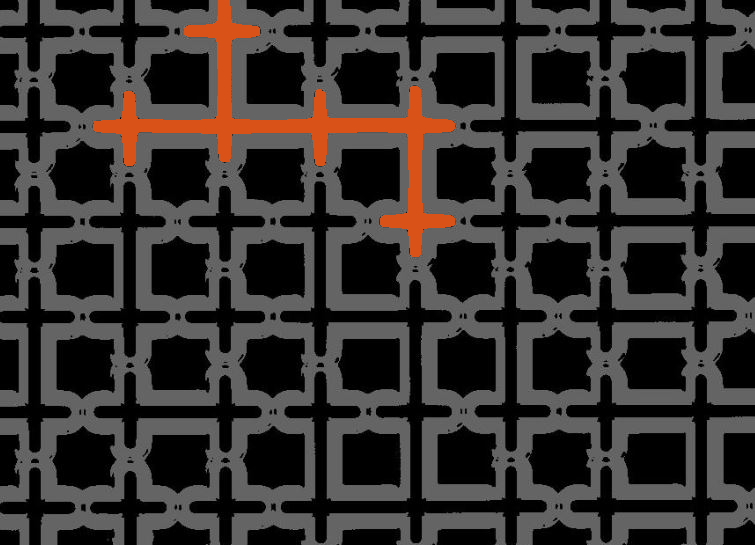
I was looking at the image below on a web page recently and I decided to extract the locations of all the dots. I thought the procedure might make a nice little end-of-the-week
how-to post.
% Did you know that imread can read directly from a URL?
url = 'http://cgm.cs.mcgill.ca/~godfried/teaching/projects97/belair/example1.gif';
[X, map] = imread(url);
imshow(X, map)
First question to answer: What is the index of the color used for the dots? One easy way to go is to use imtool.
Here's a screenshot:
As you can see, when I placed the mouse pointer over the center of one of the dots, the pixel info display at the lower left
showed that the index value was 1, and the corresponding colormap color was [1.00, 0.78, 0.00].
Now that we know the index value, we can easily make a binary image of just the interior of the dots.
bw = X == 1;
imshow(bw)
Now we can compute the centroids of the dots.
s = regionprops(bw, 'Centroid')
s =
122x1 struct array with fields:
Centroid
The line above is a new syntax for regionprops that we introduced earlier this year in R2009a. Previously, you always had to compute a label matrix first using bwlabel and then pass that label matrix to regionprops. Now regionprops can do this computation directly on the binary image. Since the label matrix is not computed, this new syntax uses less
memory and usually runs faster than the old version.
For those of you using an older version, do this instead:
L = bwlabel(bw);
s = regionprops(L, 'Centroid');
To show the results, display the image and then superimpose the centroid locations.
imshow(X, map)
hold onfor k = 1:numel(s)
centroid_k = s(k).Centroid;
plot(centroid_k(1), centroid_k(2), 'b.');
end
hold off
Hmm. It looks we got only one dot at some of those locations. Use the zoom button on the Figure Window toolbar to zoom in.
Or you can do it noninteractively:
axis([50 100 0 50])
Yep. For overlapping circles, we are only getting one location. The reason is that the interiors of the overlapping circles
are 8-connected to each other, so they are regarded by regionprops as single regions. To get two locations for these overlapping circles, we have to label the regions using 4-connectivity
instead of 8-connectivity.
To do this we have to compute the connected components in a separate step and then call regionprops.
cc = bwconncomp(bw, 4);
s = regionprops(cc, 'Centroid');
bwconncomp is also new to R2009a. Users of R2008b and earlier can do:
L = bwlabel(bw, 4);
s = regionprops(L, 'Centroid');
imshow(X, map)
hold onfor k = 1:numel(s)
centroid_k = s(k).Centroid;
plot(centroid_k(1), centroid_k(2), 'b.');
end
hold off
axis([50 100 0 50])
Much better.
This little example showed several useful things:
Reading an image directly from a URL
Using imtool to inspect individual pixel values
Using the new, more efficient syntax of regionprops
Yesterday I posted that I was looking for a replacement for the term truecolor. (I won't repeat the explanation here; take a look at the original post.) Quite a few readers posted interesting and thoughtful ideas.
Gene commented and Rob sent me e-mail about the use of the term truecolor in remotely sensed imagery. I had been thinking about the term as defining
a form of representation: each pixel is a vector of color-space component values. They pointed out to me that a "truecolor
image" in remote sensing has a more specific meaning: it is a three-band image in which the bands contain data from the red,
green, and blue portions of the visible spectrum (in that order).
That caused me to rethink things a little bit. If I'm concerned about the distinction between different kinds of representation, then I can talk about a color image as being multichannel or indexed. That leaves us able to use truecolor to refer a specific kind of multichannel color image. And that has the advantage of leaving our existing doc mostly alone.
What do you think?
It interests me that my posts about terminology questions always seem to draw a lot of comment. And I appreciate that each
time I do it, you teach me good stuff.
One of my favorite terminology stories is when Prof. Ron Schafer showed his class a "Sniglet." (Sniglets, which are made-up words with plausible-sounding definitions, were popular in the 1980s.) Since we were a digital
signal processing class, we especially appreciated the definition of the Sniglet point blimfark - the point at which the stagecoach wheels in the movie start to look like they're going backward (otherwise known as aliasing).
The Image Processing Toolbox has terminology conventions for four different image types:
Binary images
Gray-scale images
Indexed images
Truecolor images
You'll also frequently see the term RGB image, which is shorthand for a truecolor image using an RGB color space. (See the User Guide section on image types.)
Over the last few years I've become increasingly dissatisfied with the term truecolor.
Wikipedia has a brief article on truecolor. The article says the term describes a "method of representing and storing graphical image information." It goes on to
say that a truecolor representation is one that either:
(a) can represent a large number of colors, typically at least 2^24.
(b) does not use a color look-up table ("colormap" in MATLAB terminology)
Curiously, the article refers to (a) and (b) as "equivalent" statements.
Defining an image representation method in terms of whether it represents a lot of colors is too vague to be very useful in
my view. Defining a representation in terms of a characteristic it does not possess (that is, a truecolor representation does
not use a color look-up table) is similarly vague.
Also, as I learn more about color science I've grown uncomfortable with the idea that any computer or mathematical representation
of color can really be called "true color."
Here's the definition I really want to see:
[blank] is a method of representing image information in which each image pixel is stored as a vector of color-space component values.
But what's a good term to go along with this definition? Help me fill in the blank by commenting with your thoughts.
I'd like to be able to establish an image size that will be recognized by PDFLATEX when I compile my document. Often, I size
an image in MATLAB only to have it occupy more than a page after compiling in PDFLATEX. I know I can use imresize, but I'd
like to resize a PNG so that it is exact 2 inches wide, so I can get some consistency of sizing in my document.
It occurred to me that this is a common use case in publishing articles, books, etc: "I need this image to print exactly 3
inches wide in my document so it fits nicely in the column." The document might be LaTeX as above, or a Word file, or something
else.
In publishing, TIFF is usually the format of choice. The MATLAB function imwrite can include extra information in the TIFF file to control how wide an image will be printed when included in a document application.
This extra information is provided in the form of the 'Resolution' parameter, which gives pixels per inch. (In this context the term dots per inch is also used.)
I wrote about how to use the 'Resolution' parameter way back in 2006, but at the time I didn't explain how to achieve a certain desired printed width.
When publishers specify a certain resolution in pixels per inch (dots per inch), and the image should be printed at a certain width, then generally the image has to be resized to meet both criteria. That is,
the number of image pixels may have to be changed.
In the most simple usage, imwritesize will create a TIFF file or PNG file for you so that the image will have the desired width in a document application.
rgb = imread('peppers.png');
size(rgb)
ans =
384 512 3
Notice the original image has 512 pixels per row.
Now write the image out using imwritesize:
imwritesize(rgb, 'peppers_3in.tif', 3);
The extension of the output filename determines the image file format. To write out a PNG file instead of TIFF, just use
the extension '.png'.
imwritesize(rgb, 'peppers_3in.png', 3);
With this usage, the number of pixels in the image is not changed. imwritesize just saves the image into the file with the right resolution parameter to achieve the desired width;
info = imfinfo('peppers_3in.tif');
image_pixels_per_row = info.Width
The width is not exactly 3 inches because the resolution value in a TIFF file is restricted to be an integer number of pixels
per inch.
Now suppose you want the document width of the image to be 3 inches and the document image resolution to be 300 dpi? Then you specify 300 as an additional argument to imwritesize:
I apologize to those of you living in metric land. I wanted to keep the interface simple so I did not include units options.
You could perform a metric conversion in the call to imwritesize, like this:
imwritesize(rgb, 'peppers_7cm.tif', 7/2.54)
Or you can modify the code in imwritesize to suit yourself. I tried to keep the code very straightforward so that users could learn from it.
I hope you find this MATLAB Central File Exchange contribution useful. If you want to use this function and you already have
MATLAB R2009b, you should consider taking this chance to experiment with the new MATLAB Desktop / File Exchange integration.
A friend from my grad school days (back in the previous millenium) is an electrical engineering professor. Students in his
class recently asked him why the conv function is not implemented using FFTs.
I'm not on the team responsible for conv, but I wrote back with my thoughts, and I thought I would share them here as well.
Let's review the basics. Using the typical convolution formula to compute the one-dimensional convolution of a P-element
sequence A with Q-element sequence B has a computational complexity of . However, the discrete Fourier transform (DFT) can be used to implement convolution as follows:
1. Compute the L-point DFT of A, where .
2. Compute the L-point DFT of B.
3. Multiply the two DFTs.
4. Compute the inverse DFT to get the convolution.
Here's a simple MATLAB function for computing convolution using the Fast Fourier Transform (FFT), which is simply a fast algorithm
for computing the DFT.
type conv_fft
function c = conv_fft(a, b)
P = numel(a);
Q = numel(b);
L = P + Q - 1;
K = 2^nextpow2(L);
c = ifft(fft(a, K) .* fft(b, K));
c = c(1:L);
Note that the code uses the next power-of-two greater than or equal to L, although this is not strictly necessary. The fft function operates in time whether or not L is a power of two.
The overall computational complexity of these steps is . For P and Q sufficiently large, then, using the DFT to implement convolution is a computational win.
So why don't we do it?
There are several technical factors. Let's look at speed, exact computation, and memory.
Speed
One factor is that DFT-based computation is not always faster. Let's do an experiment where we compute the convolution of a 1000-element sequence with another sequence of varying
length. (Get the timeit function from the MATLAB Central File Exchange.)
x = rand(1, 1000);
nn = 25:25:1000;
t_normal = zeros(size(nn));
t_fft = zeros(size(nn));
for k = 1:numel(nn)
n = nn(k);
y = rand(1, n);
t_normal(k) = timeit(@() conv(x, y));
t_fft(k) = timeit(@() conv_fft(x, y));
end
For sequences y shorter than a certain length, called the cross-over point, it's quicker to use the normal computation.
Exact computation
A second consideration is whether the computation is subject to floating-point round-off errors and to what degree. There
are applications, for example, where the convolution of integer-valued sequences is computed. For such applications, a user
would reasonably expect the output sequence to be integer-valued as well.
function c = binom(n)
c = 1;
for k = 1:n
c = conv(c, [1 1]);
end
binom(7)
ans =
1 7 21 35 35 21 7 1
I wrote a variation called binom_fft that is the same as binom except that it calls conv_fft.
format long
binom_fft(7)
ans =
Columns 1 through 4
1.000000000000000 6.999999999999998 21.000000000000000 35.000000000000000
Columns 5 through 8
35.000000000000000 21.000000000000000 7.000000000000000 0.999999999999996
Whoops! What's going on? The answer is that the FFT-based implementation of convolution is subject to floating-point round-off
error.
I imagine that most MATLAB users would consider the output of binom_fft to be wrong.
Memory
The last technical consideration I want to mention is memory. Because of the padding and complex arithmetic involved in the
FFT computations, the FFT-based convolution implementation requires a lot more memory than the normal computation. This may
not often be a problem for one-dimensional computations, but it can be a big deal for multidimensional computations.
Final thoughts
The technical considerations listed above can all be solved in principle. The implementation could switch to using the normal
method for short or integer-valued sequences, for example. And there are FFT-based techniques such as overlap-and-add to reduce the memory load.
But the problem can get quite complicated. Testing floating-point values to see if they are integers, for example, can be
slow. Also, I suspect (but have not checked) that a multithreaded implemention of the normal computation will take advantage
of multiple cores better than a multithreaded FFT-based method. That would change the cross-over point between the two methods.
And the exact cross-over point will vary from computer to computer, making it likely that our implementation would be somewhat
slower for some people for some problems.
Overall, my inclination would be to provide FFT-based convolution as a separate function rather than reimplementing conv. And that's what we've done. See the function fftfilt in the Signal Processing Toolbox.
Do you disagree with this approach? Post your comment.
The R2009b release of MATLAB contains a new Tiff class. The primary purpose of this class is to provide lower-level access to creating and modifying image data and metadata in
an existing TIFF file.
Several customers have asked for the ability to embed an ICC profile into a TIFF file. The Image Processing Toolbox function
iccread can read a profile embedded in a TIFF file, but iccwrite can only write a stand-alone profile file.
Here is code using the new Tiff class to embed a profile in an existing TIFF file. Let's start by rewriting one of the Image
Processing Toolbox sample PNG image files as a TIFF file.
rgb = imread('peppers.png');
imwrite(rgb, 'peppers.tif');
s = dir('peppers.tif')
We've been working for a while now to make Image Processing Toolbox functions run faster. The R2009b release notes mention several performance improvements. We've gotten some feedback, though, that our release notes are pretty vague about
the improvements. I can't argue with that impression. We tend to be vague because performance optimization is a very complex
topic, and it can be quite difficult to characterize performance changes in a way that is brief, understandable, and accurate
for every user's own hardware and data.
But I've decided to start posting more detailed information here about the performance improvements. I have more flexibility
(and room!) here than we have with the release notes.
Today I'll tackle imreconstruct, which performs morphological reconstruction. Reconstruction is a very useful operation that I've written about here before.
For example, see my post from last year on opening by reconstruction. Several other Image Processing Toolbox functions call imreconstruct, including imclearborder, imfill, imhmax, imhmin, imextendedmax, imextendedmin, and imimposemin.
So how long does that call to imreconstruct take in R2009b? I'll use my function timeit, which you can download from the MATLAB Central File Exchange.
timeit(@() imreconstruct(marker, text))
ans =
0.0241
That time is about 45 times faster than the same operation performed in R2009a. Note that I'm running on two-core computer;
the improved imreconstruct is multithreaded, so the performance improvement would be greater on a four-core computer, for example.
Now let's time gray-scale reconstruction. I'll make a 1024-by-1024 test image and compute a marker image by subtraction.
This kind of operation is often used to suppress small peaks in an image.
I = repmat(imread('rice.png'), 4, 4);
marker = I - 20;
timeit(@() imreconstruct(marker, I))
ans =
0.0201
This time is about 30 times faster than R2009a, again running on my two-core laptop.
Now for some key caveats you should know. For now, the performance improvements described here only work for 2-D inputs that
are uint8, uint16, or single, and only when the specified connectivity is 4 or 8. We'll be working in the future to extend
the speed improvements to other inputs.
I spent all of yesterday interacting with visitors to the MATLAB Virtual Conference. It was great fun! A blogger wrote that it was the "high point of geekism and nerdity of this year." (I think that was intended to be a compliment!)
It's not too late to hear the presentations. You can still visit the conference link and listen to the talks there, or you can download them as podcasts.
I started out early in the morning in the Image and Video Processing booth, participating in the group chat there. When it got busy it was a bit challenging to follow all the conversational threads, but I think most people got their questions answered, and I came away with a lot of good product feedback.
Then I went over to hear Tom Kush and Roy Lurie give their "MATLAB Universe" keynote address. If you want to hear about the world-wide impact of MATLAB and get some insight into where we think MATLAB is going, check out this talk. (I didn't get a chance to listen to the other talks yesterday, but I will later.)
The experience reminded me of some of the MATLAB user conferences in the 1990s. One of the only times I've ever heard company president Jack Little tell a joke was during his keynote address at the 1995 user conference in Cambridge, Massachusetts. We had been working for several years on MATLAB 5, which was going to be a huge release. Conference attendees had been promised a preview. So at the opening of the conference, in an enormous ballroom, Jack fired up the development build of MATLAB 5 on the big screen and started to talk about all the exciting new features to come. He said there would be a few changes that might take some getting used to. (We developers were sitting on the back row, holding our breath.) Jack explained that we had decided to adopt RPN (Reverse Polish Notation, popular in HP engineering calculators such as my beloved HP 15C) in MATLAB. He proceeded to type something like:
>> 5 3 +
There was a massive collective gasp! from the audience as we about fell off our chairs in the back trying not to laugh out loud.
To any reader who was there (and is still recovering), I can only say, "We're sorry!" ;-)
OK, back to the present. Later in the day I gave a talk on MATLAB array indexing techniques that are useful for image processing, borrowing heavily from material I originally posted here on the blog. I was afraid the material would be too narrowly focused, but the audience stayed with me to the end and then asked a bunch of great questions about my last topic, neighbor indexing, which was pretty advanced.
For the first five minutes of the talk (which I recorded a couple of weeks ago), I was in a rapidly increasing panic, because a 2-second echo was making the audio completely unintelligible! I bolted out of my office to find someone to help. Kevin calmed me down and helped me figure out that I had a second, forgotten, browser window open to the talk, and the echo was coming there. Boy did I feel silly. Thanks, Kevin!
Readers, I have two questions for you. First, did you attend any of the original MATLAB user conferences in the 90s? Any favorite memories to share?
Second, did you attend the virtual conference yesterday? What did you think? If we do it again, what can we do better next time?
Thanks for taking the time to give us your feedback.
We discovered recently that we broke application deployment when using the MATLAB Compiler with Image Processing Toolbox functions in R2009b. The problem happens only on Windows and is caused by some missing shared libraries in the deployed application.
If you use the R2009b MATLAB Compiler on Windows with the Image Processing Toolbox, please see our published bug report for a workaround. (Note: there is no need to apply this workaround to earlier releases.)
We are reviewing our procedures to try to make sure something like this doesn't happen again.
Steve Eddins manages the Image & Geospatial development team at The MathWorks and coauthored Digital Image Processing Using MATLAB. He writes here about image processing concepts, algorithm implementations, and MATLAB.
Recent Comments