
MATLAB MCP Core Server Update: Bringing Your Coding Guidelines Directly to AI
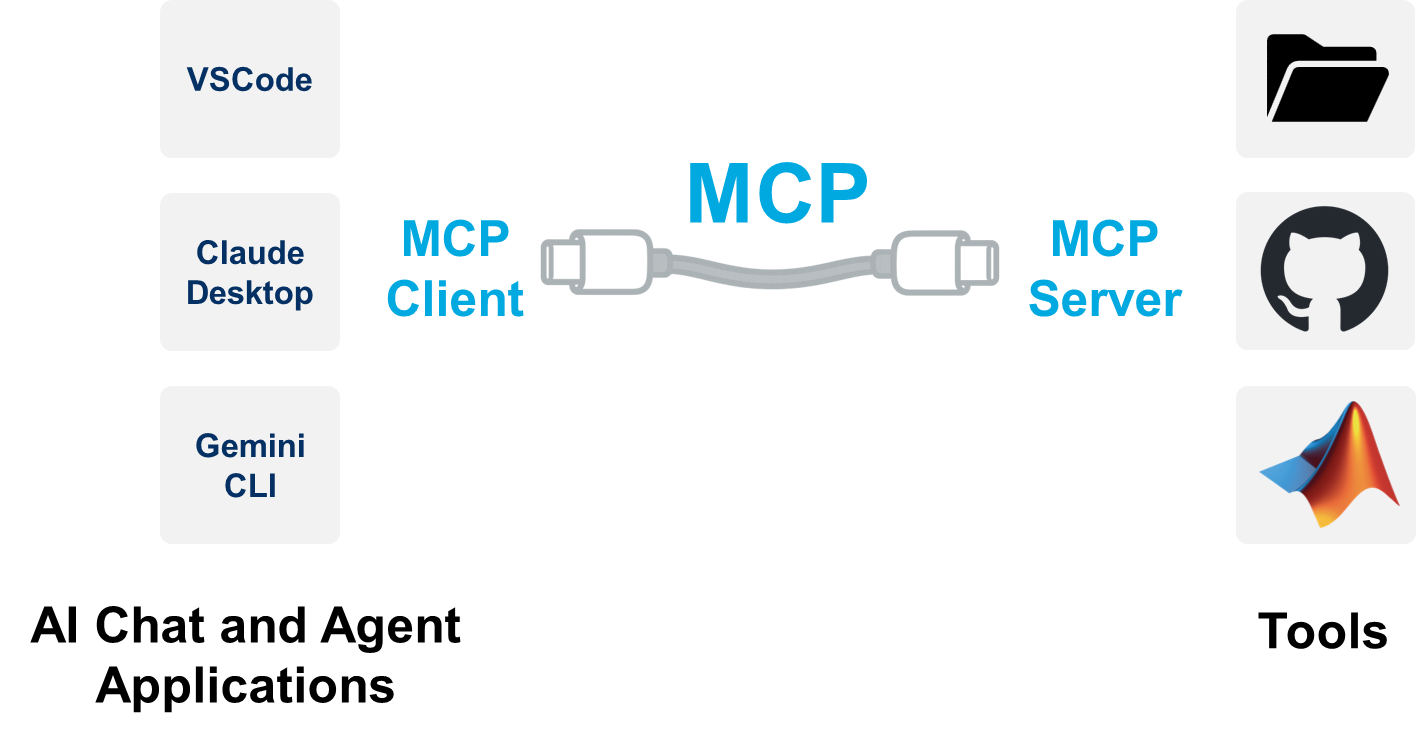
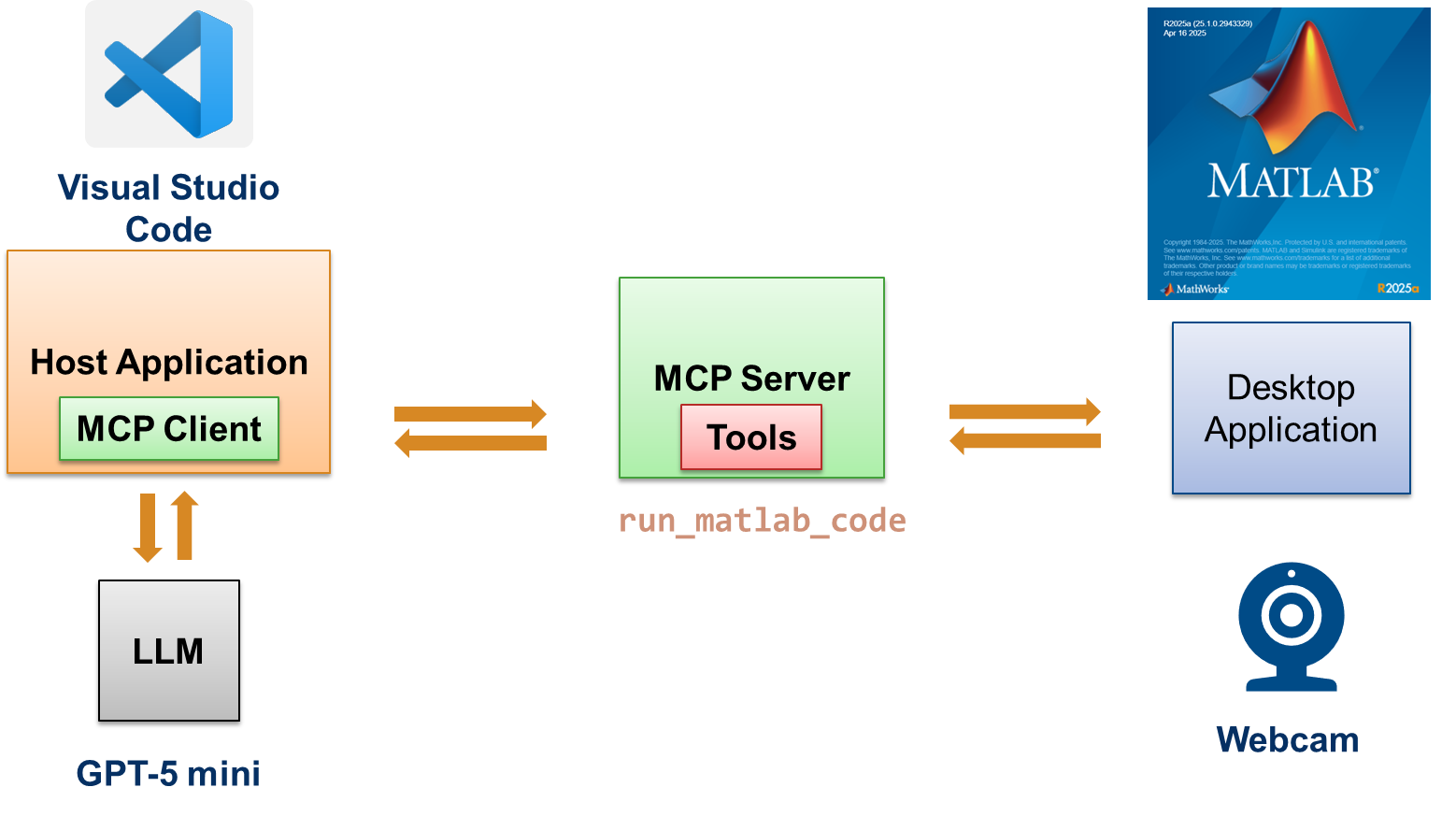
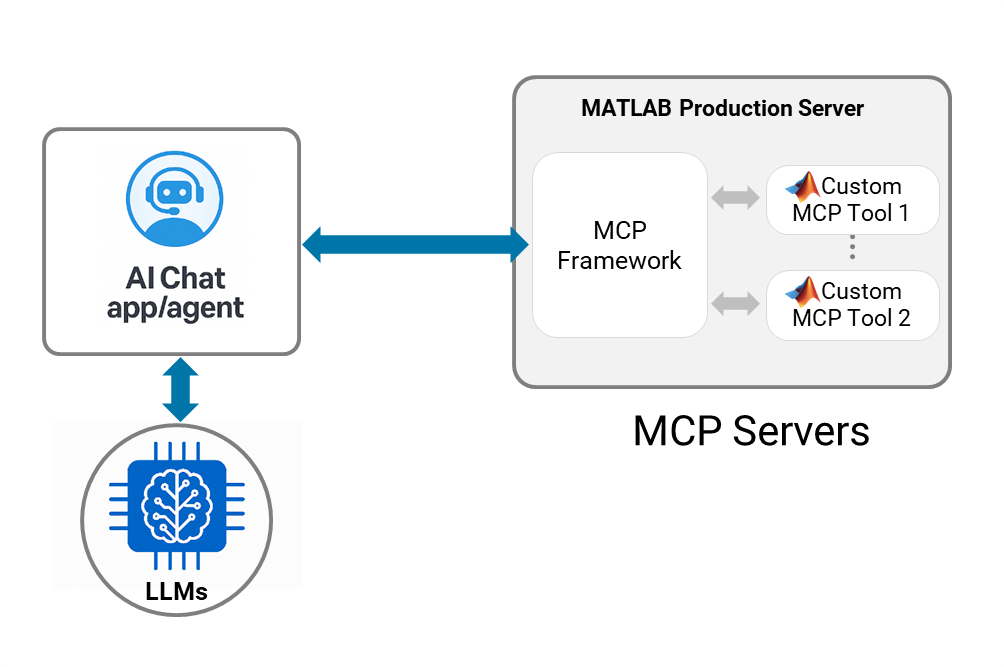
Last month, we announced the release of the MATLAB Model Context Protocol (MCP) Core Server, opening a new bridge between MATLAB and the next generation of AI agents. The response has been incredible, and we’ve been listening closely to how you are using these agents to accelerate your workflows.
Today, we are excited to share a new feature-driven update to the server (v0.3), which goes beyond just executing code. This release introduces a fundamental shift in how your AI assistant understands your development environment: MCP Resources.
Beyond Tools: The Power of Context
In our initial release, we focused on Tools—giving the AI the ability to run MATLAB code, evaluate expressions, and retrieve documentation. That’s the "hands" of the agent. With today’s update, we are giving the agent "eyes." The Model Context Protocol isn't just about execution; it’s about Context. By adding support for Resources, the MATLAB MCP server can now feed structured read-only data directly into the Large Language Model’s (LLM) context window. This ensures the model knows how you want your code written before it writes a single line.Feature Highlight: Standardizing Code with "MATLAB Coding Guidelines"
We know that generating code is easy, but generating compliant, production-ready code is hard. To demonstrate the power of Resources, we have connected the MATLAB MCP server directly to the MATLAB AI Coding Rules. Now, instead of prompting your agent with "Write this script and please remember to use camelCase and don't use i for loops," you can simply attach the Coding Guidelines Resource. A Real-World Workflow: Imagine you are asking an AI agent (like Claude Desktop or Cursor) to write a script that processes complex number arrays. Without Context: The model might generate a loop using i as an iterator:% Typical AI Output for i = 1:100 y = x + 3i; % Potentially ambiguous or error-prone if 'i' is overwritten end
% Output with MCP Resource attached
for k = 1:100
    y = x + 3*1i; % Adheres to MathWorks guidelines for imaginary units
end
What Else is New?
This release includes several other improvements driven by community feedback:- Lazy Loading: We are optimizing the server startup. MATLAB will now "lazy load," meaning the server starts instantly and only launches the full MATLAB engine when you make your first tool call.
- System Tests: We've added a robust suite of system tests to ensure stability across different OS environments.
- Watchdog Logging: Improved debugging with dedicated logs for the server watchdog process.
Try It Out
The updated MATLAB MCP Core Server is available now.- Update your server: Get the latest release from our GitHub Repository.
- Explore the Guidelines: Check out the source of inspiration for our new resource at the MATLAB Coding Guidelines repo.
- Connect: Point your AI chat or agent (like Claude or IDEs supporting MCP) to the new server and look for the new Resources (in Claude Desktop, it is available with the + icon).




댓글
댓글을 남기려면 링크 를 클릭하여 MathWorks 계정에 로그인하거나 계정을 새로 만드십시오.