
Antigravity + MATLAB is wicked good
Google released a new agentic development environment called Antigravity. And it works great with MATLAB. (It's wicked as they say in Boston!)
If you are looking to defy gravity, here is a fun use case for an app leveraging the power of MATLAB and Antigravity:
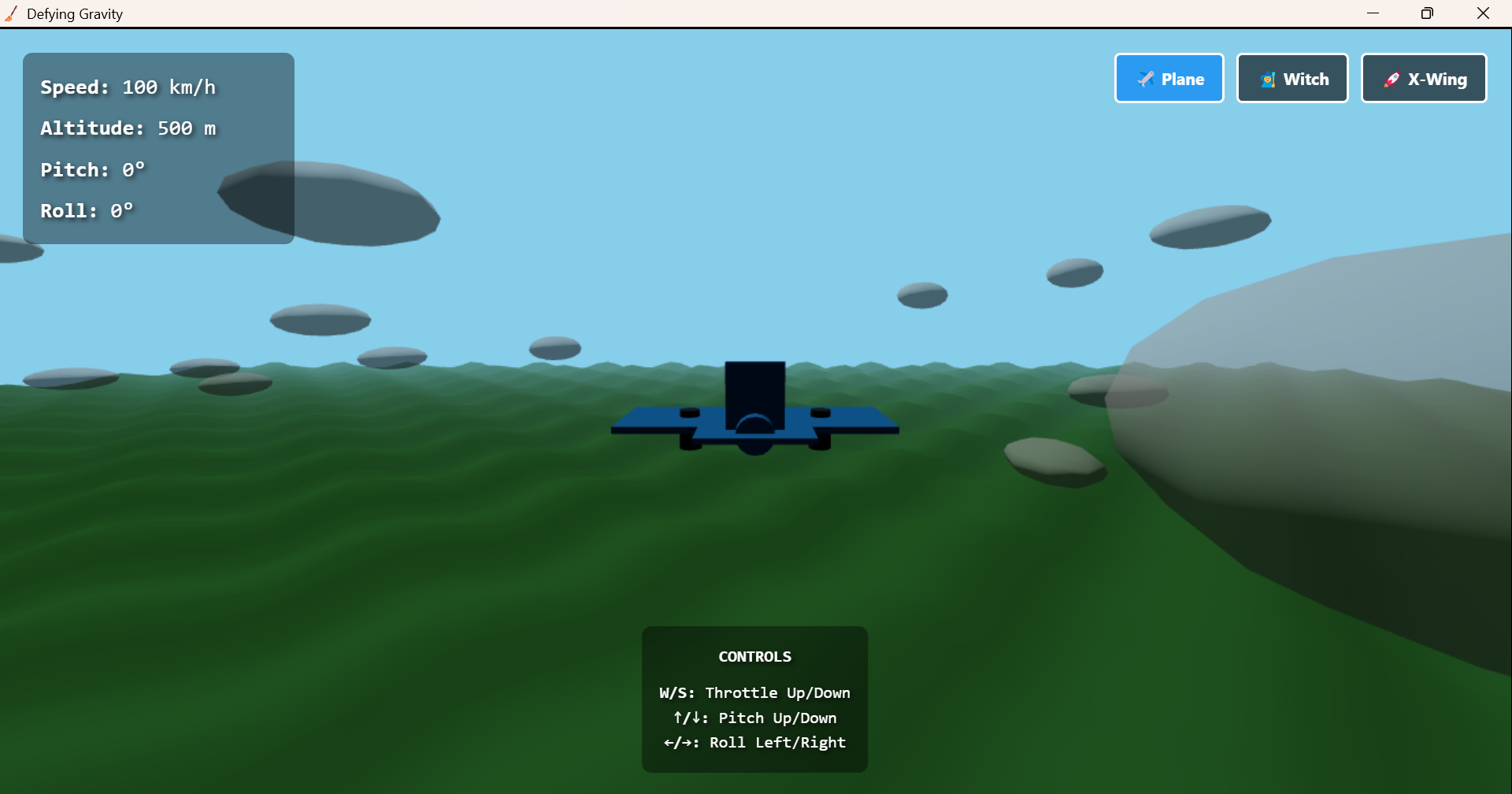 This article will look at three different components, that were built using Antigravity + MATLAB:
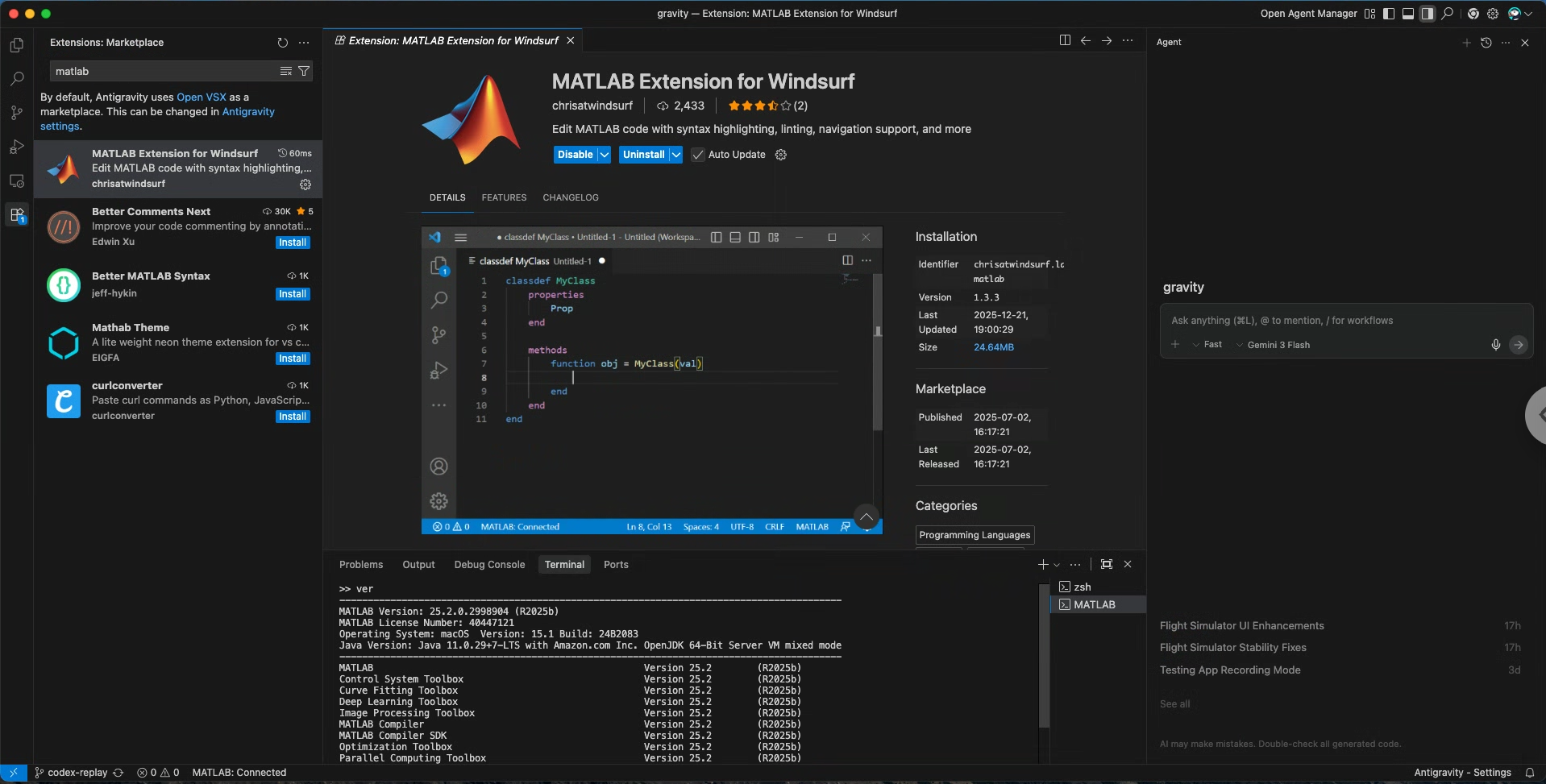 You will find the MCP Server setup screen in the three dots on the top right of the Agent side panel (slightly different from VSCode).
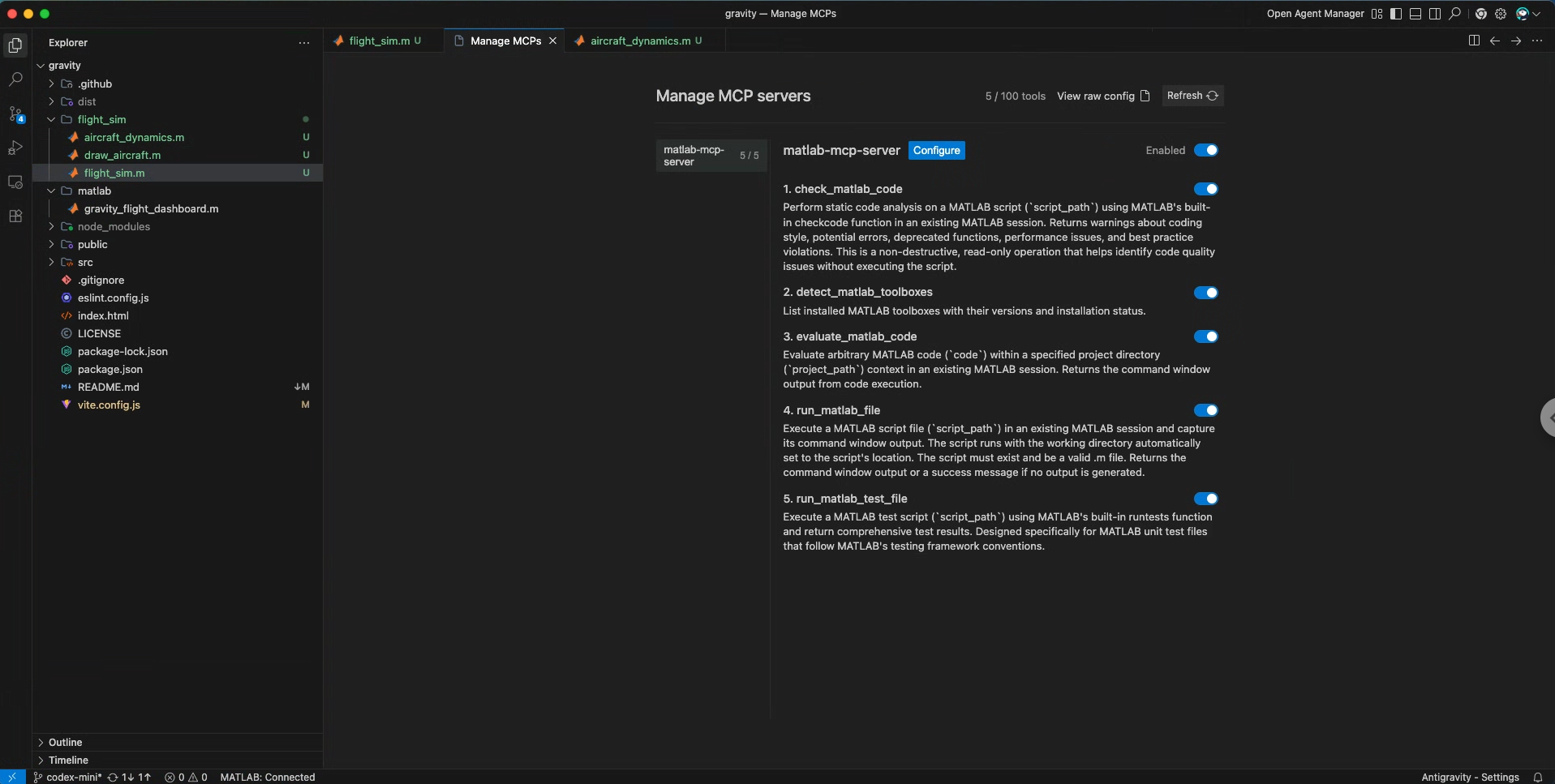 Once your MATLAB is connected to Antigravity, you can ask the following prompt:
And you can switch between a plane and a witch on a broomstick (hence the icon). Because why not?
This opens a replay dashboard with:
This is the beauty of the hybrid approach: use web tech for the interactive 3D simulation, use MATLAB for post-processing and analysis.
If you are interested in more advanced flight data analysis, I recommend you take a look at our UAV toolbox.
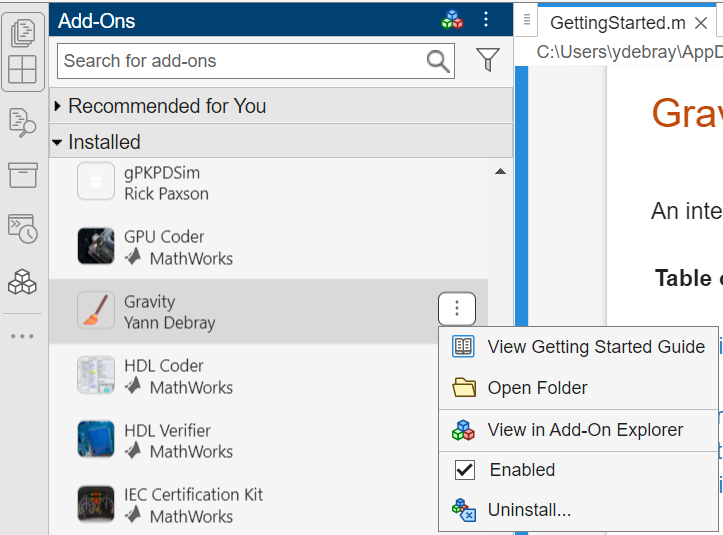 The "Gravity" toolbox appears right alongside your other add-ons.
Install it like this:
Then just run:
The toolbox bundles everything: the MATLAB code, the web assets, the broom icon. Users don't need to know anything about React or Three.js—they just install and fly.
The "Gravity" toolbox appears right alongside your other add-ons.
Install it like this:
Then just run:
The toolbox bundles everything: the MATLAB code, the web assets, the broom icon. Users don't need to know anything about React or Three.js—they just install and fly.
He developed some particular "skills" that he shared with Ned and I to build MATLAB Apps with a web front end. If you are too impatient, you can get a sneak peek into the recipe we will use:
skills/skills/matlab-uihtml-app-builder/SKILL.md
In the meantime, I wish you a wicked Christmas🎅
PS: Check out the code and have fun defying gravity🧹
MATLAB-AI-Blog/antigravity-plus-matlab-is-wicked-good at main · mathworks/MATLAB-AI-Blog
|
Component |
Description |
|
uihtml + React workflow |
Modern web frameworks embedded seamlessly in MATLAB desktop apps |
|
Flight data replay |
Post-process and visualize trajectories with gravityFlightDashboard |
|
Defying Gravity Toolbox |
A fully-packaged MATLAB app with 3D graphics powered by Three.js |
The AI Copy & Paste Problem (Revisited for apps)
Regular readers will remember the core problem that led us to release the MATLAB MCP Core Server: the tedious copy-paste loop between your favorite AI chat and MATLAB. Write code in ChatGPT or Claude, copy it, paste it in MATLAB, get an error, copy the error, paste it back... iterate. The MCP server solved that for MATLAB code. But what about apps? Building a MATLAB app with modern 3D graphics used to require deep knowledge of app building in MATLAB, plus OpenGL graphics. Now, with uihtml, you can embed any web technology—React, Three.js, D3.js—directly inside a MATLAB figure. The catch? You need to know web development too. That is where AI agents come in. I described what I wanted in natural language, and Antigravity (with the MATLAB MCP Core Server connected) helped me scaffold the whole thing.Connect MATLAB to Antigravity
Let's start by connecting MATLAB to Antigravity. There are two steps you can take, quite similar to how you would in VSCode (Antigravity is a fork of VSCode):- Install the MATLAB extension
- Set up the MATLAB MCP Core Server
You will find the MCP Server setup screen in the three dots on the top right of the Agent side panel (slightly different from VSCode).
Once your MATLAB is connected to Antigravity, you can ask the following prompt:
Generate a MATLAB App with 2 windows: One web frontend implementing a flight simulator in React and ThreeJS that enables to record the trajectory in a CSV file. This web frontend will be integrated in a MATLAB uihtml component. The second window is a dashboard post-processing the trajectories with MATLAB plots. There is a button that enables to open the simulator from this view.
Testing web frontend before integration in uihtml
MATLAB Apps can integrate HTML UI components through the use of the function uihtml. One great combo is to use the embedded chrome browser in Antigravity to test the interactions of the web frontend before integrating it into your app:Let's Walk Through the Generated Code
The Main App Entry Point
The core of gravityFlightSimulator.m is surprisingly simple:function gravityFlightSimulator()
% Create main figure with appropriate size
fig = uifigure('Name', 'Defying Gravity', ...
'Position', [100 100 1200 800], ...
'Color', [0 0 0], ...
'AutoResizeChildren', 'off');
% Get the path to the HTML file and icon
appDir = fileparts(mfilename('fullpath'));
htmlFile = fullfile(appDir, 'dist', 'index.html');
iconFile = fullfile(appDir, 'dist', 'broom.png');
% Set the app icon (yes, it's a broom)
fig.Icon = iconFile;
% Create uihtml component filling the entire figure
h = uihtml(fig, 'Position', [0 0 fig.Position(3) fig.Position(4)]);
h.HTMLSource = htmlFile;
% Handle figure resize to keep uihtml fullscreen
fig.SizeChangedFcn = @(src, ~) resizeHTML(src, h);
end
The Flight Controls
The web app (built with React and Three.js) provides the flight physics:|
Control |
Action |
|
W/S |
Throttle Up/Down |
|
Up/Down |
Pitch Up/Down |
|
Left/Right |
Roll Left/Right |
Post-Processing with gravityFlightDashboard
The app can export flight data to CSV. Then comes the MATLAB part—analyzing trajectories with gravityFlightDashboard:gravityFlightDashboard('gravity-flight-2025-12-07.csv')
- 3D trajectory visualization with heading arrows
- Altitude vs. time plot
- Play/Pause/Reset controls with a timeline slider
- Real-time flight metrics: speed, altitude, pitch, roll
% The dashboard using MATLAB graphics
plot3(pathAxes, position(:,1), position(:,2), position(:,3), ...
'Color', [0.7 0.7 0.7], 'LineWidth', 1.25);
craftMarker = plot3(pathAxes, position(1,1), position(1,2), position(1,3), ...
'o', 'MarkerFaceColor', [0.95 0.3 0.2], 'MarkerEdgeColor', 'k', ...
'MarkerSize', 8);
Packaging as a Toolbox
One of my favorite parts: you can package this as a proper MATLAB toolbox (.mltbx file) that anyone can install with one click.matlab.addons.install('Gravity.mltbx')
gravityApp
Calling the Wizard of Apps
For the next post of this series on Agentic App Building, I will turn to colleague Pax, who I call the "Wizard of Apps": |
Next episode: Rick Paxson aka "Pax" Rick Paxson is the Director of Computational Biology at MathWorks. He is an experienced programmer and an early adopter of AI assisted coding. I always turned to him for advices on how to best leverage AI in software development. |




コメント
コメントを残すには、ここ をクリックして MathWorks アカウントにサインインするか新しい MathWorks アカウントを作成します。