
MATLAB EXPO 2026: agentic engineering in practice.
Last month I attended the MATLAB EXPO UK 2026 in Silverstone. There were over 700 attendees and agentic AI ran through a lot of the agenda. Plenty of it was about engineering process rather than just flashy demos.
If you haven’t been, EXPO UK is a day of talks from customers and MathWorks, technical sessions, masterclasses and live demos, where engineers share how they’re tackling real problems with MATLAB and Simulink. This was my first year attending, and I am certainly going again next year. (And yes, the food was pretty good too.)
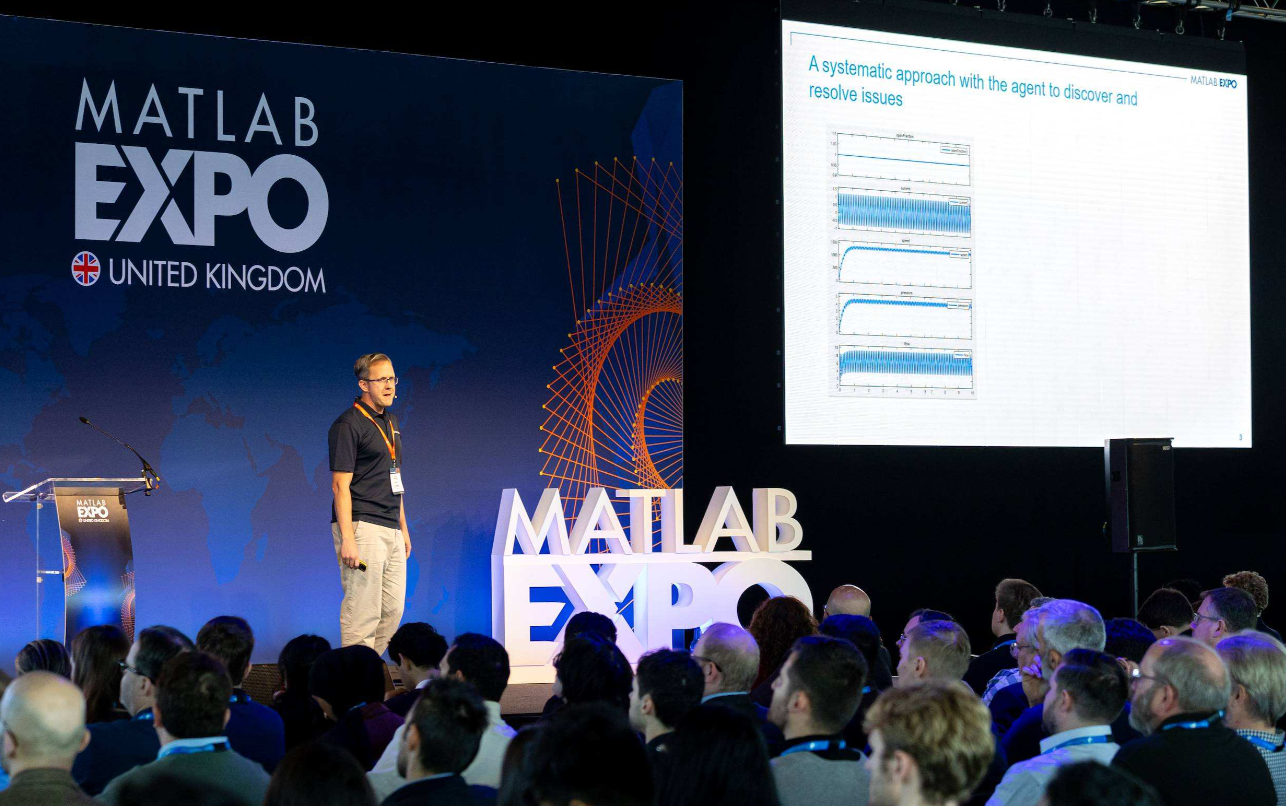
My favourite talk: Agentic AI Workflows with MATLAB and Simulink by Paul Peeling
Paul told the room that working with agents since March had changed how he uses MATLAB and Simulink more than anything in 15 years at MathWorks. I suspect that most engineers who use agentic tools within their workflows would say the same.
Then he did something I wish more agentic AI talks did. He showed the impressive one-shot demo in the first three minutes, and spent the next 40 minutes on what the engineer does next.
Why this one?
It’s the best articulation I’ve seen of the lessons we’re all learning as we use AI agents in engineering applications. Paul framed the rest of his talk around what he was doing, not what the agents were doing. That is exactly what we mean by an agentic engineer: an engineer who works utilising agents and stays accountable for every artefact.
Paul structured the talk around four considerations for Model-Based Design in a safety-critical environment: maintaining your existing quality standards, reviewing the code and models that come out of an agentic loop, workflow and deterministic tool chains, and running local models on-premises. What I found most interesting were the engineering problems that crop up. So here are five things I’ll make sure I do in my agentic work:
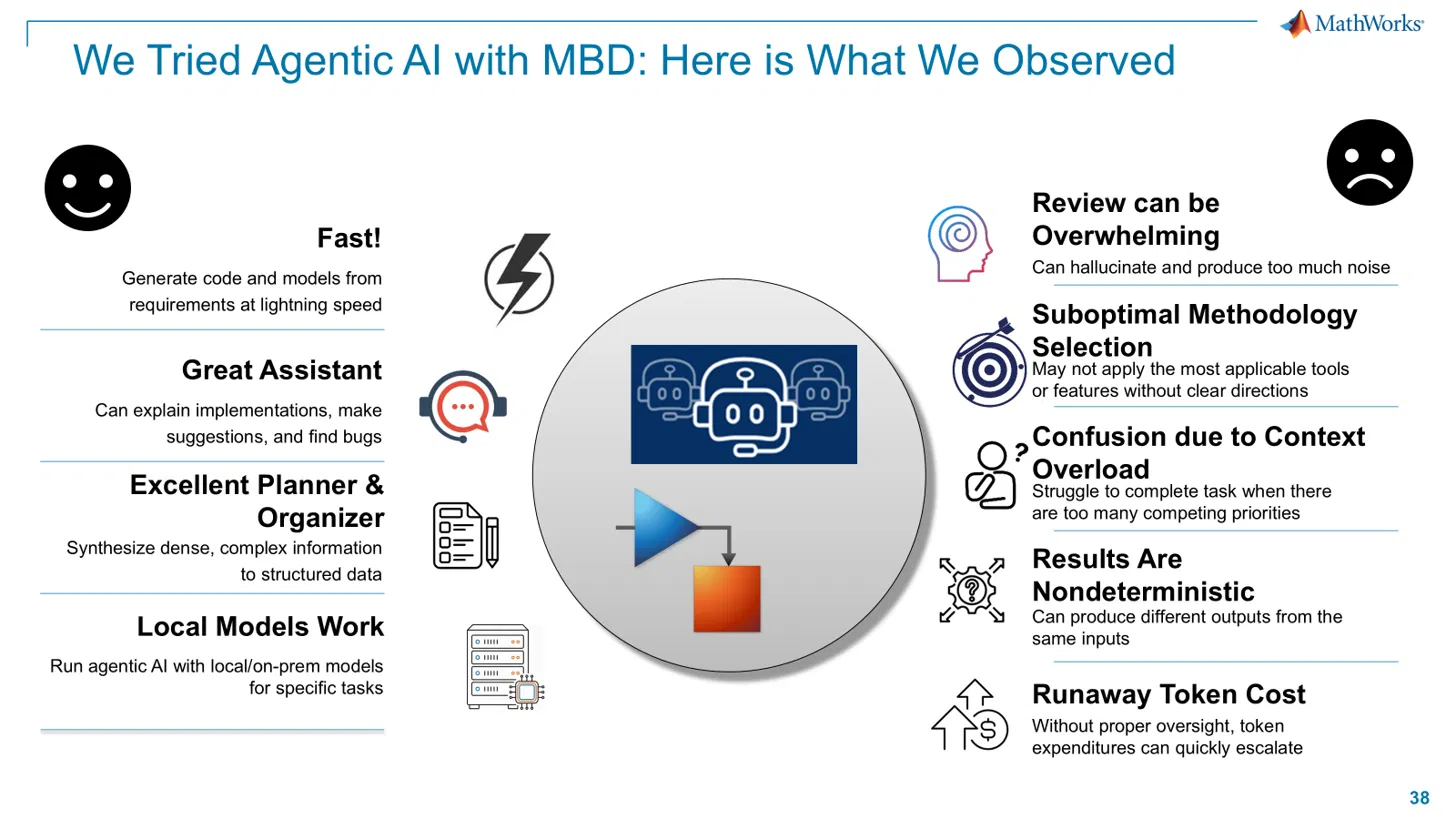
What MathWorks consultants observed using agentic AI with Model-Based Design. Slide: Paul Peeling, MATLAB EXPO 2026.
My Takeaways:
1. Treat the first working model as a draft
When approaching any (remotely interesting) problem, first outputs usually look right and are partly wrong. Use that as a first draft.
When showing a one-shot Stateflow model himself, he highlighted the issues he observed. Then used an agent to help him diagnose them, write a test that captured the problem, and made the smallest fix (retuning some gains) rather than rebuilding the model from scratch.
Construct tests that demonstrate the problem before any fix. Frankly, Test-Driven Development (TDD) is a good practice regardless if you’re using agents.
2. Give the agent samples of your work
If you want work following the standards you have, give the agent your existing models, requirements and conventions to follow. The files you give an agent effectively become part of its context window.
Paul gave an agent an existing Stateflow design, its requirement set and the traceability links. He got back draft requirements for a new feature that matched his conventions and traced to the existing set.
Before starting, point the agent at the closest piece of existing work and make it the template. May that be your own work, or documentation.
3. Plan first, then build one artefact at a time
Don’t ask for everything all at once. Ask for a plan, review it. Then work through one artefact at a time, reviewing each before the next.
Paul demonstrated this by asking for a radar simulation and its test together, got a passing test, and found an fread copying the baseline CSV straight to the output. The model and the test were built together, so neither checked the other. In general it is good practice to link models to requirements and tests. But(!) only let an agent make or change one of them at a time.
Also using plan mode before implementing helps a lot. Then treat the plan, the requirements, the test scenarios and the model as separate review artefacts.
4. Make processes repeatable
We talk a lot about determinism in Agentic AI processes. Ask 400 engineers to solve the same problem and you get 400 designs. Engineering relies on repeatable checks such as tests, coverage and standards compliance, not necessarily getting the same exact output from all your engineers or tools.
Two things to keep in mind. Skills encode your procedures, such as how you test, what reports look like and which tool to call, so you aren’t relying on improvisation. Deterministic tools help the engineers with the verification. Paul asked for MISRA checking from a reading of the code alone, roughly half of the 98 findings weren’t real. Connecting the agent to Polyspace gave him the appropriate list. Calling tools you already have also keeps token costs down, instead of paying for every check to be reinvented.
5. With local models, structure is essential
Many teams across industries can’t send IP outside their network. Open-weight models on a single desktop GPU system now make these workflows possible on-premises, even air-gapped, and Paul reported good results at around 30 billion parameters.
Smaller models are less capable, so planning and deterministic tools are crucial. Where small models struggled with the Simulink tools directly, Paul’s team used frontier models to build harnesses and scripts that the local models could work through.
If you’re heading on-premises, get the planning and tool-calling process right first.
Wrapping up
What I liked about Paul’s talk was that he showed the engineering work that is necessary when using agentic AI: testing, reviewing, traceability, requirements and choosing the right tools.
None of these practices are new. They’re the Model-Based Design we are all familiar with, applied to a different way of working.
Some useful links:
- Paul’s talk: [link to slides]
- Add skills and tools for MATLAB and Simulink workflows with the agentic toolkits: [Simulink Agentic Toolkit, MATLAB Agentic Toolkit]
- Attend EXPO online on 4th and 5th of November [Register here]
- Have a look at the other presentations [EXPO proceedings]


댓글
댓글을 남기려면 링크 를 클릭하여 MathWorks 계정에 로그인하거나 계정을 새로 만드십시오.