
On scaling Model-Based Design into the Cloud
For this blog, I’ve collaborated extensively with Gandharv Kashinath, who is a Principal Product Manager at MathWorks and a guru when it comes to running MATLAB in the cloud.
Have you kicked off a parameter sweep on Friday afternoon knowing full well it will not finish before Monday? Or watched a regression suite queue for hours because half the team is fighting over the same compute? Now, imagine these problems across 100s of engineers. This is exactly the issue modern OEMs are facing right now.
What’s accentuating these issues is the shift to software-defined vehicles (SDVs). Functionality, from powertrain control to ADAS and connectivity, is increasingly delivered through software, with continuous updates across the vehicle lifecycle. Every update means more simulations; regression passes; and sweeps.
This shift is changing how engineering teams operate. The same engineer might need to run simulations, generate production code, and pull in fleet data for designing and validating algorithms, often stitching together tools, teams and sometimes time zones to do so. Model-Based Design is central to this process. MATLAB and Simulink allow teams to achieve all the above with a workflow that provides a digital thread from requirements through verification and validation.
What’s changing now is the scale, how much complexity, validation and data these workflows must carry, especially in SDV programs. In this post, we are discussing how engineering teams are extending these workflows. Specifically, we show how MATLAB and Simulink, combined with cloud and data platforms, such as AWS and Databricks, are helping distributed teams run these workflows consistently and at scale.
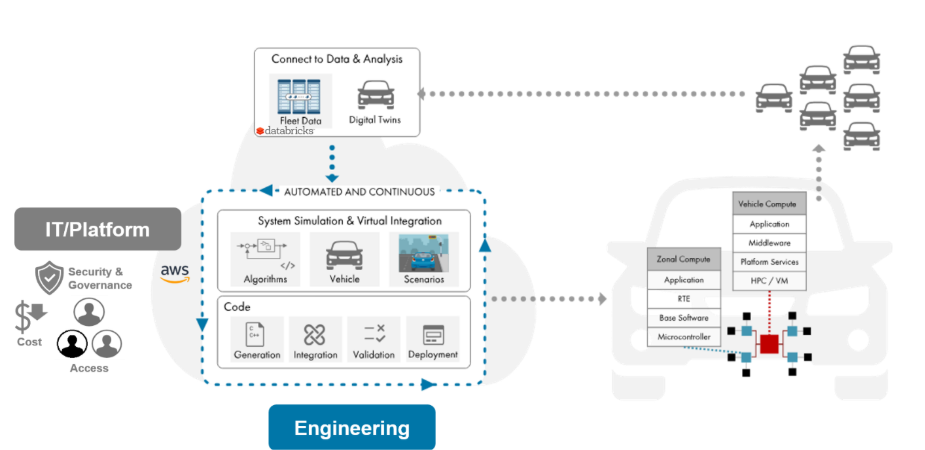
Figure 1. Software-defined vehicle development with Model-Based Design in the Cloud. IT vs. Engineering priorities.
Why scaling is hard
Scaling is hard because engineering teams want to run bigger simulations and pull in an ever-increasing amount of telemetry data, whilst IT teams need to manage access, enforce security and governance and provision compute resources. What this can mean in practice is engineers waiting on a ticket for access to compute while a regression suite queues, or a supplier team waiting on access and setup before they can even start comparing results against the OEM. We’ve seen these play out across automotive OEMs.
Three areas commonly limit scalability.
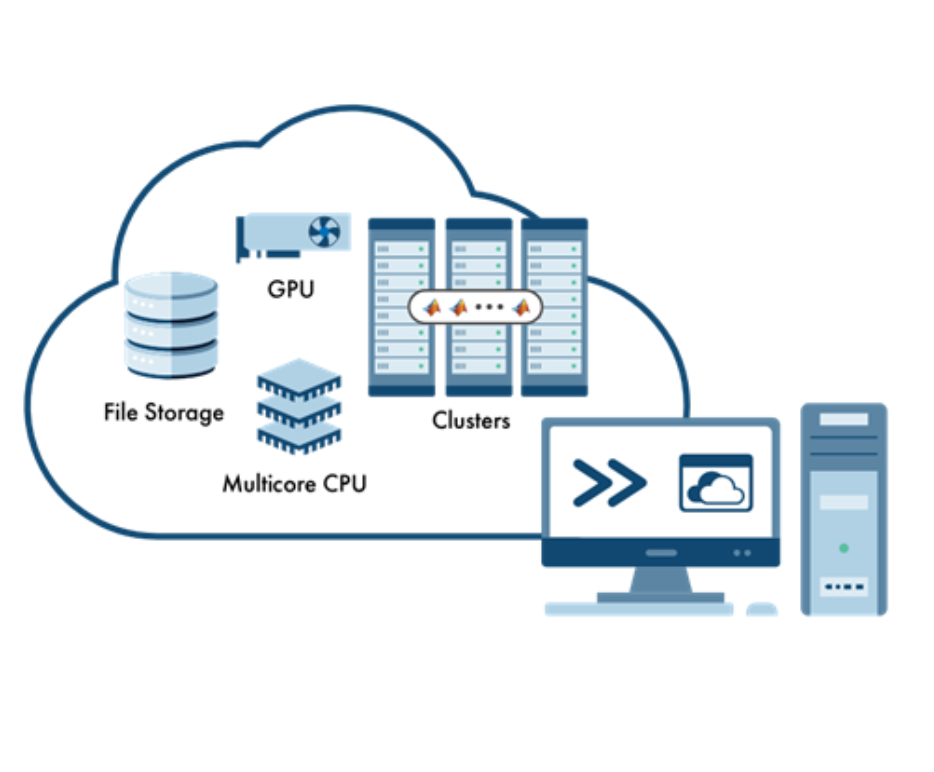
- Simulation workloads exceed local compute capacity: Regression testing, parameter sweeps, and system-level simulations routinely outgrow a workstation and running them locally means queuing for IT-managed compute.
- Data is difficult to connect and reuse: Simulation outputs, test results, and telemetry data are often scattered across tools and teams making it harder to keep requirements, models and tests traceable.
- Distributed teams require consistent environments: Suppliers need to have access to the same tooling and compute setup as the OEM. Getting everyone aligned adds overheads that can slow development.
Scaling Model-Based Design
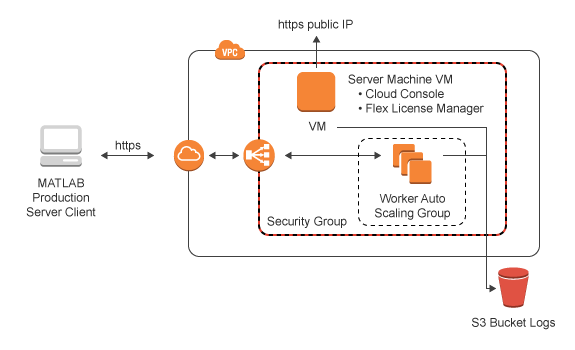
In recent engagements with OEMs, we’ve supported them in extending existing workflows with cloud and data platforms without changing how they work day to day. We set them up with MathWorks Cloud Center so that they can create, access and manage public cloud resources themselves, allowing engineering to keep moving forwards while IT retained control over what was provisioned.
Getting started is not hard. All you need is an AWS account & then you add your credentials in Cloud Center. From there, you can spin up an AWS instance with MATLAB already installed.
For more detail, my colleague Tianyi Zhu explains the full setup in this short video.
The same approach can work with other cloud-native engineering platforms. AWS, offers Research and Engineering Studio and Virtual Engineering Workbench, which provide managed workspaces for running MATLAB and Simulink workflows. We provide containerized deployments and reference architectures, so that you can keep a consistent toolchain across local and cloud environments while scaling compute and supporting collaboration across teams.
That takes care of the compute side. Data is the other half of the problem, and thankfully, it does not require teams to start over with a new stack. Platforms like Databricks can run on the same AWS infrastructure already being used for engineering compute, so simulation outputs, test results, and telemetry can sit alongside the workflows that produce and consume them. MATLAB and Simulink can connect into that environment directly, helping teams keep data tied to the models, tests, and requirements it supports, without first exporting everything across disconnected tools. The result is a cleaner data foundation for traceability, reuse, and downstream analytics as programs scale.
Supporting Engineering at Scale
Whether teams choose MathWorks Cloud Center, other AWS-based engineering environments, or a combination of cloud compute and data platforms, the goal stays the same: engineers keep working the way they already do and just get more compute when they need it.
Scalable compute is the main day-to-day benefit for engineers, but there’s a second one: things stay consistent. Engineers keep their workflows with the same tools they already know, while IT gets a single, manageable way to handle security, provisioning, and collaboration across sites and suppliers, rather than a different setup for every team. For data-intensive programs, the same approach also makes it easier to connect Model-Based Design to cloud-hosted test, telemetry, and simulation datasets, without dragging it back to a local environment first.
Though this use-case was from automotive, this applies to other industries. If you and your team are working across simulation, embedded software, and large datasets, whether in aerospace, industrial automation, robotics, medical devices, or any other industry, the same pressure applies. The core idea is simple: keep the engineer’s Model-Based Design workflow intact, while extending the platform underneath it.




Comments
To leave a comment, please click here to sign in to your MathWorks Account or create a new one.