
A Bow made of Ribbon
 |
Guest Writer: Eric Ludlam Eric Ludlam is the development manager of MATLAB’s Charting team. Eric has a whopping 27 years of experience working in MATLAB Graphics, starting in MATLAB 5.0! Eric is renowned within MathWorks for his love of trebuchets, catapults and Punkin Chunkin. His exceptional graphics demos have appeared in MathWorks’ Community blog, MATLAB blog, and in MATLAB social media feeds. |
Tis the season for a MATLAB holiday algorithm!
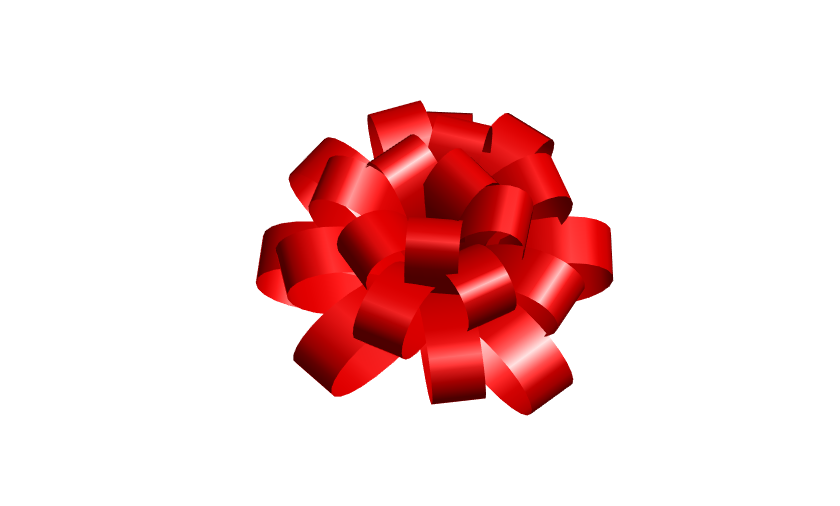
The bow we'll make is constructed of several loops of ribbon that emanate out from the origin. We'll use a Fibonacci spiral to determine how far each ribbon loop will extend. Then we will compute the path of the ribbon loops in spherical coordinates. We'll use sph2cart to convert our theta & phi values of the ribbon paths into Cartesian locations on a sphere.
Once we've computed the geometry for the path of the ribbon, we use streamribbon to create the geometry for the ribbon.
The streamribbon function is often used to compute a ribbon visualization through a volume, but you can pass in your own paths as well. Since each ribbon might be a different length, streamribbon accepts paths as a cell array of vertex arrays (Nx3). Our ribbon is relatively simple, so once we have the geometry of the ribbons, it is easy enough to customize the returned surface objects for the holidays!
If you open a version of this script in MATLAB Online using the link below, all the parameters at the beginning of the script can be manipulated with sliders and a color picker, making it easy for you to design a bow for your own gift.
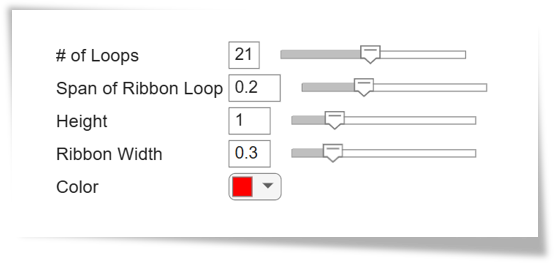

nloops = 21; % Number of loops in the bow
lwphi = 0.2; % Loop width across phi normalized radians
height = 1; % Height of the bow
ribbonwidth = 0.3; % Width of ribbon
color = 'red'; % Color of the ribbon
npts = 21; % Number of vertices in a loop (should be odd)
% Create geometry for each loop as a line in spherical coordinates
% and then convert to cartesian.
theta=repmat((1+sqrt(5))*(1:nloops),npts,1)*pi;
phi=(linspace(.5,1,nloops).^.8+linspace(-lwphi,lwphi,npts)'.*linspace(.8,1,nloops))*pi;
R=ones(1,nloops).*(1-abs(linspace(-1,1,npts)'.^2));
[X,Y,Z] = sph2cart(theta,phi,R);
% Use streamribbon to create the bow's ribbon.
% streamribbon needs the columns of our vertices, and of the twist
% angle to be provided as a cell array of matrices.
streamverts = mat2cell([ reshape(X,[],1) reshape(Y,[],1) reshape(Z,[],1)*height ],repelem(npts,nloops))';
twistangle = mat2cell(repmat([pi/2;zeros(npts-1,1)],nloops,1), repelem(npts,nloops))';
% Display our fancy gift bow
clf
srf=streamribbon(streamverts,twistangle,ribbonwidth);
view([0 60]);
set(srf,'FaceColor',color,'EdgeColor','none','FaceLighting','gouraud');
axis off tight equal
camlight


댓글
댓글을 남기려면 링크 를 클릭하여 MathWorks 계정에 로그인하거나 계정을 새로 만드십시오.