
Reinforcement Learning on Hardware, explained by Brian Douglas
 |
Co-author: Brian Douglas Brian is a Technical Content Creator at MathWorks and control engineer with over 20 years of experience in the field, and a passion for sharing his knowledge with others. He creates and posts engaging videos, drawings, and short writings on various engineering topics. You can find his Tech Talks series on mathworks.com and YouTube. |
You've probably seen impressive demos of reinforcement learning agents doing amazing things—balancing poles, playing games, controlling robots. But here's the thing: getting from "cool simulation" to "actually running on hardware" is where it gets tricky.
My colleague Brian Douglas just released a Tech Talk that tackles exactly this question. Not the specifics of RL algorithms (we have a whole series for that), but something that doesn't get nearly enough attention: which approach should you take to get a good policy running on your hardware?
I know that doesn't sound terribly exciting at first. But trust me—it matters a lot for hardware safety and how long you'll spend waiting for your policy to converge.
The setup
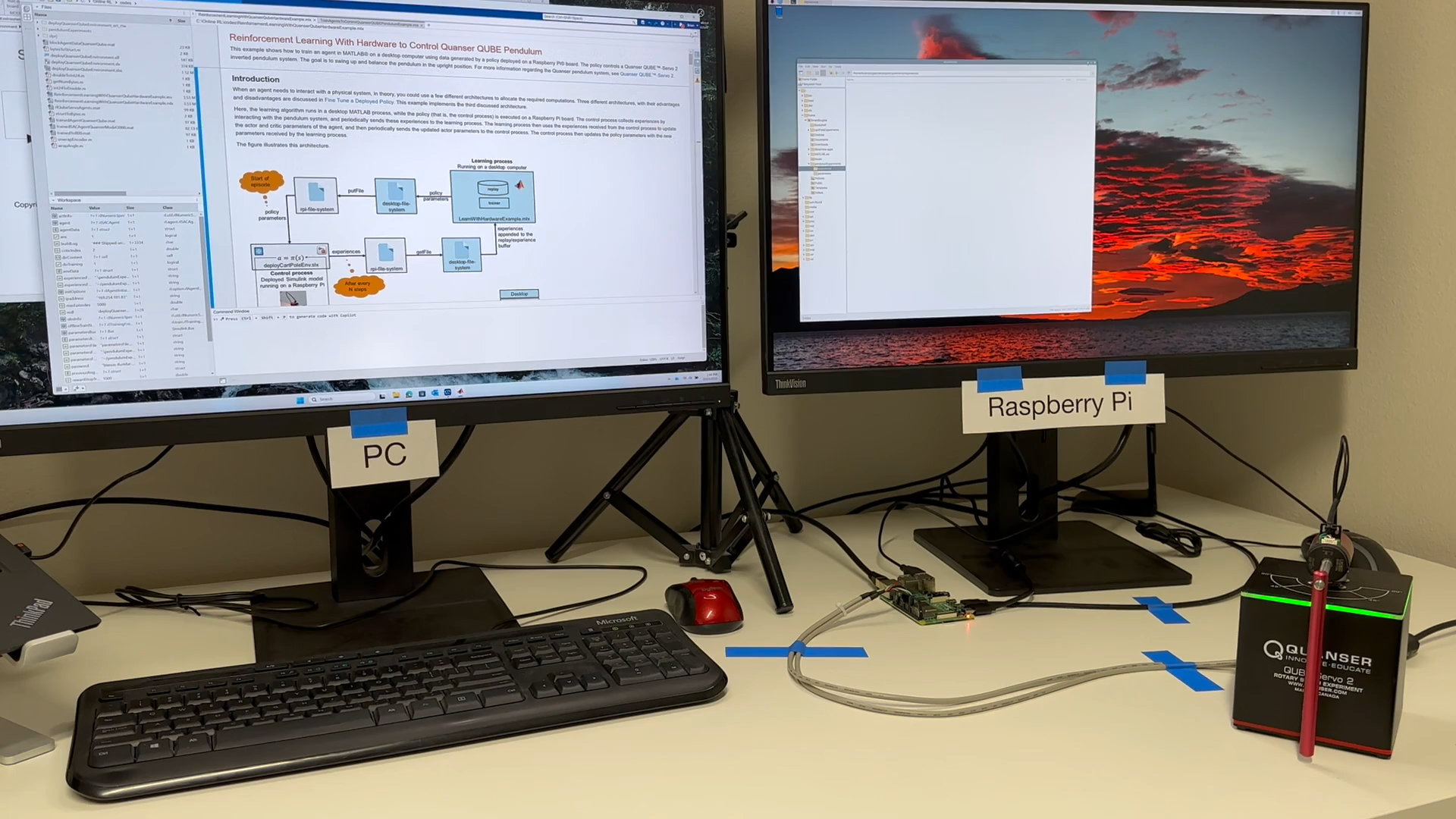
Brian demonstrates this with a Quanser® Qube-Servo 2 rotary pendulum, controlled by a policy running on a Raspberry Pi®, which is connected to a PC running MATLAB® and Simulink®. Three pieces of hardware working together—and how you use them depends entirely on your approach to training.
If you want to follow along with your own hardware, check out the GitHub example that covers the complete workflow from plant modeling to deployment.
The decision flowchart
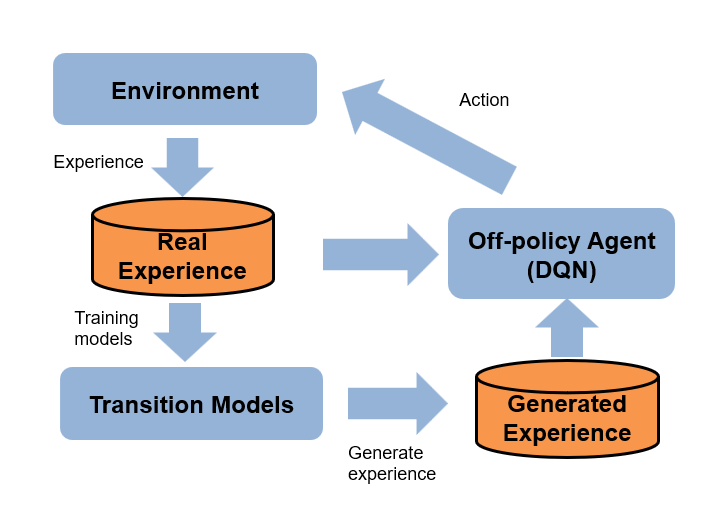
Here is the complete decision tree that Brian covers in his video. Let's break it down, step by step:
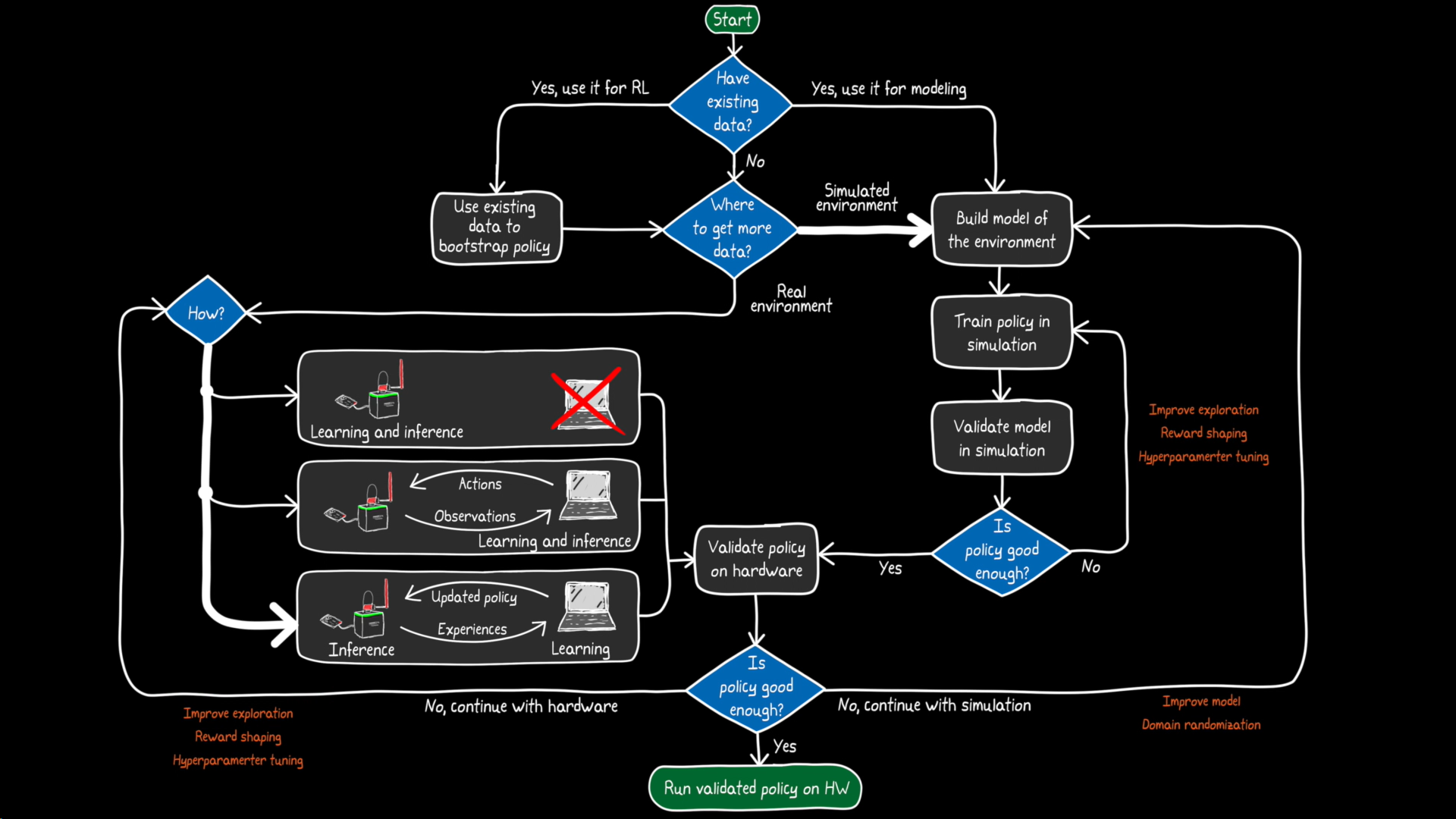
Let me walk you through the key decision points:
1. Do you have existing data?
You can learn a policy offline from data collected by humans or another controller. This is great for bootstrapping—getting a decent starting point before you do any online training.
2. Where do you get additional data?
This is the big fork in the road: train directly on hardware (real environment) or train in simulation (modeled environment). Both have trade-offs. Brian covers the environment setup in detail in Part 2 of the RL series.
Training directly on hardware
Where does inference happen vs. where does learning happen?
This one's subtle but important. You might have a low-power embedded processor (like a Raspberry Pi) and a more powerful PC or cloud server. You can mix and match:
|
Approach |
Pros |
Cons |
|
Train & run on embedded |
Self-contained, minimal latency |
Embedded processor may be too weak for training |
|
Train & run on remote PC |
Faster learning |
Susceptible to latency and connection issues |
|
Train on PC, run on embedded |
Best of both worlds |
More complex setup |
Brian goes with that third option—and honestly, it's often the sweet spot for real hardware applications.
The results? Well...
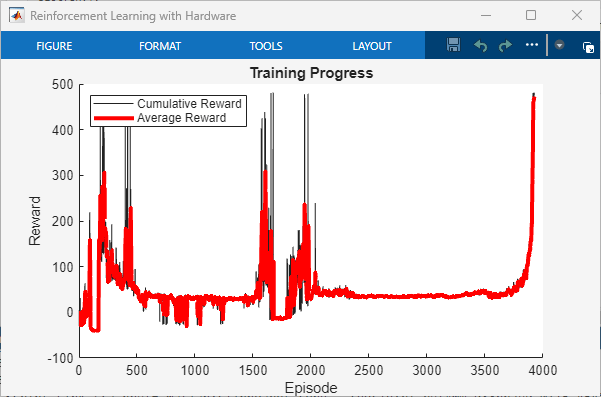
The first episodes are rough. Random commands, motor jittering, the pendulum occasionally banging into the power cord (which let's admit, isn't great for the hardware). After several hours and almost 1,500 episodes, the policy could balance the pendulum—but with noticeable wobble and plenty of room for improvement.
The takeaway: training on hardware is straightforward but time-consuming, potentially dangerous, and hard to cover all operating states your system might encounter in the real world.
Training in simulation
Here's where things get more practical. With a model of your environment, you can:
- Train faster than real-time
- Forget about hardware safety during exploration
- Easily test different initial conditions and scenarios
Brian trained against a simulated Qube model for about 1,200 episodes. The result? A policy that controls the pendulum rock-steady in simulation—reward over 800, nice and settled.
But the real question: does it work on actual hardware?
For a detailed answer with code, see this example from the documentation: Train Reinforcement Learning Agents to Control Quanser QUBE Pendulum
The sim2real gap
When Brian deployed the simulation-trained policy to the real Qube, it worked pretty well! No terrible jittering, no banging into cables. But if you look closely, there's a small amount of wobble that wasn't there in simulation.
That's the sim2real gap—the difference between what your model predicts and what happens in reality. Now, this isn't necessarily a problem. Models don't have to be perfect; they just have to be useful. If the behavior meets your requirements, you're done.
But if it's not good enough, you have options:
1. Improve the model — Add more dynamics, use domain randomization to make your policy more robust
2. Fine-tune on hardware — Start from your simulation-trained policy and continue learning on the real system
That second approach is particularly nice because you're not starting from scratch. Your policy already knows roughly what to do, so training is faster and puts less stress on the hardware.
Why this matters
There's no single best way to learn a policy for hardware. It depends on how well you can model your environment, how hard it is to reset between episodes, and how much you care about hardware safety (spoiler: probably a lot).
But this workflow—train in simulation, fine-tune on hardware, run policy on embedded processor, learn on a remote computer—is actually ideal for many situations. It's also the foundation for continuous learning, where your policy keeps adapting as components wear out or conditions change, without requiring a full retraining cycle.
Brian goes into much more detail in the video, including live demos of all three approaches and the actual Simulink models involved. Highly recommend watching the full thing:
And if you're new to reinforcement learning, check out Brian's multi-part Tech Talk series that covers the fundamentals.
Happy reinforcement learning! 🤖
- Category:
- Embedded AI,
- Reinforcement Learning


Comments
To leave a comment, please click here to sign in to your MathWorks Account or create a new one.