
Building an app for training deep learning models with App Designer
Today's guest blogger is Phil Brown. Phil is a development lead on the Deep Learning Toolbox, working on app development. In this blog post he describes how to build an App Designer app for training deep neural networks to classify images. This post covers building more advanced apps with App Designer, including thinking about architecture, unit and system testing.
The Problem
Deep neural networks are excellent at classifying images - whether that's pictures of cute dogs, images from a production line for automated quality control, or sequences converted to spectrograms to predict whether a machine is running smoothly.
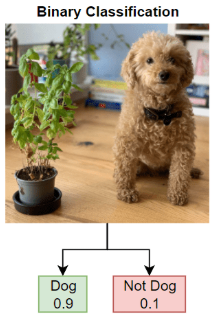
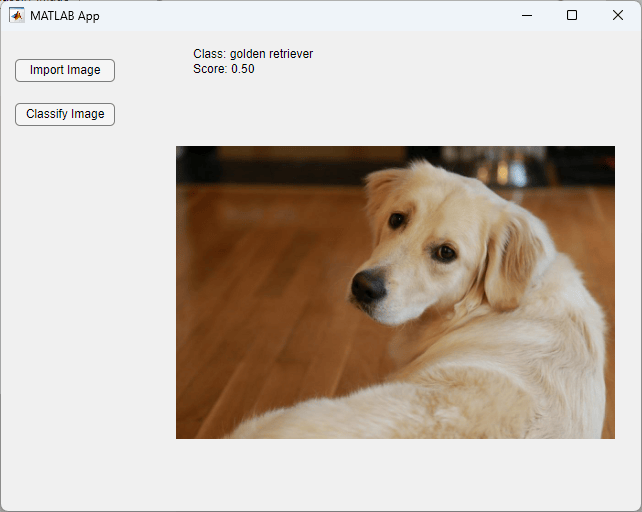
Learning how to use a deep neural network to classify images is often how people get started with deep learning. It's easy to understand the problem, very visual - 'The network says this is a golden retriever because of its lustrous floppy ears!' - and quick and easy to get started. You can use a pretrained neural network like GoogleNet or a Vision Transformer. With transfer learning (fine-tuning a neural network already trained on a large dataset on your own data), you can teach a large and powerful model to classify your labelled images, without spending hours or days building models from scratch.
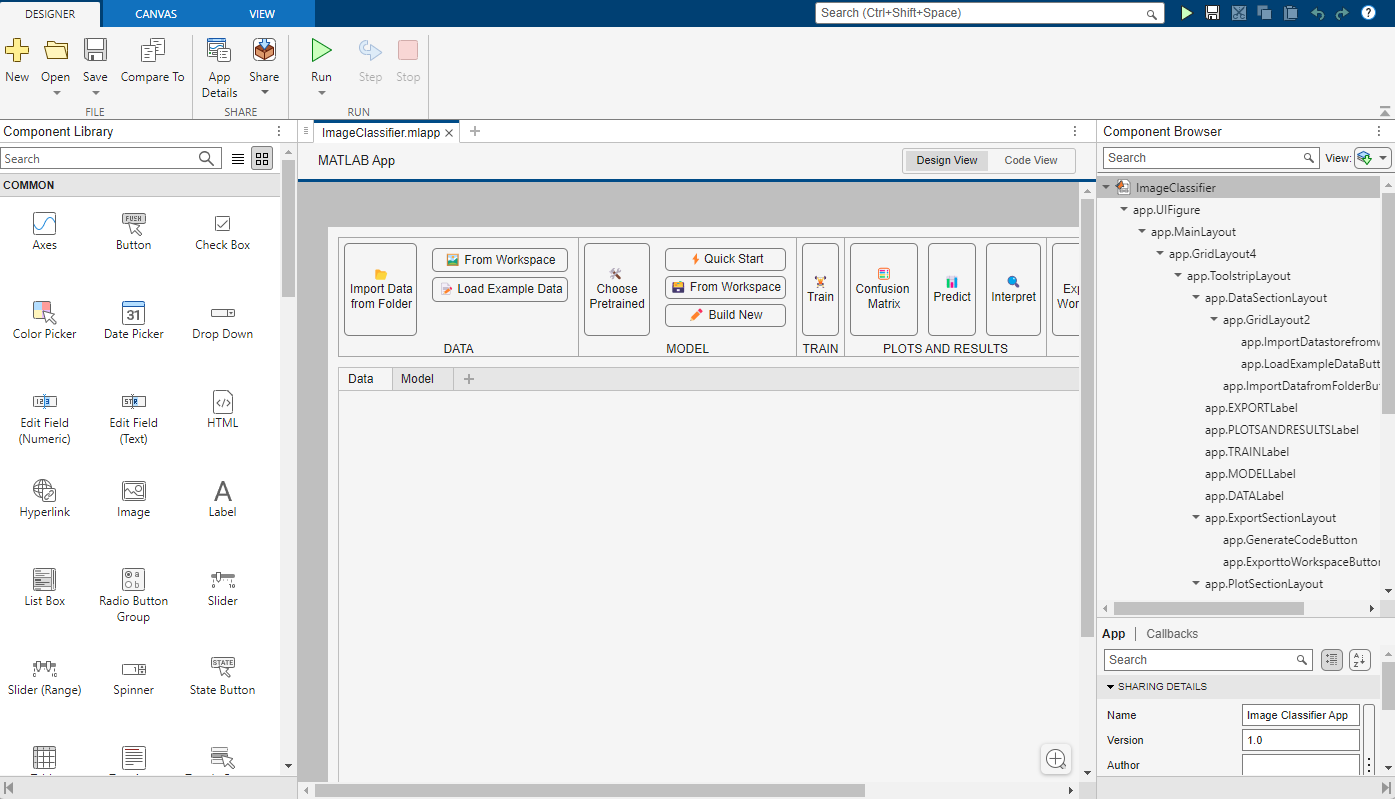
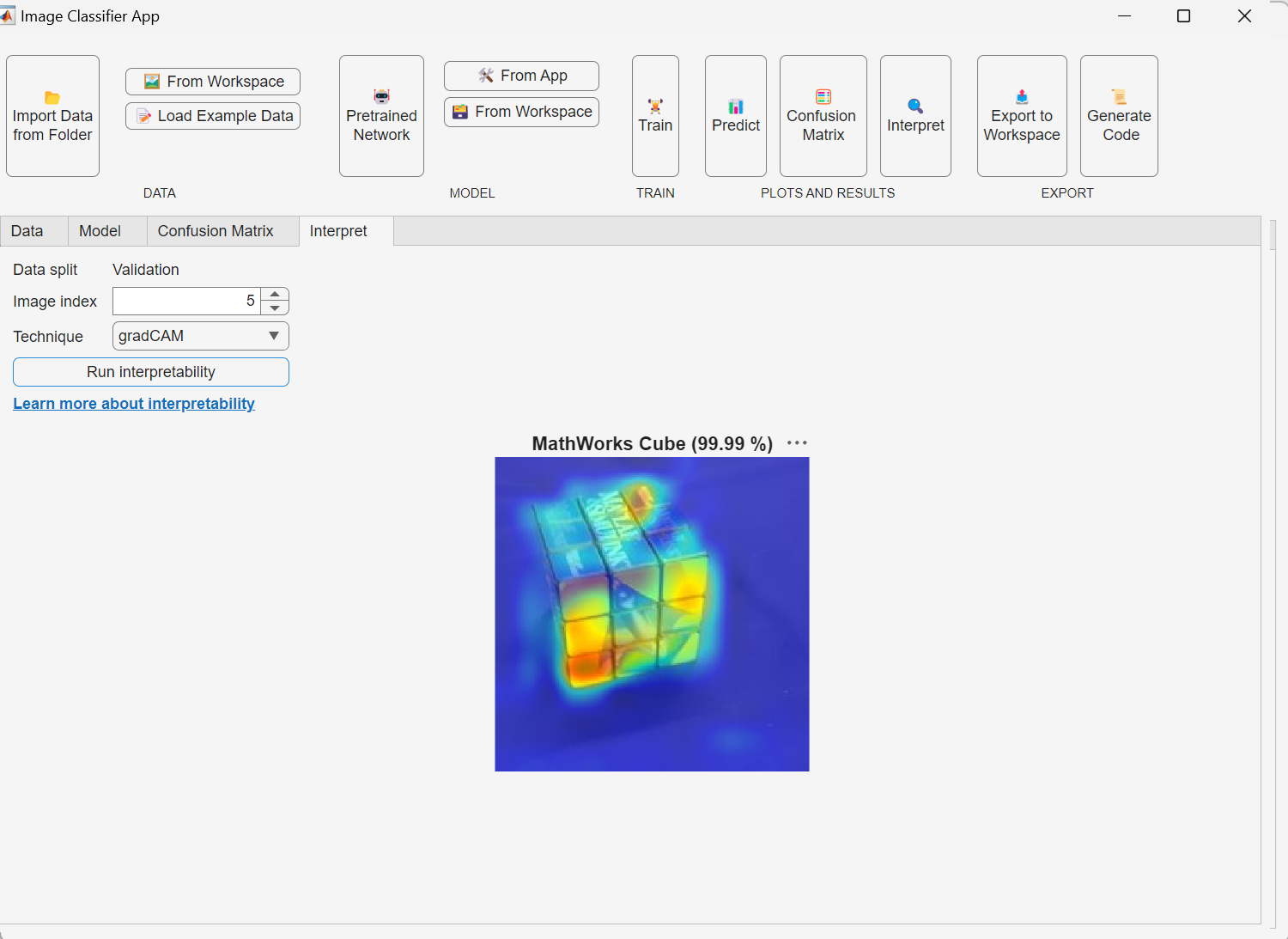
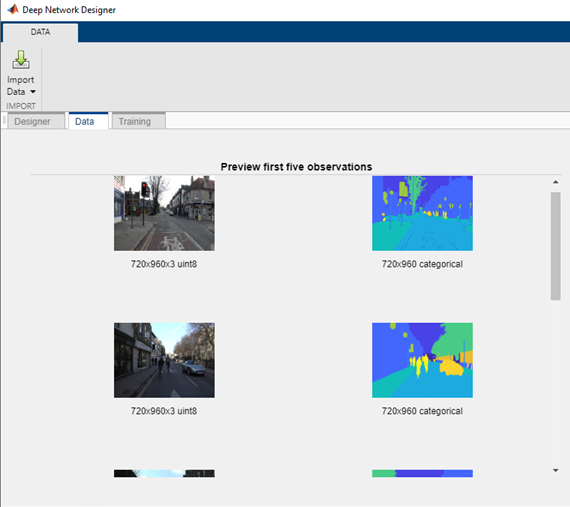
We wanted to provide a way for users to get started with deep neural networks with MATLAB's Deep Learning Toolbox, using a fun app for image classification built with App Designer. The app lets you load and visualize your data, modify existing networks or build your own using the Deep Network Designer app, train the network, understand network productions with interpretability, and finally generate MATLAB code for reproducing and sharing your training workflow. The Image Classifier app is available now on MATLAB Deep Learning GitHub. This post goes into some of the considerations we had along the way.

Working out the requirements
In building an image classification app, we knew we needed the standard pieces of this workflow available in Deep Learning Toolbox: import and augment image data, choose a network and adapt it to your data, configure training options, train the network, interpret the results, and share the code. Given this workflow, we also tried to work out what other requirements we were trying to meet.
We needed the app to be easy to use. We wanted someone new to deep learning to be able to get started quickly and easily, without needing to worry about any of the harder stuff like network architectures or minibatch sizes.
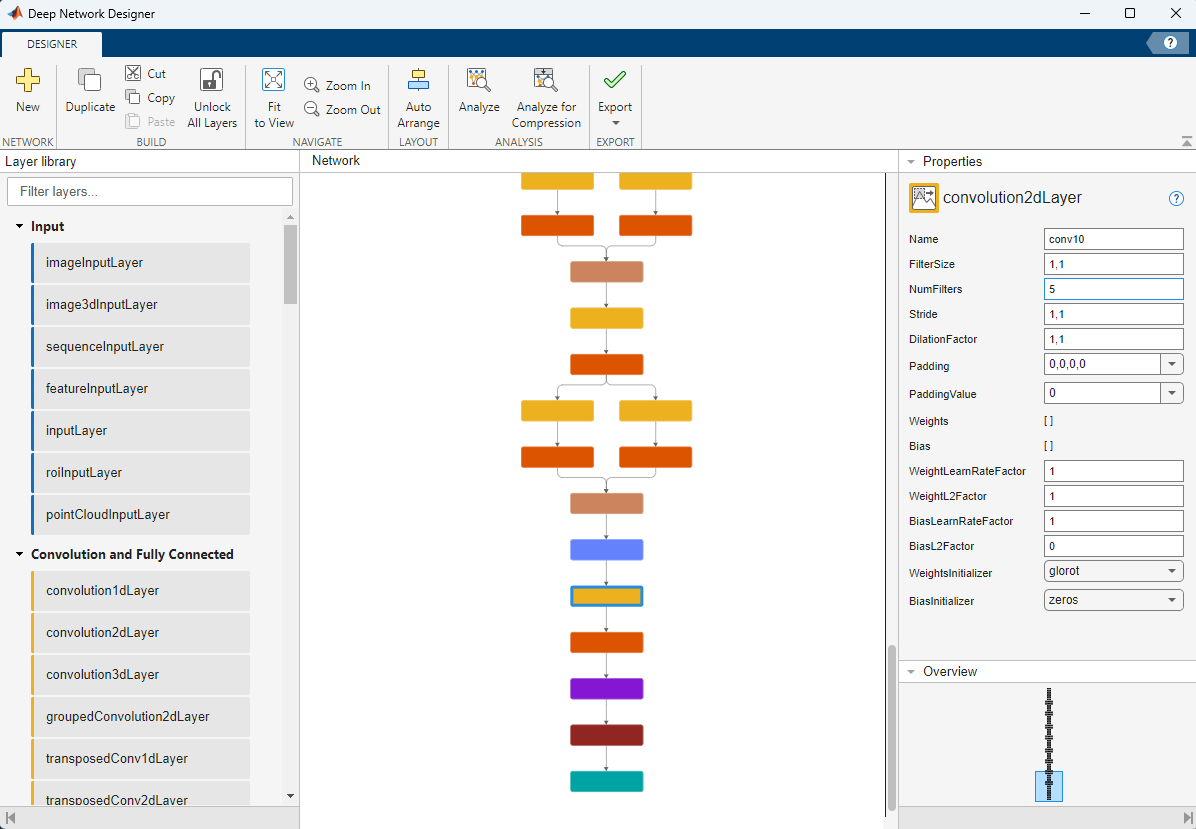
We wanted the app to make use of existing cool features in MATLAB, like the Deep Network Designer app. This app in Deep Learning Toolbox lets you build neural networks from scratch with a drag-and-drop interface, or choose existing networks like GoogleNet and modify them for transfer learning onto your new data. You can also use it to import networks from PyTorch or TensorFlow.
We wanted to showcase how users could do this themselves. We've talked to a few Deep Learning Toolbox users who have built their own apps for model training, usually with App Designer. This lets them build really focused apps which exactly meet the needs of their research group or team. We were trying to demonstrate how to do that for the simple case of image classification, to provide ideas users might want to put in their own apps.
We therefore wanted users to be able to edit and modify our code. People might want to use ideas in their own apps, or extend this app with their own features. For example, a good project for an undergraduate learning about interpretability and explainable AI would be to integrate a new explainability method into the app, or a research group might have their own customized deep neural networks which they want to support for transfer learning.
Using App Designer to build apps
When we build large apps with the product, like Deep Network Designer, they're authored by a team of contributors with the expectation of long lifetimes. That usually means investing heavily in architecture and testing from the start. Those constraints are important for product-scale software, but not always the right start point for something more focused. Code written this way is more for other developers.
For the Image Classifier app, our goal was a bit different. We wanted the code to be readable, adaptable and useful as a starting point for other users building their own MATLAB apps. App Designer was a natural fit; it lets you construct the UI quickly while still writing structure code behind the scenes where needed.
Separating model and view
Apps often have complicated non-linear workflows, and users like to interact with them in ways we haven't foreseen as developers! This can mean lots of bugs if you're not careful with how the code is structured.
For apps that ship with MATLAB or the toolbox, we think about how to structure code so we can isolate issues and make it easier to extend the app in the future. This means using splitting code up with patterns like model-view-controller (or other variants like 'model-view-viewmodel'). That makes it easier to make changes or bug fixes to the app, and also to write automated tests which verify the app works as you want.
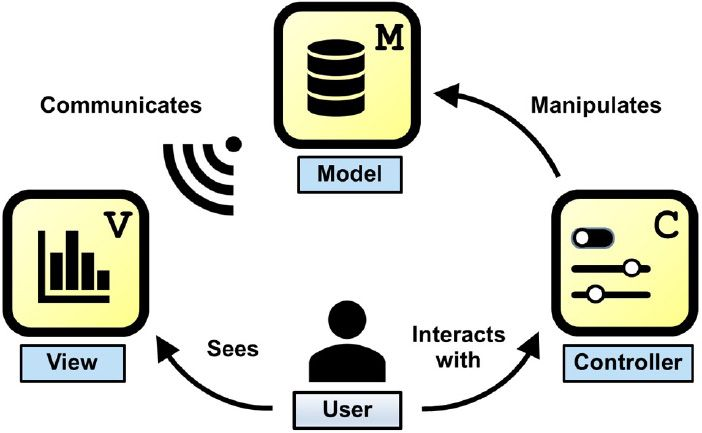
We wanted to retain the benefits of these ideas, without writing something that required extensive software engineering knowledge to modify. We chose a lightweight separation of concerns. The App Designer file handles the UI and interaction logic, while a separate Model class contains the core network, training and data processing functionality. This hybrid approach keeps the code understandable and easy to modify, while enabling more unit and system testing. Depending on the scale and complexity of your app, you should consider where it needs to live on the spectrum of architecture and testability.
Testing apps in MATLAB
Testing apps can be a challenging topic (but luckily MATLAB makes it pretty easy). So what's the point of doing it? There's two big reasons it's worth writing tests for your apps:
- Tests catch bugs. Writing tests forces you to think about awkward edge cases ('So, what does happen if a user clicks Train twice quickly? The screen resolution gets halved?! That's not what I wanted...'). Code which exercises different actions can verify they do the right thing.
- Future-you can make changes less fearfully. Without any tests, every future change to code has a risk of breaking something that used to work. Tests make you codify what you expect to work. After making a change, you can rerun the tests and either have confidence you're not causing problems... or find out why your new feature is a bad idea.
As well as the standard MATLAB unit testing framework, MATLAB also has a framework for testing apps, whether those built in App Designer or programmatically with uifigure. This lets you write tests which directly interact with widgets in the app, as a user would. When the user tries to pick a neural network from a dropdown which is intended for sequence classification and use it for transfer learning with images, does the app show a nice error and help the user out, or does it just freeze?
We wrote two sorts of tests for the Image Classifier app. We had a small number of system-level tests, using the app testing framework. These test out proper workflows in the real app: opening up the window, clicking to select a model and data, training a network, etc.
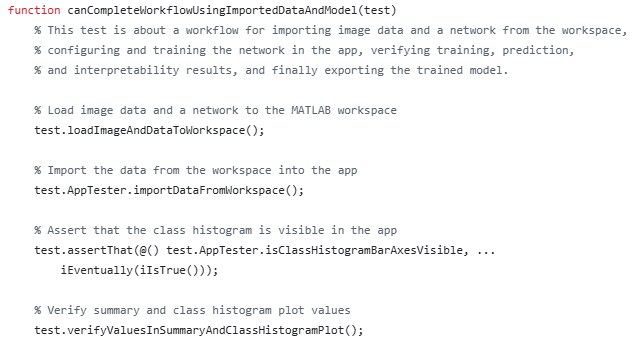
These tests take longer to run, because the test is performing an extended workflow with many steps (and they also hijack your screen while they're running - you get to watch MATLAB clicking around in your app) but they are also closest to how real users interact with the app, and most likely to catch bugs introduced by future changes. These sorts of tests can be more complicated to write, and sometimes you need to use some clever testing tricks. For example, importing a variable from the workspace into the app blocks MATLAB from running, which is what you want when a real user is trying to import something, but a big problem when a test is trying to do it! We put in several techniques to make system testing more reliable, including adding a specific AppTester class which isolates some of the behavior of the app, meaning someone writing system tests can rely on the tester without having to worry about the details of what it does to the app.
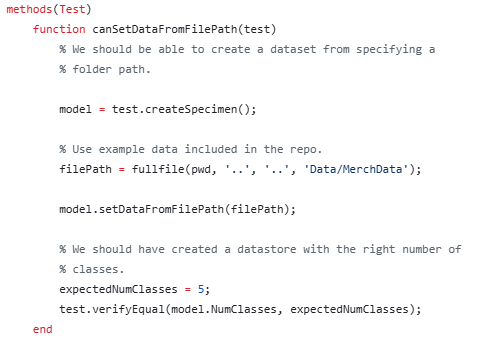
We also wrote unit-level tests for the Model class that runs the app back-end. These tests cover more detailed behavior of this class, exercising more edge cases. They are a lot faster to run (because there's no UI), but also a bit less realistic than system-level testing.
For an app that we ship in the product, we might include some other tests, for example integration tests to test different parts of the workflow in isolation, like verifying an import dialog does what it's supposed to.
Adapting the app to respond to user feedback
With help from our UX researchers, we got feedback from internal people who were interested in the project. We'd show them a video or ask them to try it out, then try to find what they thought. Were we including the right amount of info and guidance for a user just getting started with deep learning? How important is it to be able to generate MATLAB code for training?
We heard that classifying grayscale images using pretrained networks was common and users wanted to do that straight away. We'd been planning to add that feature later, but we brought it forward after people hit bugs with trying it out and it not working. Because we had a set of tests that locked down the app behavior, we could add grayscale image classification without being afraid we'd broken everything. We also modified the transfer learning workflow to make more use of transfer learning with Deep Network Designer, as feedback from our UX interviews emphasized that was the most popular way for users to learn about what was happening in their network.
Try it out - and extend it yourself
The app, including the App Designer file and the other code, is available on MATLAB Deep Learning GitHub. If you're new to deep learning and want to try it out quickly, you could also take the Deep Learning Onramp to get up to speed on the concepts and ideas. If you're looking to build a MATLAB app for training models, this app could be something to look at for ideas. We'd encourage people to clone the repo, make modifications and improvements to tailor the app to their specific needs, and create issues for any bugs you find.
- Category:
- Apps,
- Deep Learning




Comments
To leave a comment, please click here to sign in to your MathWorks Account or create a new one.