
Community Q&A – Victor Luquin
Our post today is from Tharikaa Ramesh Kumar, Product Manager for MATLAB Mobile. Tharikaa recently sat down with Victor Luquin, an aerospace engineer with the 412th Test Wing at Edwards Air Force Base. Victor’s work spans flight test engineering, structural data analysis, and education, and his MATLAB journey reflects a constant search for better ways to work wherever ideas strike. What began as using MATLAB Mobile during a student commute evolved into hackathon‑winning projects, modernized approaches for collecting real‑world flight data, and hands‑on STEM initiatives that bring aerospace engineering into the classroom. From smartphones and sensors to gliders and students, Victor’s story shows how powerful tools can help engineers rethink what’s possible.
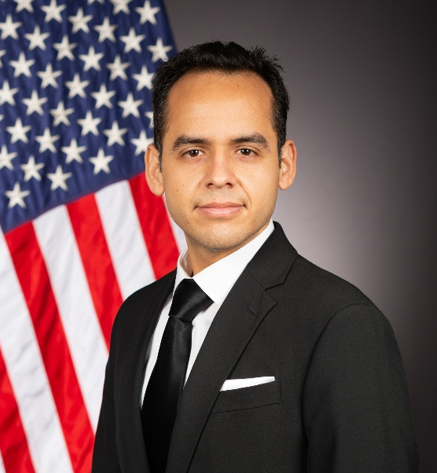
A: After earning my B.S. in Aerospace Engineering and Applied Mathematics and a M.S. in Aerospace Engineering from California State University, Long Beach (CSULB), I completed multiple NASA funded research internships at the Langley Research Center and Glenn Research Center. Since joining Edwards in 2018, I’ve focused on structural data analysis and modernization of structures flight test execution and analysis. Currently, I’m pursuing a Ph.D. in Engineering and Computational Mathematics through a joint program with CSULB and Claremont Graduate University, supported by a DoD SMART Scholarship.
A: I first discovered MATLAB Mobile during my undergraduate studies at CSULB. Commuting by bus meant I needed flexibility, and the app made it easy to write scripts for class projects and homework anywhere.
Later, during my M.S. program, I started exploring MATLAB Mobile’s data collection features. At the 2018 CSULB 24-Hour Beach Hackathon, my partner, Nkechi Okorie, and I used the app to record GPS data across campus to build an accessibility app for visually impaired students. The app provided vibration cues to guide users along safe routes, and our project won the event’s Best Social Impact Award.
MATLAB Mobile gave me the freedom to code on the go and the tools to turn ideas into impactful solutions. It’s a great tool for students and professionals who want to stay productive on the go
A: The Glider Flight Project originated from my experience as a new engineer at Edwards AFB. In a training course, participants manually recorded flight data such as altitude, airspeed, and G loads using pen and paper.
Drawing on my experience with MATLAB Mobile, I proposed using the app to collect sensor data directly from a phone’s accelerometer, gyroscope, and GPS. I demonstrated that it could capture the same parameters automatically and with far greater resolution.
In 2020, Juan Rodriguez Cabrillo High School’s engineering advisory board sought new projects for its senior aerospace class. Collaborating with instructor Kenneth Fisher, we adapted the MATLAB Mobile glider test concept for students. With support from the 412th Test Wing STEM Office and coordinator Helida Vanhoy, I wrote an Education Partnership Agreement between Edwards AFB and the Long Beach Unified School District in 2021.
The first student cohort launched in spring 2022. Over three days, 40 students conducted real flight tests in gliders near Edwards AFB, collecting real time data with MATLAB Mobile. Each evening, students and engineers worked together to process and analyze the data in MATLAB Online, computing climb rates, bank angles, glide slopes, G loads, and other flight parameters.
The goal is to connect classroom theory to real world aerospace testing and inspire students to pursue STEM careers. Students learn data collection, visualization, and problem solving, for example finding creative solutions to keep phones cool during flight so data collection could continue uninterrupted. To date, more than 140 participants have taken part in the Glider Flight Project.
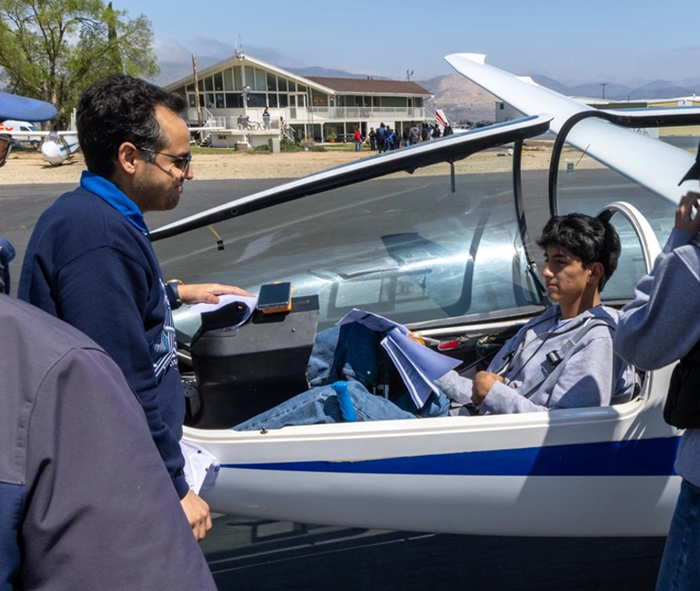
Victor Luquin works with Cabrillo High School students during a glider flight STEM lesson near Edwards Air Force Base, where students used MATLAB Mobile to collect real-time flight data. (U.S. Air Force photo by Todd Schannuth)
A: We collected sensor data such as accelerations, orientation, angular velocities, and position using MATLAB Mobile. Each phone was mounted with Velcro to the glider’s instrument panel and signed into a shared MATLAB account. Data uploaded automatically to MATLAB Drive, where a ground station running MATLAB Online processed the files into CSV format.
Students then accessed their flight data from their own MATLAB Drive accounts for further analysis and report generation. Using MATLAB, they computed climb rates, bank angles, glide slopes, and G-loads—turning raw sensor data into meaningful insights.
This setup gave students hands-on experience with data collection, visualization, and analysis and the seamless connection between MATLAB Mobile, MATLAB Drive, and MATLAB Online made the workflow simple and collaborative, even in a field environment.
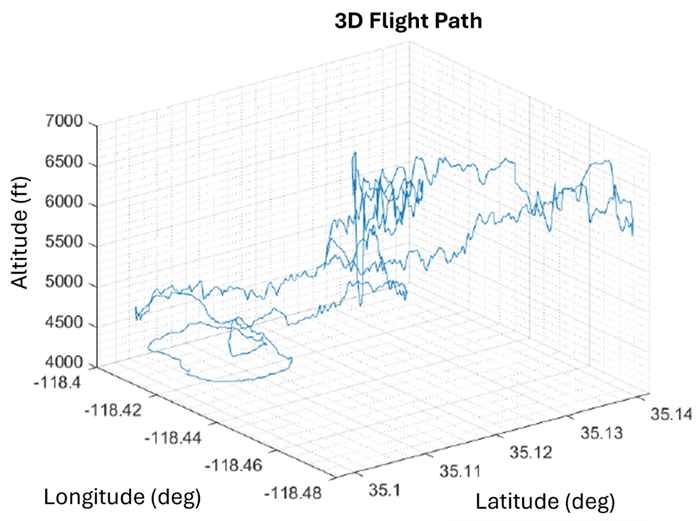
3D flight path captured using MATLAB Mobile, then saved to MATLAB Drive and plotted in MATLAB Online as part of Victor’s Glider Flight Project Program.
A: Students often said that using MATLAB made engineering “real” for them, connecting math and physics concepts to hands-on experimentation.
I created a student guide and YouTube tutorials to help them set up MATLAB Mobile and export flight data. While data collection was straightforward, coding and data processing in MATLAB Online were initially a challenge. To support them, I developed sample scripts and documentation.
Using MATLAB Mobile made the process feel modern and approachable. Over time, more students became comfortable using MATLAB, especially once they realized they could ask ChatGPT for coding assistance. By the fourth cohort, many were visualizing flight data in MATLAB, plotting altitude profiles, glide slopes, and acceleration graphs
A: One recurring challenge has been maintaining reliable GPS logging. While the first two cohorts recorded full datasets, later groups occasionally lost position data mid-flight. We suspect this may relate to phone settings or OS updates.
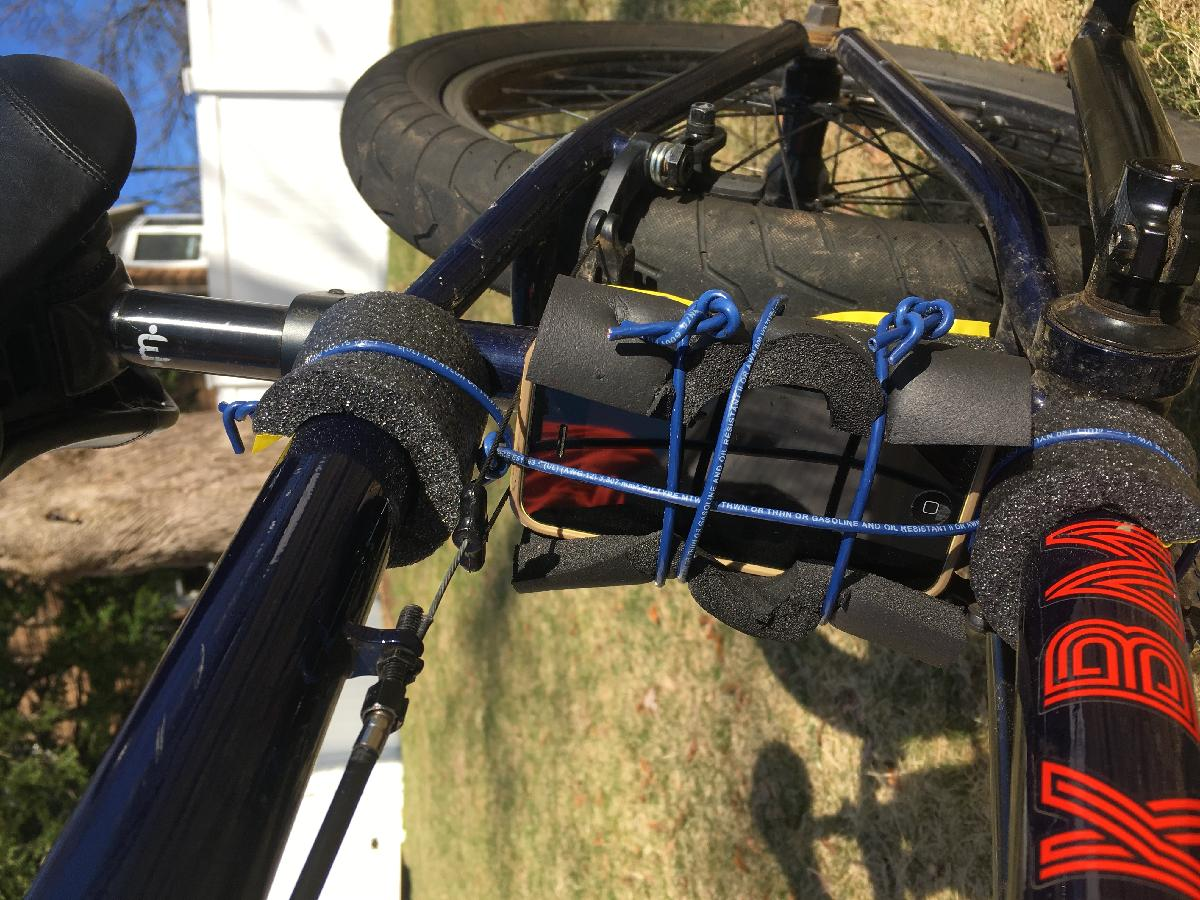
Another issue is device overheating, since MATLAB Mobile pauses data collection when the screen locks. Students came up with creative fixes like shading phones with paper reflectors or swapping devices between flights.
These experiences encouraged students to think like engineers: identify issues, test solutions, and adapt quickly.
A: Start small. Begin with simple walking or driving exercises before moving on to aircraft or complex systems. Once students are comfortable handling 2D motion data, transition to 3D flight dynamics and analysis.
If you’re looking for a way to make STEM hands-on and exciting, MATLAB Mobile is a great starting point. It turns any smartphone into a data acquisition system. Building foundational skills step by step helps students gain confidence with both data and MATLAB. Above all, emphasize experimentation and let them see the connection between math, physics, and real world application.
Supplementary Materials
- Learn more about the Glider Flight Project on Victor’s YouTube Channel.
- Read the full story behind the Glider Flight Project.
- Try the data analysis yourself using the scripts and data.
If Victor’s story resonated with you, I encourage you to take a few minutes to explore what MATLAB Mobile can do for your own workflows. Whether you’re jotting down ideas on the go, collecting sensor data, reviewing results away from your desk, or teaching and leveraging project‑based learning in the classroom, MATLAB Mobile opens up new ways to stay connected to your work, whenever and wherever you are. I’d love to hear how you use MATLAB Mobile! Please share your experiences in the comments. Your feedback helps guide how we continue to evolve the app.
You can learn more about MATLAB Mobile here: https://www.mathworks.com/products/matlab-mobile.html




评论
要发表评论,请点击 此处 登录到您的 MathWorks 帐户或创建一个新帐户。