
Running MATLAB natively on Raspberry Pi and DGX Spark: MATLAB on Linux ARM is now in open beta
TL;DR: MATLAB on Linux ARM is now available as an open beta. Details at https://www.mathworks.com/help/cloudcenter/ug/matlab-on-linux-arm.html
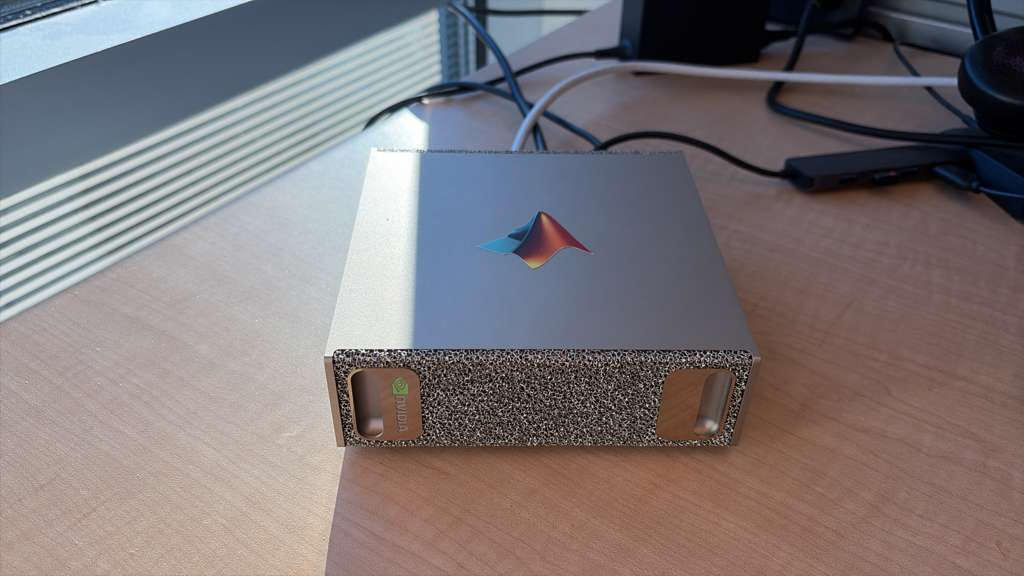
At the beginning of this year I published an article about Running Large Language Models on the NVIDIA DGX Spark and connecting to them in MATLAB that included the picture below. Some people objected to the fact that we had put a MathWorks sticker on the DGX Spark because we didn't have a native ARM version of MATLAB available. The truth was, we did! It just wasn't openly available at the time.
At SC25, we had a demonstration of MATLAB running on a DGX Spark at the MathWorks booth and were actively scouting for participants in a closed beta. Several organizations signed up and gave us some great early feedback. Here's a picture of me talking about it to an SC attendee that I published as part of my LinkedIn post discussing our attendance at the event where you can see a MATLAB-generated fractal on what is clearly a DGX-Spark.
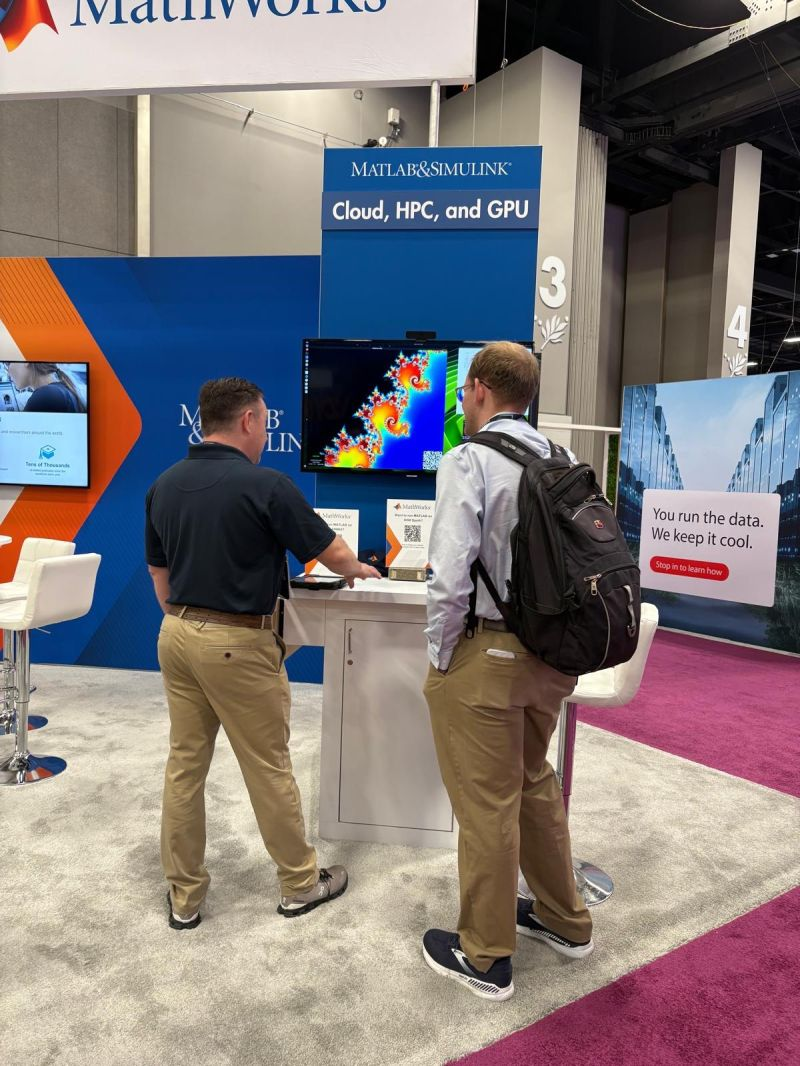
At that stage we were looking for users who really wanted MATLAB on ARM and were willing to deal with all kinds of broken edges in order to get it. The first versions were command-line only. There were no graphics, no desktop and certainly no Simulink.
MATLAB on Linux ARM (Beta) is now available to everyone
I am beyond happy to be able to tell you that the ARM Linux build is now much further along and is available to everyone as an open beta. This includes MATLAB R2026b Update 1 and the following products:
- Simulink
- MATLAB Parallel Server
- Parallel Computing Toolbox
- Control System Toolbox
- Curve Fitting Toolbox
- Optimization Toolbox
- Symbolic Math Toolbox
- Image Processing Toolbox
- Signal Processing Toolbox
- Statistics and Machine Learning Toolbox
- Deep Learning Toolbox
- Text Analytics Toolbox
Here's a screenshot from my Lenovo ThinkStation PGX in Dark Mode
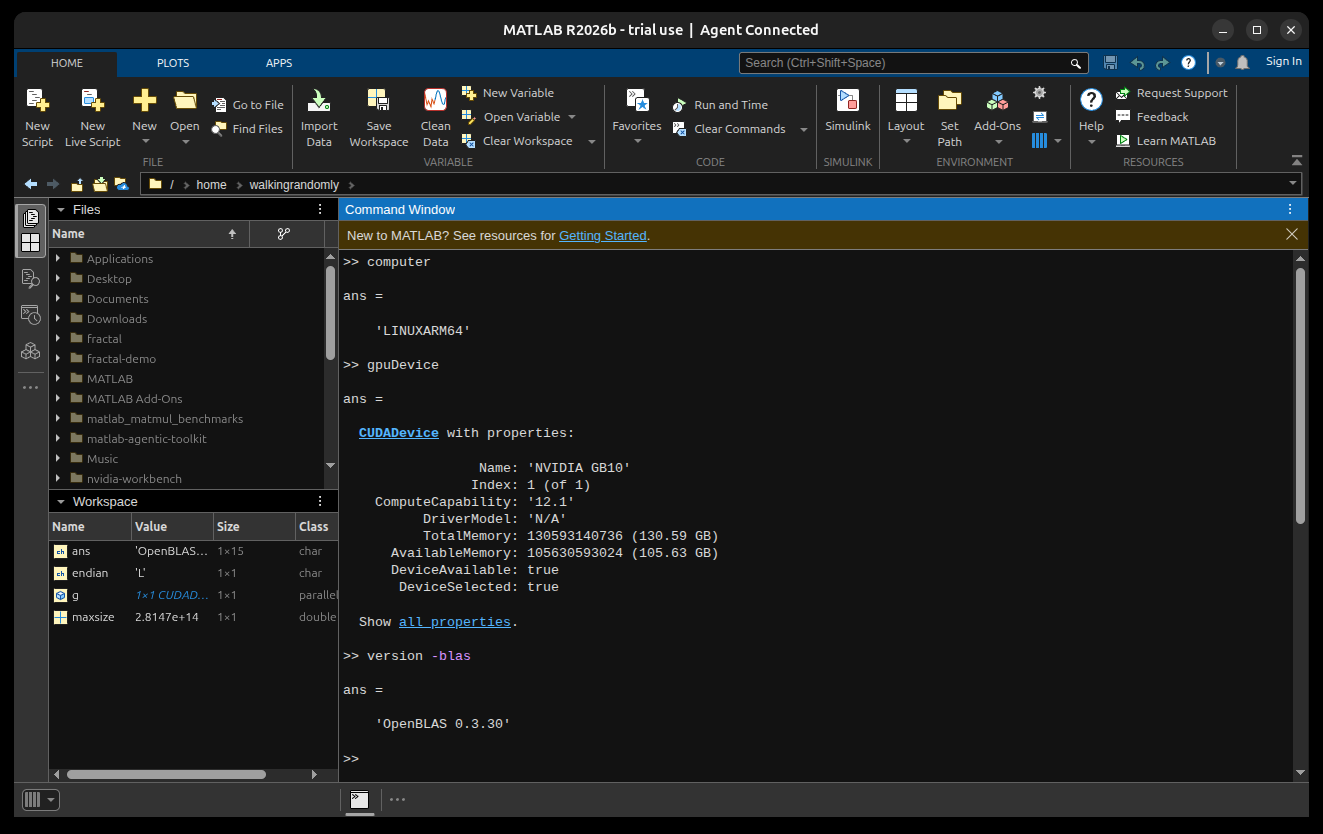
You'll notice that MATLAB's title bar reports that it is 'Agent Connected' which comes from the MATLAB Agentic Toolkit which also works beautifully with this beta version although I did have to compile the MATLAB MCP Server from source at the time of writing since it is not yet supported on Linux ARM). This machine has a huge amount of memory available to the GPU which makes real local agentic AI feasible too. I'm really getting into this now as part of my work on our local agent quickstart project and am looking forward to discussing it further in the future.
Install MATLAB for Linux ARM directly or in Docker / Apptainer containers
On both of the ARM machines I have access to, I've installed MATLAB directly which is as easy as extracting the .tar.gz file to wherever I want it and adding it to the PATH. Some people might also need to install the dependencies and full instructions are available in the documentation.
Some participants in the closed beta had issues with installing the dependencies and suggested that we provide Docker and Apptainer (formerly known as Singularity) based solutions and so that's all available too.
A performance note from my experiments on the Lenovo ThinkStation PGX
I'm a BLAS / LAPACK geek and there's always lots to dig into on a new platform. As we did for the early beta builds of MATLAB on Apple Silicon, we are using OpenBLAS for fundamental linear algebra routines as you can see from the screenshot above.
One of the first things I did when I got MATLAB installed on this device was to benchmark matrix-matrix multiply on the CPU: Create two random NxN matrices and time how long it takes to multiply them together. The machine has 20 CPU cores and MATLAB uses them all by default.
What I discovered is that it is a good idea to reduce the number of computational threads MATLAB used to half the number of cores. That is, do
maxNumCompThreads(10);
Here are the results for the CPU
| Size | GFLOPS (20 threads) | GFLOPS (10 threads) |
|---|---|---|
| 100 × 100 | 57 | 57 |
| 250 × 250 | 195 | 193 |
| 500 × 500 | 275 | 464 |
| 1000 × 1000 | 330 | 531 |
| 5000 × 5000 | 397 | 571 |
As expected, performance increases with matrix size and it may be the case that I could squeeze out a few more GFLOPS if I kept on going. For large matrices, it is more than 1.4x faster to use 10 threads instead of 20.
I think that this is because of the two different types of CPU core this machine has. One type is much faster than the other.
- 10 Cortex-X925 (fast) @ 3.9 GHz
- 10 Cortex-A725 (efficient) @ 2.8 GHz
Switching to 10 threads means that the OS can choose to only use the fast cores and never split any of the work over the slower, efficient cores. You can force things with the Linux command taskset but in practice this seemed not to be necessary. maxNumCompThreads(10) is enough.
I expect some workloads to happily make use of all 20 cores simultaneously but clearly matrix-matrix multiply is not currently one of them. As with the Apple Silicon releases, however, I expect things to get better over the next few releases as things get tuned up.
Full MATLAB and Simulink running natively on a Raspberry Pi 5
The minimum system requirements for the beta include 64 bit Linux and 8GB RAM which means it'll work on a Raspberry Pi 5 and here is a screenshot of me doing this on mine.
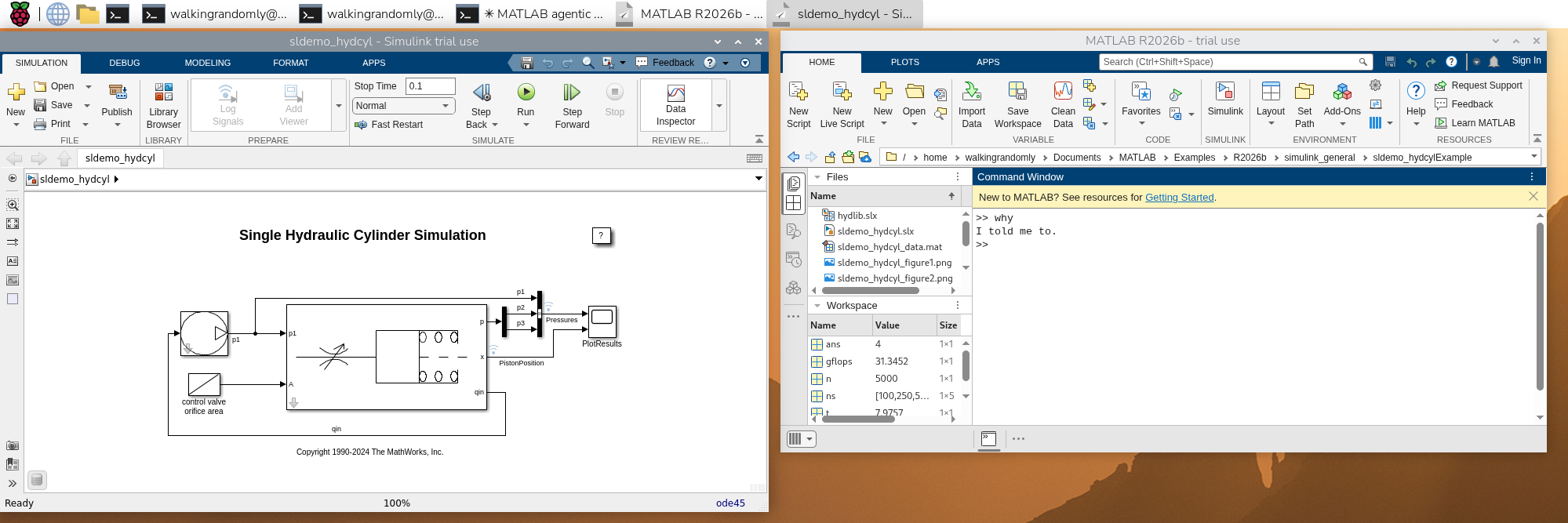
Trying matrix-matrix multiplication performance, I got some mixed results. Instead of steadily improving results as I expected, they were all over the place out of the box with 250 x 250 matrices showing half the performance of 100 x 100.
Here also, using half the number of cores improves things drastically! This time, however, I didn't have a good explanation since all 4 of the Pi's cores are identical. It's not thermal throttling either. I do have a hunch about what's going wrong here but rather than speculate in a blog post I've submitted a bug report to development which is what beta testing is all about!
I encourage you to do the same! Try this beta out, note what works well and what does not and let us know.
| Size | GFLOPS (4 threads) | GFLOPS (2 threads) |
|---|---|---|
| 100 × 100 | 12 | 17 |
| 250 × 250 | 6 | 15 |
| 500 × 500 | 18 | 18 |
| 1000 × 1000 | 19 | 29 |
| 5000 × 5000 | 12 | 31 |
Over to you
Making the case for a Linux ARM build was one of the first entries I made in our internal feature request database when I joined MathWorks, and I’ve been working closely with development on it ever since. I am very excited that you can all start playing with it and look forward to your feedback. You can give feedback by clicking on the Feedback button in MATLAB or making a comment to this blog post.


댓글
댓글을 남기려면 링크 를 클릭하여 MathWorks 계정에 로그인하거나 계정을 새로 만드십시오.