
RoboSub Simulation Environment
In today’s blog, Abhishek Shankar from the Student Programs team at MathWorks introduces a newly released underwater RoboSub simulation environment built with Simulink, Simulink 3D Animation, and Unreal Engine that enables teams to test algorithms and accelerate development. Over to you, Abhishek…
Underwater robotics has been on the rise over the past few years, which reflects the rise in robotics in general. While it might appear to be a niche area, there are several areas in science and engineering that benefit from autonomous underwater vehicles (AUV) such as marine biology (collecting samples, tagging endangered animals, etc.), ship inspection and maintenance, deep sea exploration, military, etc. Seeing the potential impact of AUV is such areas, there have been several competitions to push the development of AUV’s. One such competition is RoboSub – an underwater robotics competition held by RoboNation. The competition pushes the participants to develop vision, navigation and control systems to perform several challenging tasks such as object avoidance, object detection, station keeping, localization and so on. The challenges come in various forms when underwater – lack of GPS is a main factor since the AUV must now use only on board sensors to localize itself, no help from satellites. Vision can also be tricky underwater due to distortions and reduced visibility the deeper the AUV dives. Further, the cost of development and testing increases quickly with the need of water proof bodies, underwater thrusters, expensive sensors such as DVL’s (Doppler Velocity Logger) and access to a pool or a lake for testing. Weather also plays a role as teams in the northern hemisphere have to deal with frozen lakes during winter, which reduces testing time by up to 4 months. To address some of these issues, we have now released a virtual environment to simulate the tasks at RoboSub. Simulation helps identify issues early, reduce development time, cost, and risk in the model-based design workflow. The environment is built in MATLAB 2025b and uses Simulink 3D Animation for photorealistic visualization while the physics are simulated in Simulink. The virtual environment can be cloned from this repository, and will be used for a virtual RoboSub competition in 2026.
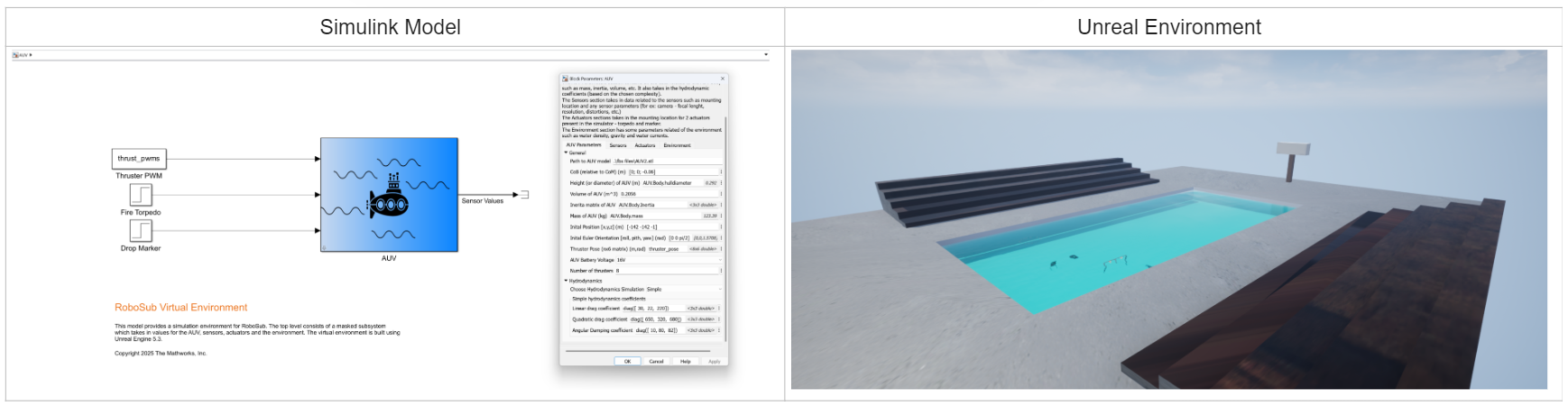
Model Overview
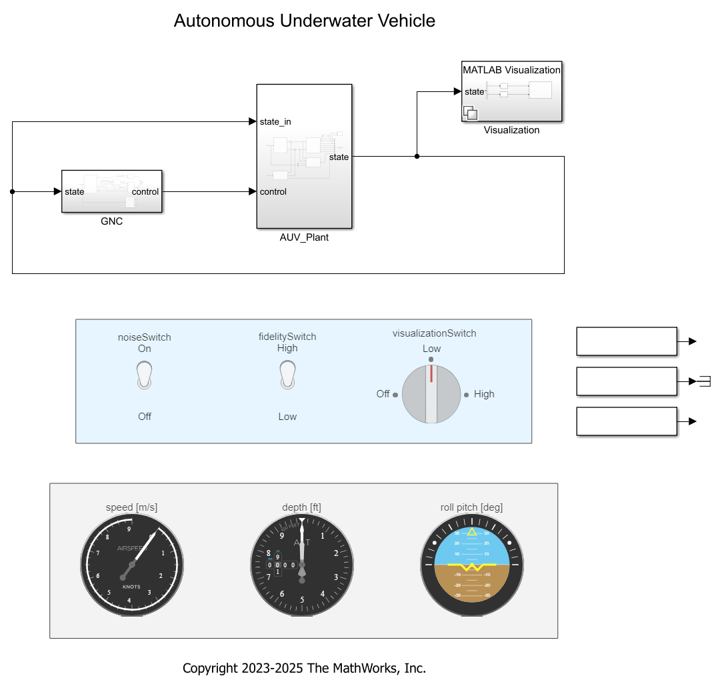
The virtual environment has two main components. The Simulink model that takes in the AUV parameters and simulates the physics (left part of the above image) and a Unreal Engine based visualization environment for visualizing the AUV (right part of the image above).
Simulink Model
The Simulink model is at the heart of the virtual environment. The AUV block, which is a masked subsystem, takes in the properties of the AUV such as its mass, inertia, volume, thruster positions, sensor positions and actuators to simulate the physics of the body. The model calculates the AUV dynamics based on hydrostatic and hydrodynamic forces and computes the forces and moments from the thrusters. These are then fed into a 6-DOF block that computes the vehicle states (position, velocity, orientation, angular velocity) at each time step. The model breakdown is shown in the image below.
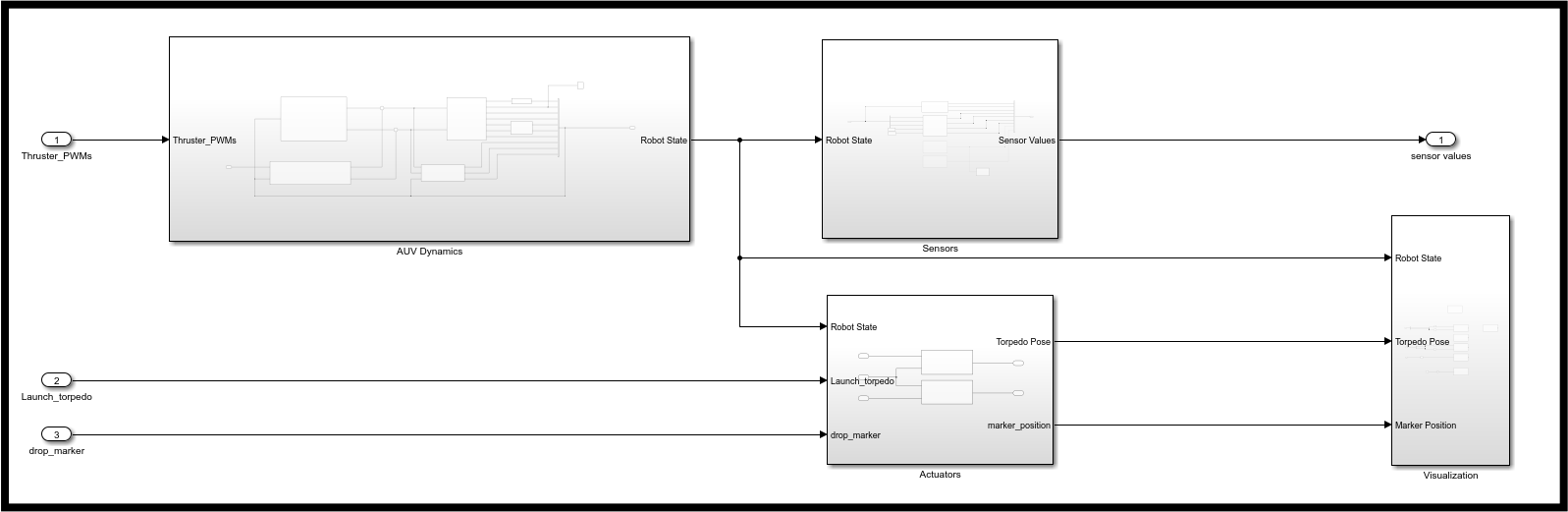
The sensor block takes in the robot state and simulates the reading of common underwater sensors such as IMU, DVL and camera. More sensors can be modeled as and when required by the user. The sensor readings are then the outputs from the AUV block. The noise profiles of these sensors can be edited to match the sensor the user is using to make the simulation more realistic and potentially reduce the sim-to-real gap. The actuator subsystem simulates the two main actuators used in RoboSub – torpedoes and marker dropper. These subsystems are shown below. The model simulates the physics of these objects by sampling the position of the AUV at the time of firing and appending the position based on the physics of the object.

The visualization block ties it all together by visualizing the AUV’s pose and states in a photorealistic environment built using Simulink 3D Animation which uses Unreal Engine in the background. The virtual environment is set to an Olympic sized swimming pool to reflect the competition environment but users can design their own environment based on their needs. In the next section, I will talk more about the photorealistic 3D environment.
Visualization
Simulink 3D Animation provides the user with the option to build their custom scene using Unreal Engine (UE). In this virtual environment, the visualization environment is an Olympic sized swimming pool. The features on the pool are modified using UE actors. The water is modeled using the experimental water plugin and the lighting is adjusted through custom shaders to make the underwater view realistic. Below, you can see a gif of the environment and how it interacts with the AUV’s with a positive buoyant force.
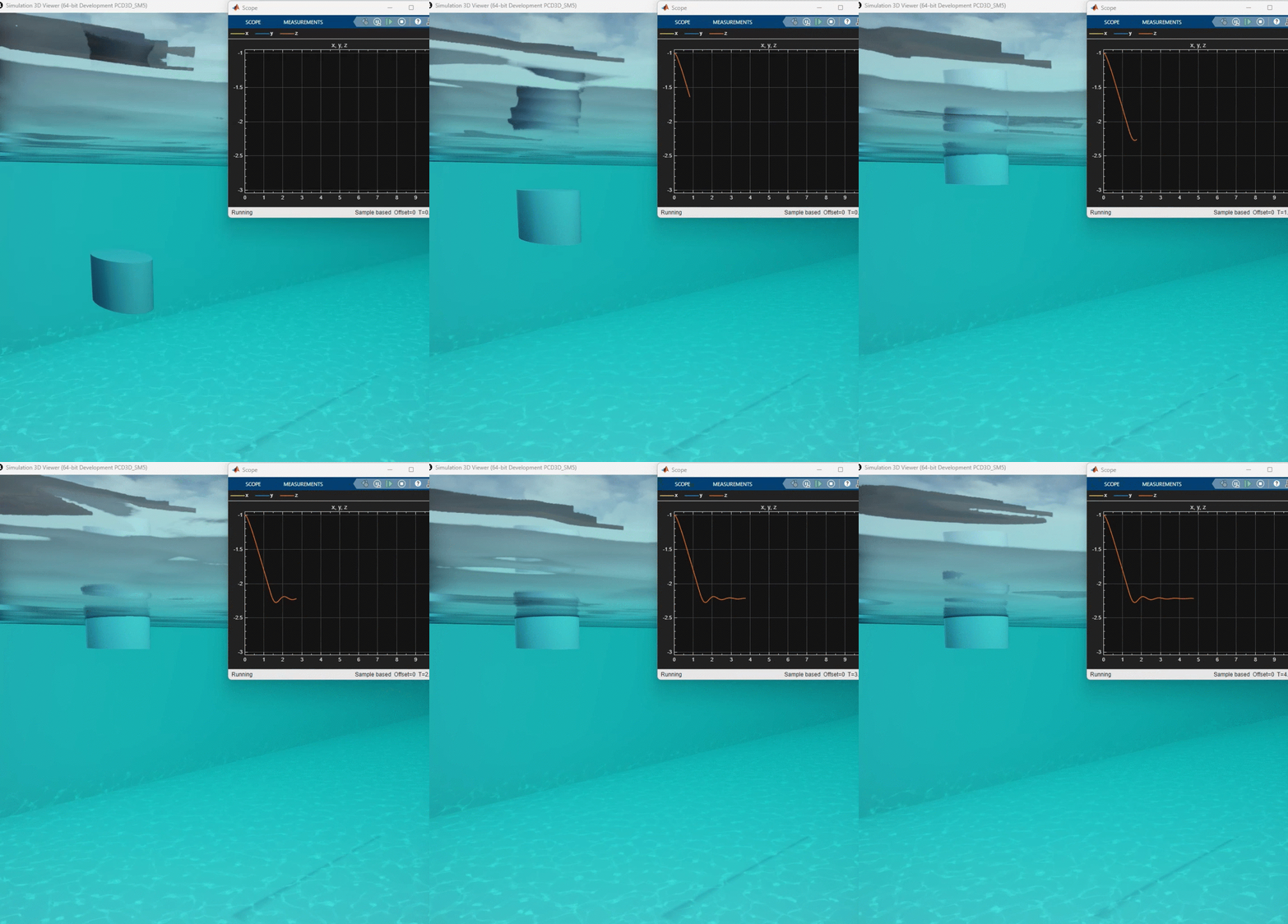
The environment also consists of other artifacts that relate to the competition such as navigation gates, torpedo target boards, marker target and octagon. These will further be modified to reflect the changes for the 2026 competition.
More information on the model and the blocks within it can be found in this detailed document in the GitHub repository.
Simulation
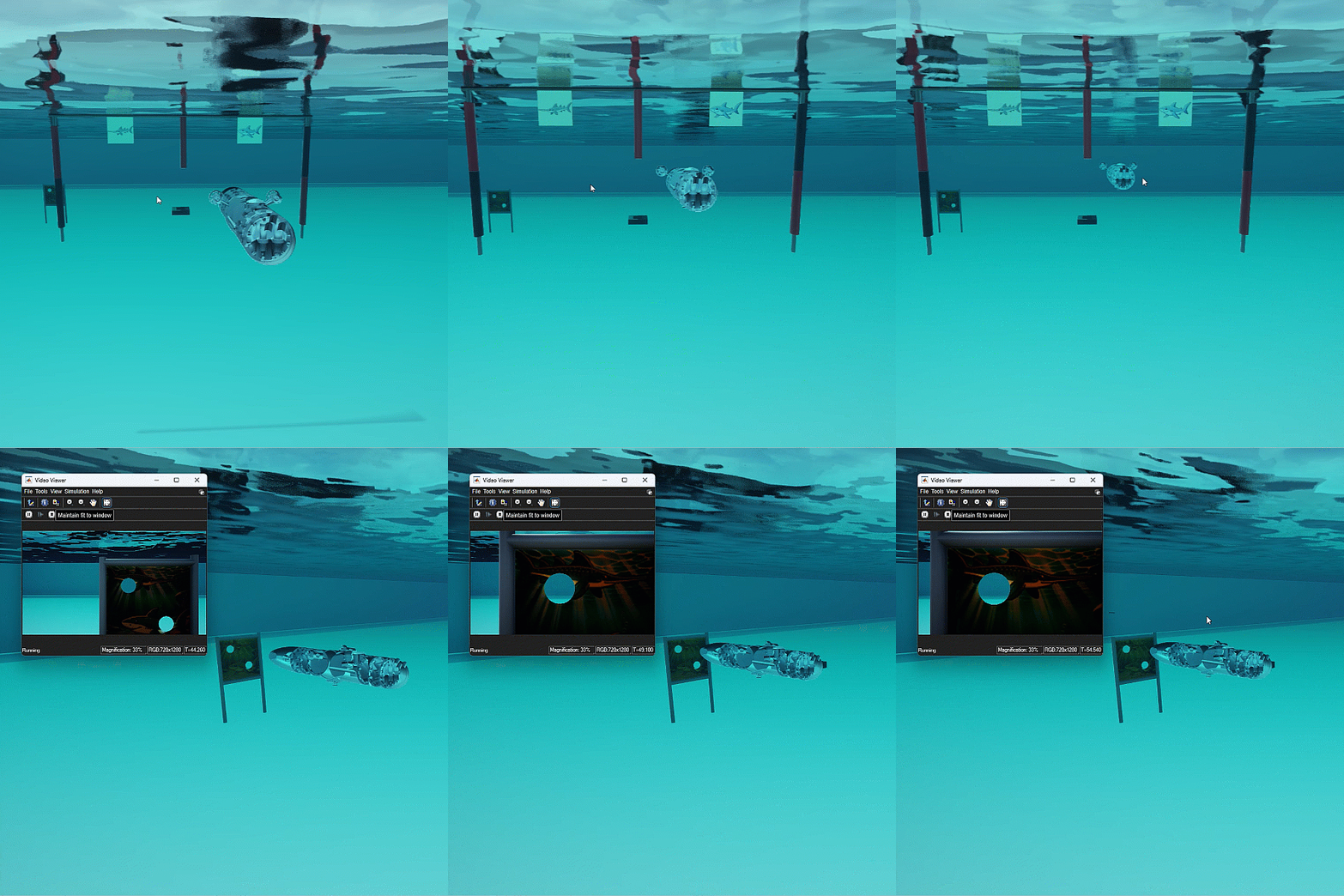
Now that we have an overview of the simulation environment, I can show how a simulation in this environment looks like. For this, I’ll take the task of navigating through a gate and firing a torpedo at the target board. For this example, I am assuming that the location of the gate and the board are known but for the competition, navigation will be based on vision. For the tasks, there is a Stateflow chart managing the AUV’s high level execution and individual PID’s to control the AUV and keep it close to the planned path. The Stateflow and control system is shown in the image below.
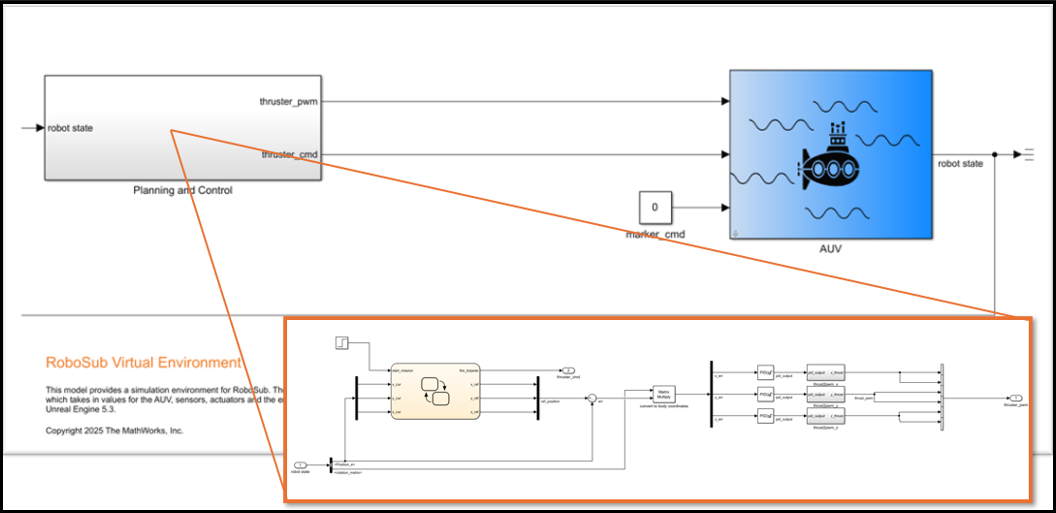
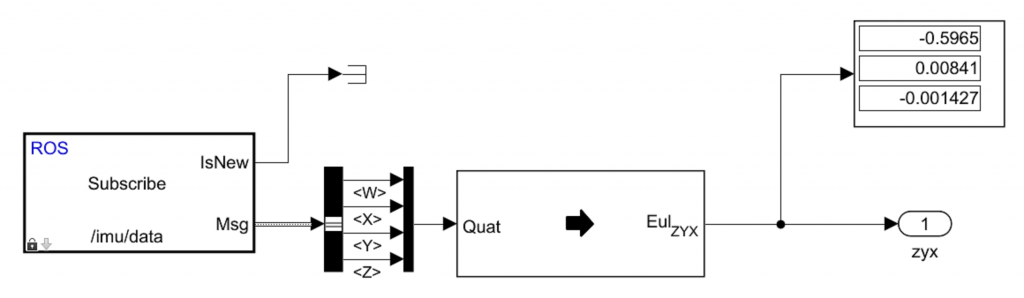
The gif below shows the AUV navigating and firing a torpedo at the board – a common task at RoboSub. Further, it is easy to connect this environment to ROS using our ROS toolbox, which allows the user to publish sensor messages through the ROS publisher block and subscribe to thruster inputs and torpedo or marker commands. This lets the user easily connect to an external navigation or control algorithms and visualize the simulation in Simulink. More information on the simulation interface and it’s ROS interface can be found in this video with RoboNation.
Conclusion
This blog goes over the newly released virtual environment for RoboSub using Simulink 3D Animation. The model simulates the physics of the user’s AUV closely based on the inputs such as mass, inertia and coefficients of drag. It also provides rich sensor data from various sensors used in underwater navigation. Two actuating systems are simulated – torpedoes and marker dropper which would help teams test these tasks out in simulation before deploying in the competition. MathWorks also offers a range of other products to help design autonomous behaviors. For example, Stateflow makes it easy to design state machines (a common decision making architecture), navigation and path planning capabilities using our Navigation toolbox, etc. These products are included in the competition license that is complimentary to all RoboSub participants! And finally, MathWorks will be launching a Virtual RoboSub Challenge to encourage more teams to test and validate in simulation and give them a chance to win up to $1000. So if you have registered for RoboSub, try to participate in the virtual challenge to test your algorithms in simulation and to stand a chance to win the prize money. Good Luck!
- Category:
- Simulink




Comments
To leave a comment, please click here to sign in to your MathWorks Account or create a new one.