
Focusing on your work
The MATLAB Desktop is packed with so many great tools, but sometimes they can become distracting. The easiest way to zone into your work, whether that be in the Editor, the Command Window or any other component, is to issue a quick double click to the title bar.
This gesture acts just like the maximize button. The reason I prefer it over its button counterpart is that it doesn’t require such fine motor skills to aquire and click it!
Want to see your Desktop again? Give the components title bar another double-click and voila, you have access to your full Desktop again.
Note: This feature is not yet available for the Mac, though we are activley working on porting it.
1. Double-click the component title bar to maximize the component.
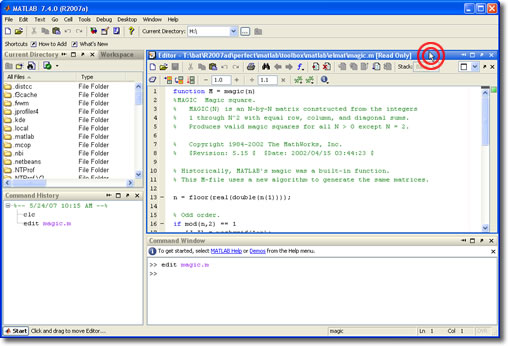

2. Double-click the component title again to restore it to its previous size.
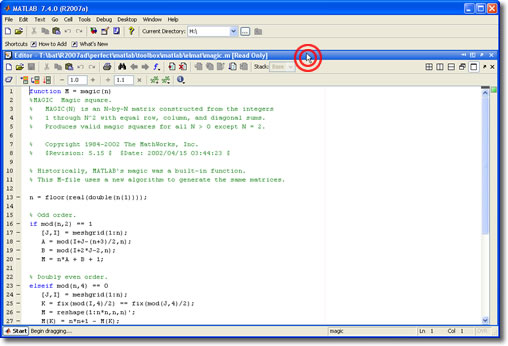
3. Do it all over again!
- Category:
- Desktop


See Also
-

Maximize your figures
Blogs



Comments
To leave a comment, please click here to sign in to your MathWorks Account or create a new one.