 Cleve’s Corner: Cleve Moler on Mathematics and Computing
 The MATLAB Blog
 Guy on Simulink
 MATLAB Community
 Artificial Intelligence
 Developer Zone
 Stuart’s MATLAB Videos
 Behind the Headlines
 File Exchange Pick of the Week
 Hans on IoT
 Student Lounge
 MATLAB ユーザーコミュニティー
 Startups, Accelerators, & Entrepreneurs
 Autonomous Systems
 Quantitative Finance
 MATLAB Graphics and App Building
Filling small holes
A MATLAB user recently asked in the MATLAB newsgroup how to fill "small" holes in a binary image. The function imfill can be used to fill all holes, but this user only wanted to fill holes having an area smaller than some threshold.
That's an interesting question. It can be done using a combination of imfill, bwareaopen, and MATLAB logical operators. Here's how.
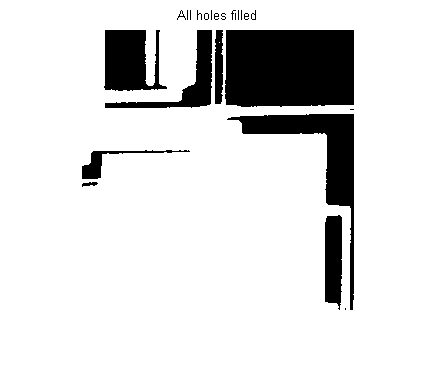
Step 1: Fill all holes using imfill:
original = imread('circbw.tif');
imshow(original)
filled = imfill(original, 'holes');
imshow(filled)
title('All holes filled')
Step 2: Identify the hole pixels using logical operators:
holes = filled & ~original;
imshow(holes)
title('Hole pixels identified')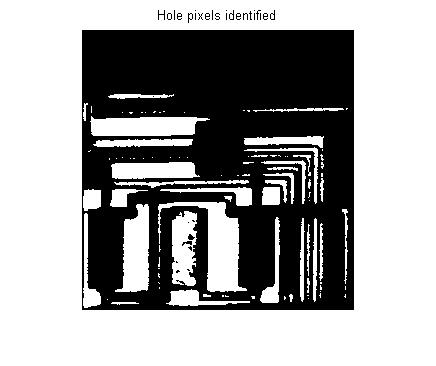
Step 3: Use bwareaopen on the holes image to eliminate small holes:
bigholes = bwareaopen(holes, 200);
imshow(bigholes)
title('Only the big holes')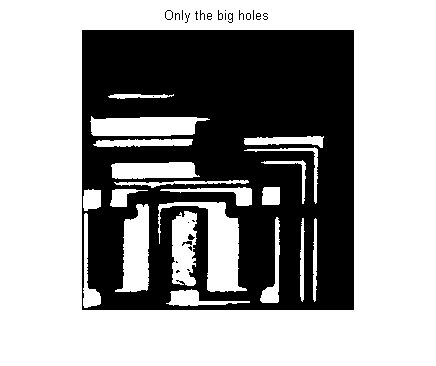
Step 4: Use logical operators to identify small holes:
smallholes = holes & ~bigholes;
imshow(smallholes)
title('Only the small holes')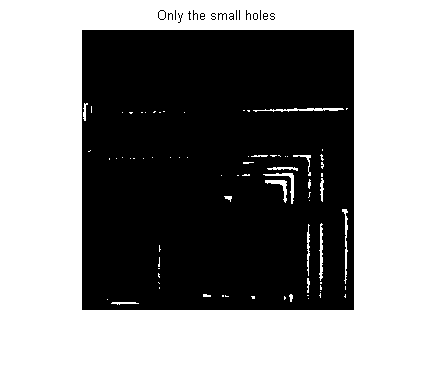
Step 5: Use a logical operator to fill in the small holes in the original image:
new = original | smallholes;
imshow(new)
title('Small holes filled')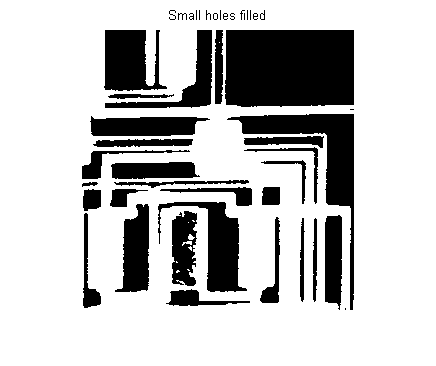
All done!







Comments
To leave a comment, please click here to sign in to your MathWorks Account or create a new one.