Ken & Mike on the MATLAB Desktop

June 11th, 2007

Feeling colorful?

Some days my eyes are tired and other days I am just bored with a white background and black text. On these days I go and set my MATLAB Desktop background and foreground colors to something different. I usually like the soothing colors of a light blue background with black text.
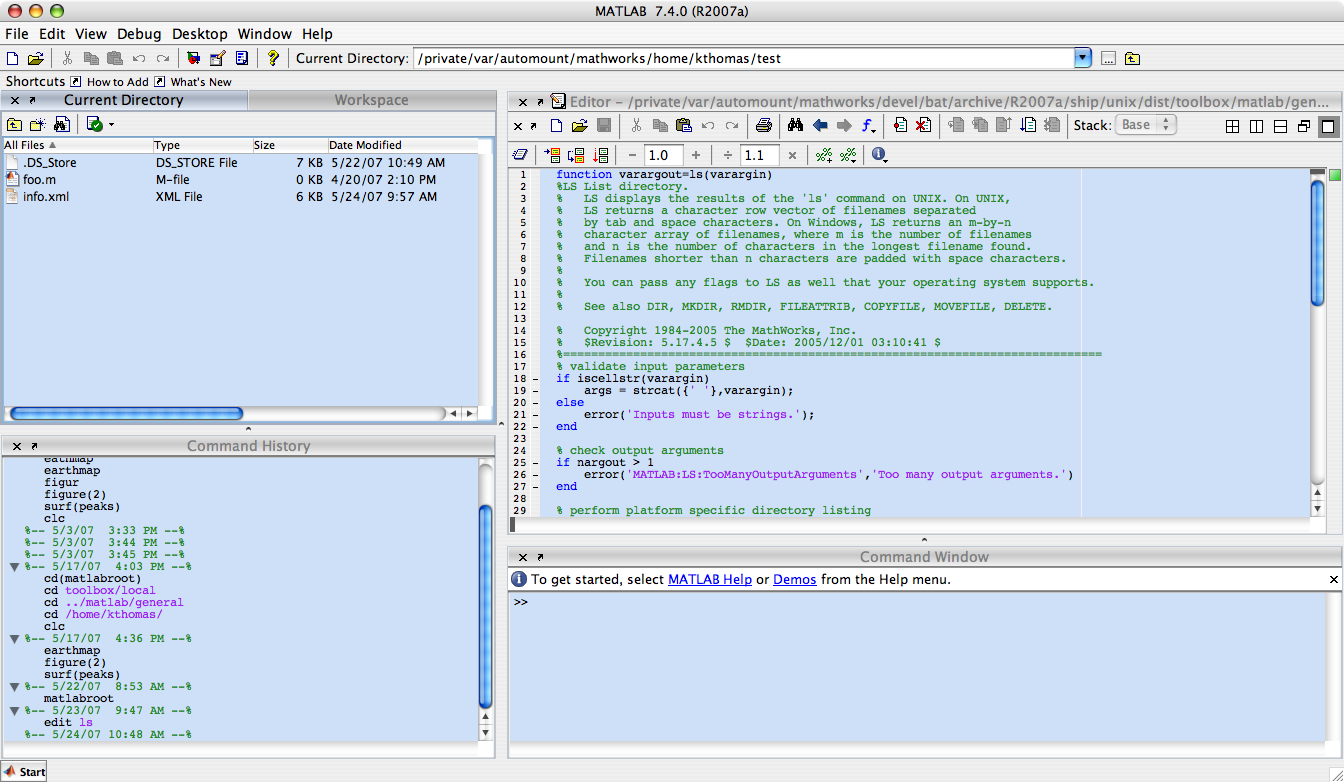
To change the colors of the desktop, go to the File menu -> Preferences. Select “Colors” in the preferences tree:

Unselect the checkbox “Use system colors” and then set the Text color and Background color to your favorite colors and hit the OK button:

If you are feeling adventurous or like you need something brighter you can set it to have a yellow background and hot pink text [1]:
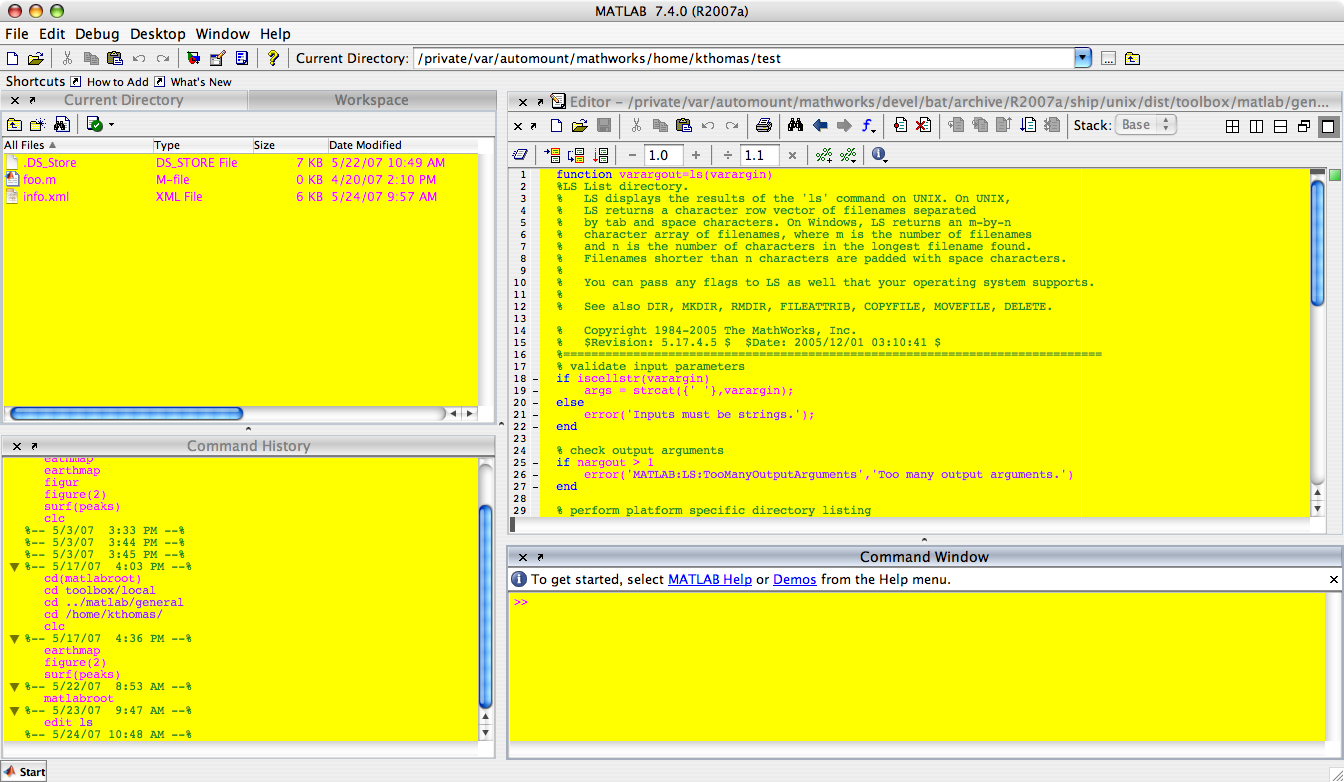
1 - Note that I do not really recommend this color combination.

6 Responses to “Feeling colorful?”

  1. Michel Slivitzky replied on :

    How about changing background colors for the Editor ?

  2. Kristin replied on :

    Changing the colors affects all the desktop components including the Editor. If you look in the pics above, I have the Editor docked in the desktop. If you mean changing the color for just the Editor, that is not currently an option.

  3. Katie replied on :

    It would be great if you could set the different components to different colors…that way if you move them around you can spot them super quick…..

  4. Kristin replied on :

    Thanks Katie. We will consider that for a future release.

  5. Jon Oppelaar replied on :

    is there a way to change the color of the highlighted cells?

  6. Ken replied on :

    Hi Jon,

    You can change the color of the highlighted cell by doing the following:

    1) Go to File -> Preferences -> Editor/Debugger -> Display
    2) In the ‘Cell display options’ section, select the desired color in the color picker next to the ‘Highlight cells’ checkbox.

    -Ken

Leave a Reply


Ken & Mike work on the MATLAB Desktop team.
  • Ken: Hi Aurelien, This is an interesting idea! I’ll bounce it off of a few other MathWorkers. Applications in...
  • AurĂ©lien Queffurust: Happy new year guys! Ok I have 2 ideas (which would’nt be a major enhancement!) 1) What...
  • Jody: I keep Matlab open for a while (good job on stability!) and can end up with 15 or 20 files, particularly if I...
  • Arthur: Another helpful tweak to the F1 documentation in the editor would be to open the documentation of the...
  • Mike: @Jveer, I’ve had the opportunity to talk to some MEX-heads here and they confirmed the point about...
  • Mike: @Naor, We’re glad you’re enjoying the function hints. Spell checking is something we’re...
  • Ken: @Naor, I too could use spell checking in the comments. @Jody, That’s a great request [an Emacs style...
  • Jveer: how about a proper and interactive way of setting up the compiler for xcode on the mac version? or at least a...
  • Jody: I like the hints as well. I’d really like to see a better buffer switching mechanism (to use the emacs...
  • Rick Candell: It is very desirable to be able to print colored text to the command window. Why has this feature not...

These postings are the author's and don't necessarily represent the opinions of The MathWorks.