
Debugging Points
Every so often we’re lucky enough to have a customer come visit MathWorks and talk to us about his or her MATLAB experience. This week one such user gave us a great presentation of his image processing application and concluded with a wish list of features. On that list he expressed the desire to set a break point to debug a file on a particular index of a loop instead of every iteration. This function has been available for quite awhile in MATLAB, but I don’t fault the user for not knowing about it, it’s not particularly prominent.
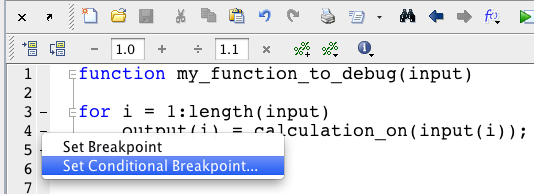
You can set code to break on a particular variable value, loop index, error condition, or really any MATLAB expression with a conditional breakpoint. To set a conditional breakpoint in the editor:
- Right click on the “-” for any line in the editor’s breakpoint alley.

- Select “Set Conditional Breakpoint from the pop-up menu…
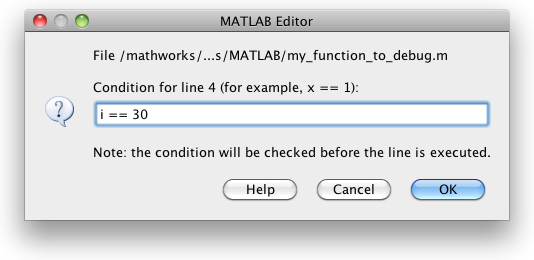
- In the dialog enter any MATLAB expression that evaluates to a logical TRUE or FALSE. If the condition is TRUE, then execution will stop before that line. In the pictured example I set the breakpoint to “i == 30” so that the code will stop on the 30th iteration of that loop. I could have also tried to evaluate the input variable or output variable. For example I could stop whenever the input was larger than 100 by making my expression: “input(i) > 100.” Note that execution stops before the line is evaluated, so if I wanted to stop based upon the output value I’d want to put the breakpoint at the next line (“end“) to look at output(i).
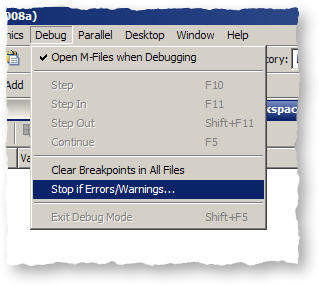
Instead of breaking on a particular variable value, I could stop when an error occurs. For instance, if I knew that some time after this loop starts an error is thrown but I don’t know exactly when, I could use dbstop if error to break when the error happens and inspect my state and debug at that point, rather than at specific iteration of the loop. For more information on these dbstop conditions, see this earlier article.
- Category:
- Debugging,
- Editor






Comments
To leave a comment, please click here to sign in to your MathWorks Account or create a new one.