
More Comparison Tool Updates
Two weeks ago, I wrote about the new MAT-file comparison features in the Comparison Tool. However, those were not the only enhancements made to the tool in R2011a. You can also now ignore certain files and directories in the folder comparisons, and show only the differences in text files.
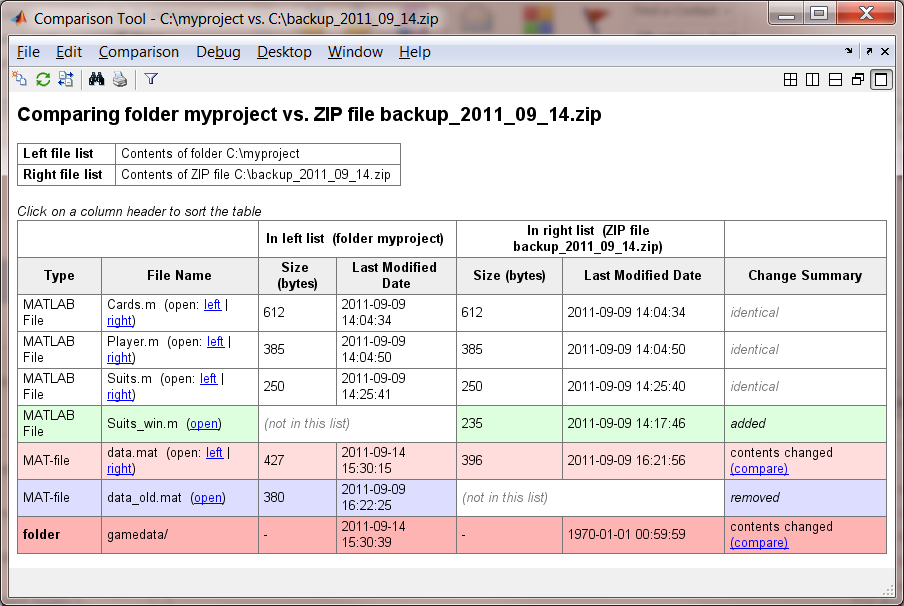
Filter Results in Folder Comparisons
Using the filter button ( ) in the toolbar, you can create a list of files/folders to ignore. This is useful for ignoring source-control artifacts such as a CVS/ or .git/ directory, backup files, or extended attribute “._“-type files. Using filters saves time because it does not search into ignored sub-folders.
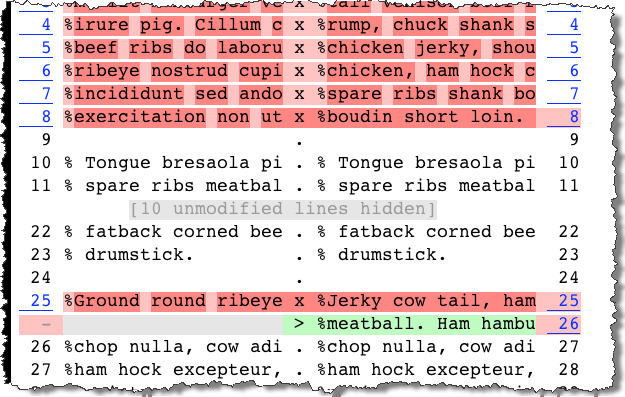
Showing Differences Only in Text Comparisons
When you compare long text files, using the ( ) button, you hide long sections of equal lines. This makes it easier to find and read the differences. It does still show a few lines above and below the differences in order to preserve the context.
- Category:
- Current Directory





Comments
To leave a comment, please click here to sign in to your MathWorks Account or create a new one.