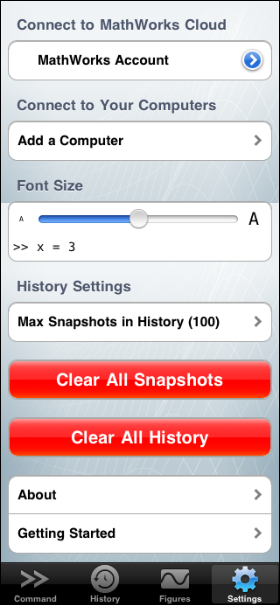
I’m excited to finally talk about what I’ve been working on for the past few months… MATLAB Mobile 2.0. This release’s big feature: connect to the cloud. Previously you needed to keep MATLAB running on your computer. Now you can also connect to one of our MATLABs running out in the aether. All you need is a MathWorks Account associated to a license with up-to-date software maintenance service.

The big advantage in connecting to the MathWorks Computing Cloud is that there is no MATLAB set-up or requirement to be tied to your computer. The downside is that you can’t run your own files, but you still have the option of connecting to your own desktop using the MATLAB Connector.
Some other notable features:
In order to get started, make sure your MathWorks Account license information is up-to-date. To do that, follow these instructions.
Please share you experiences and feature requests here with us. I hope to see you on the cloud.
By
Michael Katz
Mike is a developer on the MATLAB Mobile team. When not describing himself in the third person, biking, homebrewing, or rooting for the home team, he's busy trying to make the world a better place for programming.
That’s incredible! How does the licensing work with Matlab Mobile?
@paras,
While app is free, in order to use it, you need a license that satisfies bullet 1 at http://www.mathworks.com/mobile/system_req.html
This is super, super excellent!
This sounds great for iPhone users, but I’m not one. Maybe you should have a separate blog called “Mike on the MATLAB iPhone App”, because every time I read a new blog post on MATLAB Mobile and realize that you’re still not supporting the, dare I say, majority of MATLAB and smart phone users, I feel a little queasy.
Really interesting feature. Why not run my own code? For security reasons, or because my code is not stored in a way the cloud hosts can access? If the latter, I wonder if you are considering an option for remote code storage so cloud services can access it. But then it would have to be vetted or something…
So this for that rare bird that loves MATLAB enough to nerd out from their iphone, but not enough to have it on their own computer? Or are there other advantages besides not having to have MATLAB on my own computer? I guess compute power, but I have to think if you need serious compute power you’re doing it at work anyway. I wonder if you’ll set up some monitoring to see if anyone is hogging the computers.
ANDROID.
Nuff said.
An array editor would really increase the usefulness of this application.
What are people using this for? If I can’t load any of my own data, it seems like it has limited utility.
Am I missing something?
@GJHPHD
We will be adding new features to the cloud connection to expand its use cases and utility. Stay tune!
Hi Mike…
I’m using the Matlab mobile and created a simple function to run a simulink model on my PC. So I can run it remotely.
Everything works fine. But the problem is that I can’t stop the simulink model from the Matlab Mobile App whenever I want. This is, I can only run the simulink model from a pre-specified period of time (for example 60 seconds). And what I would like is to stop the simulink model from my Matlab mobile app at any point in time I want.
I think when you run a simulink model from the command line it blocks the command line until the simulink model stops. But you can only stop it predefining a period of time for the Simulink model to be ran.
Do you have know any way I can run and stop my simulink model from the command line of the Matlab Mobile?
Thanks
Here is my code
function OpenRunFromMobile(timeSeconds) % First open the simulink model open_system('ECG_GSR_RESP_fromFile3') % Start the simulink model and run it for X number of seconds sim('ECG_GSR_RESP_fromFile3', timeSeconds);@Jorge,
You can just the use the SIM command with the name of the model. The only caveat is that the simulation has to end before MATLAB Mobile times out. Pressing the cancel button during a simulation will abort at the simulation time when it receives the abort signal.
Hi Mike..
Thanks for your quick response…
Couple of more questions:
1.- How long can I run a simulation for? When Matlab Mobile times out?
2.- Is there any plan to have support for simulink models on iphone/Ipad? If so, when can we expect this?
Best Regards.
Jorge
@Jorge,
Unfortunately, the time to run is somewhat limited, around 4 minutes or so. If you are using your desktop connector, you can start a sim command and although you won’t see the output after it is done, you can still query any workspace variables left over from it.
I can’t comment any plans for simulink models at this time.
Dear Mike,
how do I put m-files from my hard disk on PC to my cloud account space, so i can run from mobile?
@Alessandro,
That functionality is not currently available. On the cloud, we only provide the files that come with MATLAB.
Thank mike. Yet this is a shame. Why don’t try to let people run m-files residing locally or e.g. In Dropbox on cloud ? Anyway, this mat-mobile is quite a nice app!
@Alessandro,
Thank you for the suggestion and kind review, we will take it under consideration.
How can I use my university’s server license to use Matlab on my iPad? My PC has Matlab installed and uses the server license for authentication. For conveninence, it would make sense to have the iPad app work as well.
@Shailen,
Your MathWorks account must be associated with that license. If you can’t associate it using the license center, contact your university license administrator.