
The Preferences Directory
There are lots of ways a computer program can store user settings. In MATLAB we use a series of different files in a special per-release directory that is in a standard platform-specific place on your disk. In Windows it's usually under the Profiles\user\Application Data directory and on linux under /home/user/. To find out what the directory any given install of MATLAB uses, use the prefdir function:
prefdir
ans =

C:\WINNT\Profiles\mkatz\Application Data\MathWorks\MATLAB\R2009b
As the directory name indicates, MATLAB creates a separate directory for each release you have installed. When you install MATLAB it looks to see if you have a preferences directory already for that release, if not it goes the latest release you have and copies over the applicable preferences to the new release. Normally this works fine, but in rare cases the installation messes up and you can get your preferences into a weird state. When that kind of thing happens you can just rename the old dir temporarily and try again.
Deleting (or renaming) the preference directory for any given release after it is installed is a big hammer that resets your preferences to the most recent release you have preferences for.
- Close MATLAB, after making a note of the prefdir location.
- Go to one level above that directory and rename it, e.g. R2009b_OLD
- Restart MATLAB
When MATLAB starts and there is no directory for that release, MATLAB will regenerate the preferences directory with default values for everything.
If you don't like the default location for the preferences directory, you can manually specify its location using an environment variable. Instructions to do this are given in this solution.
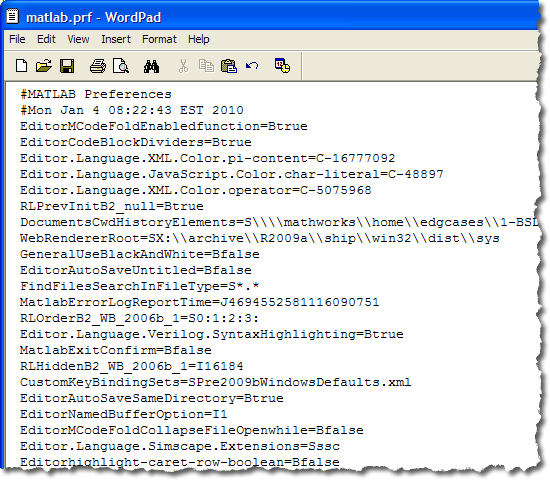
Finally, the various parts of the preferences are stored in different files in this directory. You can manually, at your own risk, handle upgrading from one release to another. For example you can try migrating shortcuts but not key bindings. Doing this is dangerous though, as we frequently change functionality or how the data is represented on disk. In future posts, I'll highlight some of the more useful preference files.
- Category:
- Preferences


See Also
-

Command-Line Preferences
Blogs
-
-
-
Comments
To leave a comment, please click here to sign in to your MathWorks Account or create a new one.