
Giving your code some privacy
In R2007b, code folding was introduced in the Editor for functions and help comments. I find this particularly useful for large M-files like edit.m, which have a lot of subfunctions. By collapsing all the folds in the file, I can quickly skim through the helper subfunctions.
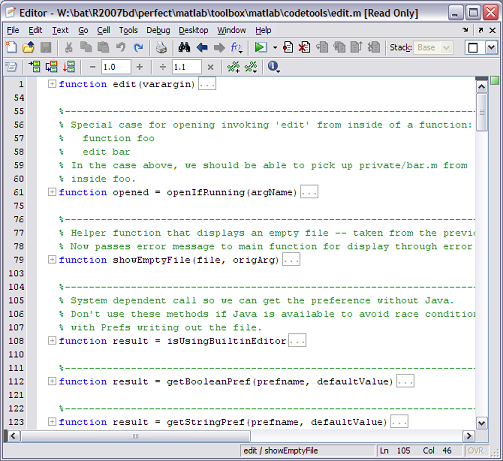
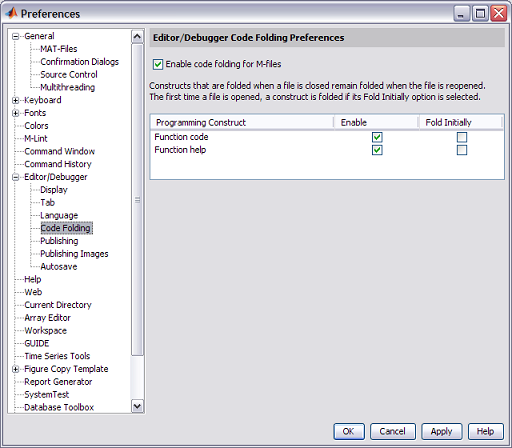
The Editor remembers which folds I had collapsed in each file, even between sessions of MATLAB, and I can choose to disable code folding if I wish from the preference panel:
At this point, I know what all of you are saying– “Why does this only work for functions? I want to be able to fold all my MATLAB keywords!”. Don’t worry, I’ve already heard you, and that will be in a future release. In the meantime, try out our first version of code folding and let us know what you think!
- Category:
- Editor




Comments
To leave a comment, please click here to sign in to your MathWorks Account or create a new one.