R2008a is here and there are a number of great new features in the desktop. I’m only going to give a brief introduction to each of these shiny new features, though in future entires, we’ll explore them in greater detail.
If you see something that’s particularly interesting, leave a comment. The more comments about a feature, the sooner we’ll blog about it!
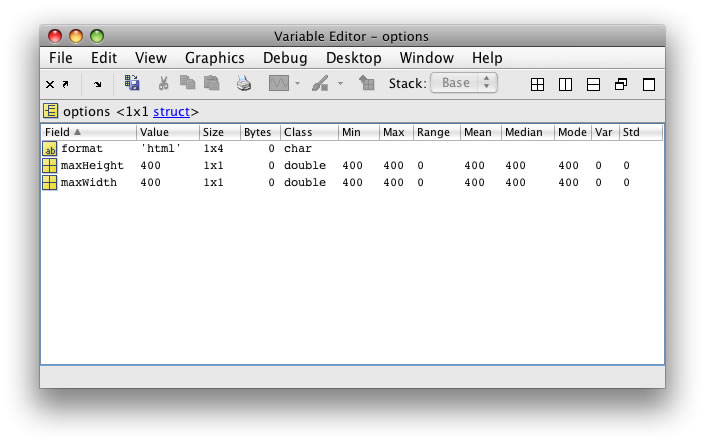
Publish Configuration’s allow you to specify options to be passed to the publish function when you press the publish button. Publish Configurations work very similarly to Run Configurations, in that they can be edited in the Configuration Editor and are associated with a particular file.
In previous releases, there was one set of preferences that applied whenever you pressed the publish button. Now, you can create multiple sets of options for a given file. For example, you can have a configuration that publishes to Word and another that publishes to HTML.
Data brushing is a new feature that lets you manually select data on a plot. This tool really fosters manual interaction and exploration of your data.
Linked plots are graphs that respond to backing data changes. The underlying data and plot are tied together, so a change in one, causes a change in the other. This is useful if you have multiple plots representing the same data, as you need only update the data in a single place in order to update your plots.
The File Comparisons tool has been enhanced to support directory comparisons. Its name has also unsurprisingly been changed to the File and Directory Comparisons tool.
Ken is a developer on the MATLAB Desktop team. He loves the art of graphic design as well as developing visually pleasing user interfaces - he's one of those 'crazy' Mac guys!
Actually, I’ll also throw in a request for future releases. Either recognize multiple consecutive lines of explicit comments as a block (and allow it to be folded), or change the default behavior of the comment menu item (Cntrl R) to use block comments when multiple lines are selected. Admittedly the second option requires a little more coding to deal with the case of wanting to uncomment a single line, but the logic isn’t really that hard. Finally, is there any reason why the block comment has to require the opening and closing features to be on their own lines? I don’t know of any other type of delimiters which has that requirement.
Dan
Regarding recognizing multiple lines of consecutive comments as a block: Good point - we’ll look at this for a future release. Note that a function’s comment section (the first contiguous comment lines in the file and also returned by help functionname), are treated as a block.
Regarding inserting %{ and %} when a Ctrl-R is issued: the problem here would be that these comment tokens need to be on their own lines (as you point out below). I think that might be to much of an unexpected consequence - maybe not…what do you think?
As far as block comments…their intended to deal with the nuanced behavior of MATLAB continuations (…) and so deal in the realm of lines only. They are very analogous to doing something like this in C:
C is not a programming language that you emulate with MatLab!
I write my functions to take advantage of the help functionname syntax and I don’t find it a burden to generate a % for each line since the MatLab editor automates it.
Also, I haven’t found it useful to use the block comment feature. Again, because it is so easy in the MatLab editor to generate many comment lines.
Even though I keep trying to use the code folding feature, I find that it promotes excessively long and complex functions. As a consequence, the only use I’ve adopted is the cell functionality where it turns into only a navigation bookmark.
Finally, I’ve also tried to use the publish features of MatLab. Although I can get output, it doesn’t seem to measure up to its billing in that the published output doesn’t really help another user understand the code any more than well commented code. If you do a future column on publishing, be sure to focus on how having these extra configuration control features improves the published result when compared to just printing well commented code on a color printer.
The new Publish Configurations make publishing files easier and more convenient, but don’t really change the way publishing works or the output that it generates.
Publishing does deliver something that no print out of code ever could: inline output. That is, publishing will insert the output of your M files into the published document. Thus showing you code and what it generated, be that plain text or rich figures.
I’ll be sure to pick good examples that showcase the power of publishing when I blog on Publish Configurations.
Oliver—The primary use of publish, in my view, is not for documenting code; it’s for explaining concepts. Almost all of the postings in both my blog and Loren’s blog are generated using the publish feature. Most of our product demo pages are generated using publish as well. For example, see the Image Processing Toolbox demos. To see what some of our customers do with publish, try this Google search.
Thanks for clarifying the purpose of the publishing capability. I certainly had not picked up on that important distinction and it is not emphasized in the “Overview of Publishing M-Files.” In fact, the overview emphasizes the formats that you can publish to, e.g., the how and not the why.
Reading between the lines, I would guess that technical text book writing is the capability that The MathWorks wanted to support when they wrote the specification for this feature.
After reviewing some of the examples from the Google search, it doesn’t look like a capability that fits well with my needs.
I love the new Directory Compare function. I’ll be using it (as soon as I install 8a…). Is there an option to ignore certain files? Hidden files such as .DS_Store? Or “ignore all *.mex*”? Compare only *.m, *.c, and *.h but not *.tex? Or whatever?
I would love to see the possibility of Mac-style menus at the top of the screen instead of at the top of each window. Is this possible in this release (again)?
There’s actually a bug in Java that’s preventing us from using the Mac screen menus. This is reportedly fixed in Apples version of Java 6 - so if that proves to be true, I’ll be sure to make the fix!
-Ken
Leave a Reply
About
Inside the MATLAB Desktop is written by the MATLAB Interface teams.
At least for me, databrushing and datalinking are going to be the new features that will take the most time to get comfortable with. Just my $0.02.
Dan
Actually, I’ll also throw in a request for future releases. Either recognize multiple consecutive lines of explicit comments as a block (and allow it to be folded), or change the default behavior of the comment menu item (Cntrl R) to use block comments when multiple lines are selected. Admittedly the second option requires a little more coding to deal with the case of wanting to uncomment a single line, but the logic isn’t really that hard. Finally, is there any reason why the block comment has to require the opening and closing features to be on their own lines? I don’t know of any other type of delimiters which has that requirement.
Dan
Hi Dan,
Regarding recognizing multiple lines of consecutive comments as a block: Good point - we’ll look at this for a future release. Note that a function’s comment section (the first contiguous comment lines in the file and also returned by help functionname), are treated as a block.
Regarding inserting %{ and %} when a Ctrl-R is issued: the problem here would be that these comment tokens need to be on their own lines (as you point out below). I think that might be to much of an unexpected consequence - maybe not…what do you think?
As far as block comments…their intended to deal with the nuanced behavior of MATLAB continuations (…) and so deal in the realm of lines only. They are very analogous to doing something like this in C:
#if 0
stuff to ignore
#endif
Great feedback Dan!
-Ken
C is not a programming language that you emulate with MatLab!
I write my functions to take advantage of the help functionname syntax and I don’t find it a burden to generate a % for each line since the MatLab editor automates it.
Also, I haven’t found it useful to use the block comment feature. Again, because it is so easy in the MatLab editor to generate many comment lines.
Even though I keep trying to use the code folding feature, I find that it promotes excessively long and complex functions. As a consequence, the only use I’ve adopted is the cell functionality where it turns into only a navigation bookmark.
Finally, I’ve also tried to use the publish features of MatLab. Although I can get output, it doesn’t seem to measure up to its billing in that the published output doesn’t really help another user understand the code any more than well commented code. If you do a future column on publishing, be sure to focus on how having these extra configuration control features improves the published result when compared to just printing well commented code on a color printer.
Hi Oliver,
The new Publish Configurations make publishing files easier and more convenient, but don’t really change the way publishing works or the output that it generates.
Publishing does deliver something that no print out of code ever could: inline output. That is, publishing will insert the output of your M files into the published document. Thus showing you code and what it generated, be that plain text or rich figures.
I’ll be sure to pick good examples that showcase the power of publishing when I blog on Publish Configurations.
-Ken
Oliver—The primary use of publish, in my view, is not for documenting code; it’s for explaining concepts. Almost all of the postings in both my blog and Loren’s blog are generated using the publish feature. Most of our product demo pages are generated using publish as well. For example, see the Image Processing Toolbox demos. To see what some of our customers do with publish, try this Google search.
Steve,
Thanks for clarifying the purpose of the publishing capability. I certainly had not picked up on that important distinction and it is not emphasized in the “Overview of Publishing M-Files.” In fact, the overview emphasizes the formats that you can publish to, e.g., the how and not the why.
Reading between the lines, I would guess that technical text book writing is the capability that The MathWorks wanted to support when they wrote the specification for this feature.
After reviewing some of the examples from the Google search, it doesn’t look like a capability that fits well with my needs.
I love the new Directory Compare function. I’ll be using it (as soon as I install 8a…). Is there an option to ignore certain files? Hidden files such as .DS_Store? Or “ignore all *.mex*”? Compare only *.m, *.c, and *.h but not *.tex? Or whatever?
Tim,
It is not currently possible, but I will create an enhancement request with your comments.
Thanks.
I would love to see the possibility of Mac-style menus at the top of the screen instead of at the top of each window. Is this possible in this release (again)?
Hi Hans,
There’s actually a bug in Java that’s preventing us from using the Mac screen menus. This is reportedly fixed in Apples version of Java 6 - so if that proves to be true, I’ll be sure to make the fix!
-Ken