
How Future Engineers Use MATLAB and Simulink at World Robot Olympiad
MathWorks began partnering with the World Robot Olympiad (WRO) last season (2025) to support student teams using modeling and simulation as part of their robotics workflows. As part of this partnership, we introduced the MathWorks Modeling Award, which recognizes teams that demonstrate creativity and technical skill using MATLAB and Simulink in their project designs
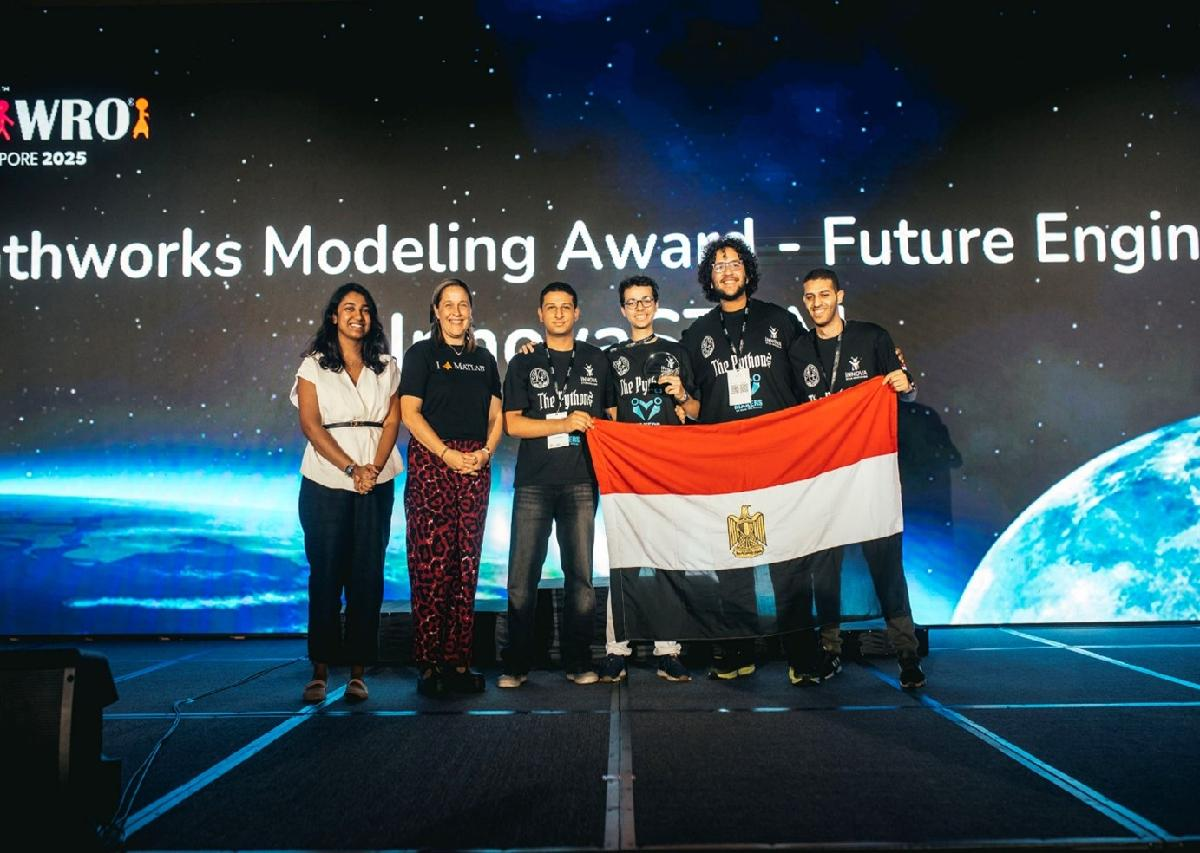
The Pythons, winners of the MathWorks Modeling Award in the Future Engineers category, used MATLAB and Simulink to support their autonomous driving solution. The Future Engineers category is designed for older students (ages 14–22), with a challenge that changes every 3–4 years and currently focuses on building a robot with a steering drive that can navigate a track autonomously.
For today’s blog, we’re joined by The Pythons, who will share their robot design and describe how MATLAB and Simulink supported their development process. Over to you…
Introduction
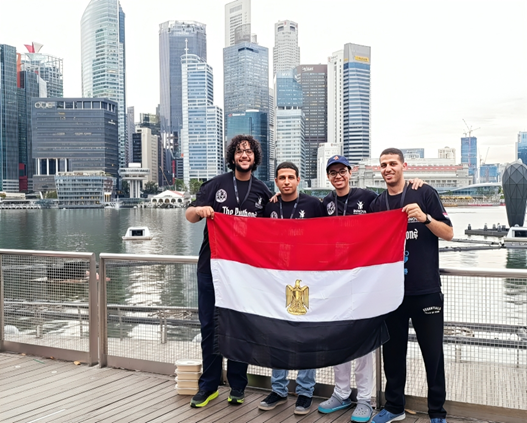
We are The Pythons, an Egyptian robotics team founded by Innova STEM Education Co. in 2016 and based in Alexandria, Egypt. This was our first time participating in the World Robot Olympiad (WRO), and over the years we have also taken part in several local and international robotics competitions, including RoboCup Junior. Our goal as a team is to contribute to the robotics field and explore how robotics can be used to improve people’s lives through hands-on engineering challenges.
Meet our Robot
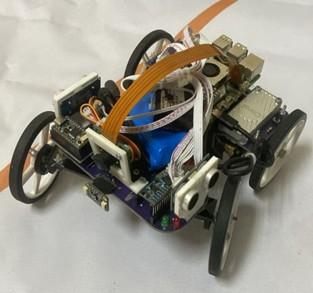
To tackle the autonomous driving challenge, we designed a robot centered around the Raspberry Pi 5, which handles all major processing tasks. Our system is responsible for:
- Calculating deviation from center position using a sensor fusion algorithm that combines data from ultrasonic sensor and heading information calculated from MPU6050 sensor.
- Issuing commands to motors to move according to data.
- Detecting blocks and orange and blue lines using a custom trained YOLOv8 model running on a Google Coral Edge TPU.
Discovering the MathWorks Modeling Award
We had heard of MATLAB and Simulink, however we never had the opportunity to learn it but all that changed when we heard about the MathWorks Modeling Award from our national organiser.
After exploring the learning resources provided by MathWorks for WRO, including their official WRO webinars, along with the MATLAB and Simulink Onramp courses, getting started became much easier than we expected. These resources helped us understand how to use modeling and simulation tools effectively and showed us how they could take our robot design to the next level.
Simulate, Test, Improve: Our Implementation Approach
Using MATLAB, Simulink and Simscape saved us so much time and played a major role in our development process
- MATLAB was useful for writing our mapping and control logic. Its clear syntax made it easy to implement and modify algorithms quickly
- Simulink was by far the best tool we used! We were able to tune algorithms and filters without needing any hardware, we can just tune it with the click of a button! The modular structure made it easy to identify where issues were occurring, and the built-in visualization tools helped us understand the robot’s behavior and diagnose logical problems that might otherwise have taken days to uncover.
- Simscape Electrical was used to simulate our electrical system. By modeling current draw and stall current, we identified issues with our original battery choice since we kept having power issues. Fixing this early through simulation prevented a mistake that could have cost us the competition, and it’s a tool we plan to continue using in future robotics projects.
Models and graphs
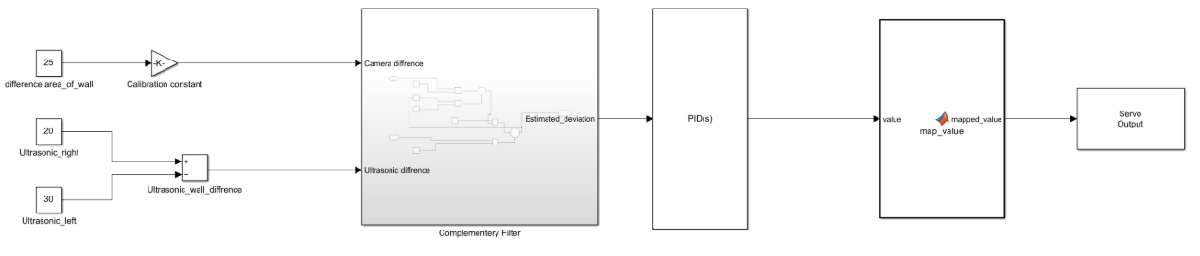
Our main control model takes input from two different sources that both estimate deviation from the center of the lane. These signals are passed through a complementary filter, which produces an estimated deviation value. This output is then sent to a PID controller, mapped to a servo range, and finally sent to the steering servo
We intentionally kept this algorithm as simple as possible while maintaining reliable performance. This simplicity made tuning faster and troubleshooting more straightforward once the system was deployed.
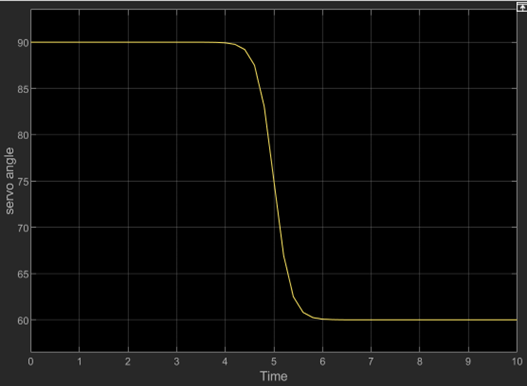
When simulating we encountered a problem as there was no way to simulate camera readings, so as a work-around, we got readings from our test-runs and inputted it as a step function to know the output as shown in this graph
- The output starts at 90, representing no deviation
- It then moves to 60, commanding the servo to steer right
This approach allowed us to validate our control logic even without a fully simulated vision pipeline
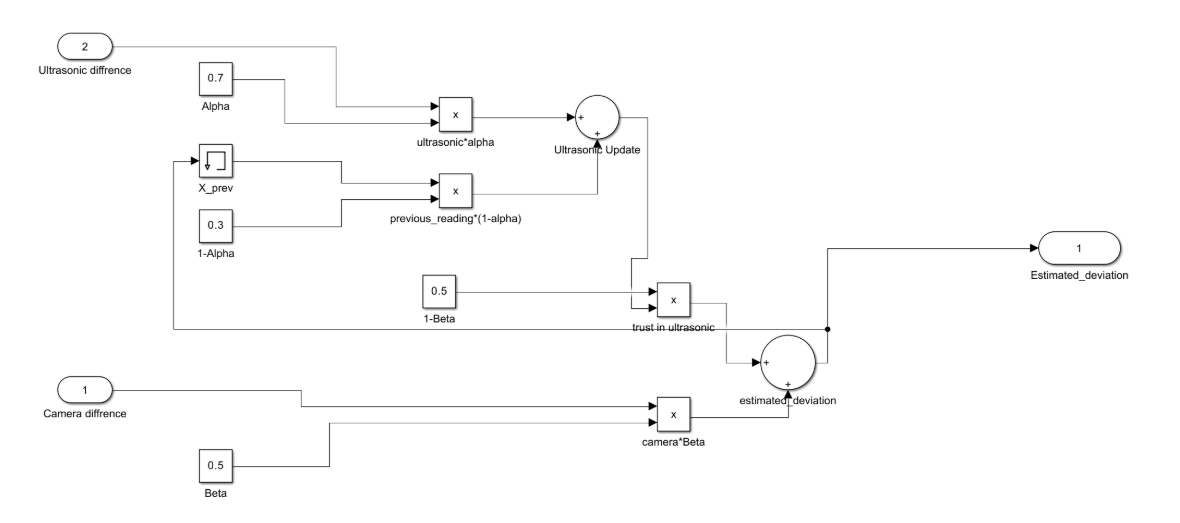
As for the complementary filter sub-system. We used a simple complementary filter to fuse the sensor readings and calculate estimated deviation from the centre of the lane using the following equation:
θt =α(θt-1+ωtΔt)+θ acc,t(1-α)
where
θt = Estimated angle at time t
θt-1 = Angle estimate from the previous time step
ωt = Angular velocity from the gyroscope at time t
Δt = Sampling time interval
θacc,t = Angle estimated from the accelerometer at time t
α = Complementary filter coefficient (0 < α < 1)
Using Simscape Electrical
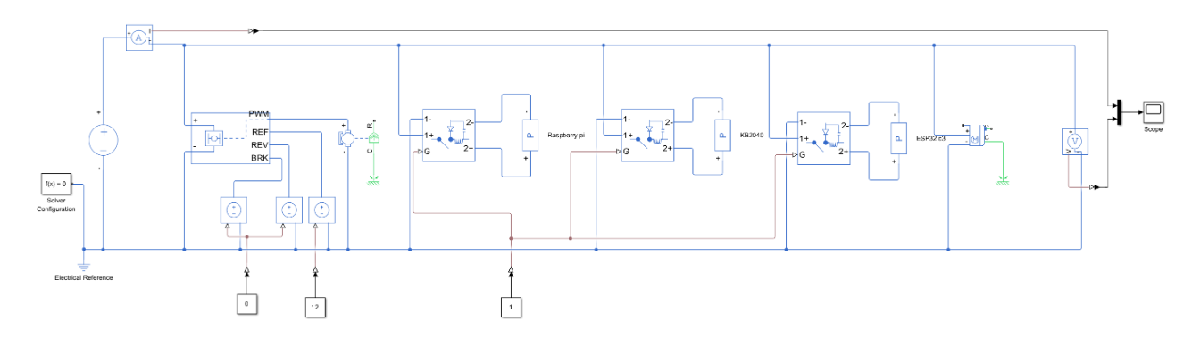
We developed a Simscape model of the robot’s electrical subsystem to perform system-level analysis which was not that difficult thanks to the detailed documentation on each block used in addition to the tutorial on the official MATLAB YouTube channel, we did come across a problem which was how to simulate microcontrollers so we used the Simscape power consumption block and calculated the maximum power consumption of the microcontrollers and used it as a parameter in the Simscape power consumption block
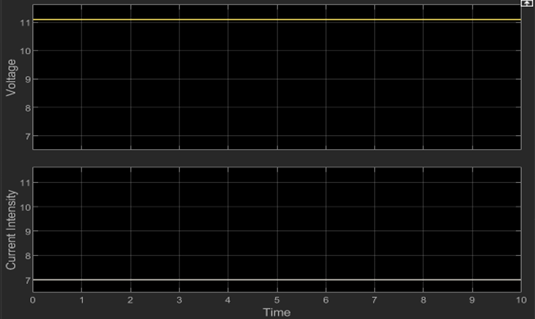
From the simulation results:
- Maximum current usage was approximately 7 A
- Required operating voltage was around 11.1 V
These results directly informed our battery selection and improved system reliability during competition runs.
Results and Key Takeaways
Using MATLAB, Simulink, and Simscape allowed us to model, simulate, and test our robot’s systems before deploying them on hardware. This helped us identify issues early, refine control strategies, and improve overall performance, ultimately contributing to our team winning the MathWorks Modeling Award.
The project taught us the importance of system-level thinking, simulation-based verification, and careful integration of hardware and software.
Looking ahead, we plan to enhance our models with more detailed sensor dynamics, environmental variability, and figure out a way to fully simulate our system including motion camera readings and implementing advanced mechanical steering.
- Category:
- MATLAB,
- Robotics,
- Simulink,
- Team achievements




Comments
To leave a comment, please click here to sign in to your MathWorks Account or create a new one.