Inside the MATLAB Desktop
March 16th, 2007
Introducing the Desktop blog
Welcome to our MATLAB Desktop blog! A group of us who work on the MATLAB User Interface want to share with you some of the new and existing features that you may not know about. Our goals for this blog are to answer some of the FAQs we hear, show you some of the features, accelerators, and tricks that we think help MATLAB programmers, and to open up discussion to hear from you about things you like and don’t like. We really want this to be a two-way venture, so we really would love to get your feedback. As we delve into the different topics, tell us what you like and dislike and why. MATLAB users are very diverse, so we are constantly assessing how features will work with the different types of users. Hearing from you helps shape what we do!
Here’s a picture of today’s MATLAB Desktop:

When we refer to the MATLAB Desktop, we mean the Desktop and its tools, such as the Command Window, Editor, Command History, Current Directory browser, Workspace browser, Profiler, Shortcuts, Help browser, among others.
The group that will be posting includes the team’s developers, usability and documentation experts, and quality engineers. As we post, the author byline will show a little information about the poster so that you can get to know each of us a little better. Hopefully we will also learn more about you too and what you like and dislike about our tools.
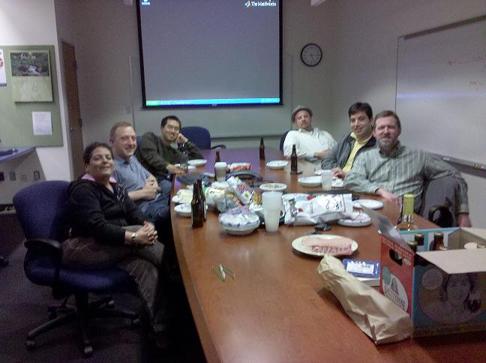
And…. because it’s always nice to see the face behind the code, here’s a picture of our entire team in our finest work attire:

Ken, Christina, Peter, Audrey, Rich
Lori, Kristin, Linda, Jennifer
Will, Zain, Jared, (Dipen, not pictured)
By
Kristin Thomas
Kristin is a developer on the MATLAB Desktop team. She works primarily on the Command Window when she is not throwing herself down a mountain on her snowboard.
6:47 am |
Posted in Intro |
Permalink |
You can follow any responses to this entry through the RSS 2.0 feed.
You can skip to the end and leave a response. Pinging is currently not allowed.
Leave a Reply
|
|
Great idea ! First request: add a ‘Go to line#’ (or function name-from pulldown) in MEditor when outside of Guide or an error message report. Next is to integrate a UIOPEN feature into the Edit startup, so that I can load a file by last_opened, starts with, contains, save_date, or file size characteristics. Third is a hex-on feature so I can edit by inserting hex characters for those favorite symbols I always forget. (like ‘Insert Symbol’ in ppt. A pop-up to show me these characters would also be helpful to me: Greek, lf/cr and even for editting those non-mfile binary files from non-Matlab applications. Sometimes I have to sniff out these binary files for creating the Matlab read routines. One more, have a button to toggle between two edit sessions. This allows me to check the difference between two files by watching ‘flyers’ that blink when the records are lined up and ther’s only one or two diffent characters. As you may have guessed, these are my favorite features from the old mainframe and the pc versions of SPF (structured program facility) first came out in IBM mainframes as the primary TSO editor. Thank you.
Thanks for our first comment.
add a ‘Go to line#’ (or function name-from pulldown) in MEditor when outside of Guide or an error message report.
We have Go To Line functionality in the MATLAB Editor as well as a function dropdown. Can you explain more about how this functionality could be expanded?
integrate a UIOPEN feature into the Edit startup, so that I can load a file by last_opened, starts with, contains, save_date, or file size characteristics.
We aren’t quite sure what you mean by this one. Do you mean that you want “edit” to work more like “uiopen”?
Thanks again for the suggestions.
Clarification: I see Go To line_number, but how about Go to Function: my_func(). Yes I could use Find, but Find finds all the calls to my_func. I want to go to Function my_func. I use Guide exclusively for all my projects so there tend to be a lot of calls. When I add more objects, the called function gets lost. I’d be very happy with a pulldown of all the functions in the m file. Now I often create an error in the caller just so I can locate the called.
Next: Yes just like uiopen. All my jobs have a project prefix. Different aspects have the same prefix, though. When its time to sniff thru some code 6 months later, I know the project, but what was that name again ???? A preview ToolTip String would be cool, to. You know, like pop the first two lines to give me a hint at what’s inside.
Thanks.
billc,
The MATLAB Editor has both Go To and Go To . The following link to the MATLAB 7.4 (R2007a) documentation shows how to use this functionality; if you’re using a previous version of MATLAB, there should be a page like this in your version’s “Desktop Tools and Development Environment” documentation chapter.
http://www.mathworks.com/access/helpdesk/help/techdoc/index.html?/access/helpdesk/help/techdoc/matlab_env/bq4gouj-1.html
I use the button with the little blue f on it all the time, and I’ve started using the Go To menu (Ctrl-G) as well.
Thanks for the clarification Bill.
Just wanted to say thanks for building an IDE that works very well across multiple platforms. My job have been primarily on windows and linux, and at home I use an intel imac. It has been a pleasure switching between all 3 environments.
Stephen
Thanks Stehen. That’s very kind. We love hearing good news.
Hi Team,
Great product, writing code in matlab is a Joy :)
One glitch that annoys me is the following.
If there is an error in a cell and I try to execute it, I get an error message that there is an error but it doesn’t let me know where the error is.
My workaround is to add a breakpoint somewhere and then try to save the file. Then I get a much more informative error message with the line number and some info about the error.
Its not a big deal, but an annoyance it would be nice seeing fixed.
Roy
Thanks for pointing that out Roy. We are working on strategies to incorporate debug mode into cell execution.
I use Matlab every day at work and for fun. It’s become my #1 tool for rapid algorithm design and prototyping - I even use it as a debugging environment for custom Java code. However, not being able to use vim binds is a productivity bottleneck to the extent that I have to run MEditor along GVim just to have the excellent IDE capabilities available.
Are there any entry points at all for a programmer to implement things such as key bindings and commands in MEditor? While I’m aware of the Emacs option and of EmacsLink, I’m curious about anything that would allow me to alter behavior inside the actual Matlab editor without having an external program be displayed.
This would be really nice for people who want customization - because, at the current stage, the only manageable alternative is doing something like making an Eclipse plugin for Matlab and try to leverage its debugging tools instead.
Thanks!
We are investigating user-configurable keybindings and macro support; unfortunately we do not have entry points at this time. Thanks though for the suggestions, and keep them coming!
The Matlab editor certainly is a great tool and I appreciate that the Mathworks takes an interest in making it useful. I also use jEdit (see jedit.org) significantly and would love to see folding incorporated into the Matlab editor. The ability to collapse/hide sections of code can make navigating within a file much easier.
Document splitting would be useful as well (i.e., the ability to view separate parts of a document simultaneously in separate editor tabs).
Code folding is somethign that we are working on.
Split-screen mode is already available in the Editor. To enter split-screen mode, you can either use the Window, Split-Screen menu (also on the context menu), or the little grey rectangles next to the scroll bars.
Here are a few editor ideas that I know would make my life a lot easier when working with large projects in MATLAB:
1. Project Manager: The ability to store the ML Path, which files were open, and maybe even the workspace. I feel that whenever I restart working on a project I have to set the path, reopen the files, and then load a workspace.
2. Code browser: A tree structure that essentially lists functions, subfunctions, classes, ToDo/FixMe/XXX etc… Click on the tree and it bring you to that place in the code.
3. Code folding
4. The ability to create different IDE color settings and retrieve them later. I find I have a different color set whether I am working on the laptop, night vs day, etc… I live in MATLAB. :)
5. Code snippets / templates manager.
6. Integrate/expand the ToDo fixme report similar to eclipse’s rather then need a web browser.
When I work on smaller projects I find the current ide just right. Only when I have to work on very large projects to I yearn for these items. It seems more and more that as MATLAB continues to grow in all the right directions, that the projects that rely on matlab are larger then before.
Thanks again.
Stephen
Hi Stehen, thanks for the input. #1, 2, 3, and 6, are all things we are considering for future enhancements
As for #4, this is a new one that I haven’t heard before. We currently have the ability to save layouts, but not sets of preferences (which is where colors are stored). I’ll put this in as an enhancement request.
I am unclear about what you mean by #5. Do you currently use shortcuts? Shortcuts provide the functionality to manage code snippets. If this isn’t what you meant, can you explain more?
Hi Kristin,
I use shortcuts to send commands to the desktop. It works great for me for automated builds with the compiler, setting my paths for various projects, and some other automated tasks related to my code, build/compile, release process. I recently sent in a request for an enhancement to have folders on the Shortcut Toolbar since I have so many shortcuts that I use.
What I was getting at was something similar to textmate’s snippets where you have pre-stored text and when you type a certain word and hit tab it automatically places the code you have stored in the editor.
For ex: Let’s say I am always using code to fopen, fread, and fclose and I always have the code setup the same way. I would store this shortcut as fff. So when I would type fff it would insert my saved code into the place where I am in the editor.
I would find this useful to setup some of the more complicated functions that have a lot of options. For example I could set up accumarray and that could insert accumarray(blah,blah,blah…..)
I think there is a lot of potential for this.
See http://macromates.com/textmate/manual/bundles#tab_triggers for an example with Textmate.
I think a great way to implement #4 is how you can save and load the mlint preferences. I think that works particularly well.
Ah. Thanks fot the clarification. I’ll put that request into the system too. Those are called “templates” in the IDE we use to develop our code.
Hi Kristin,
I love Matlab, and use it everyday for my research! I want to put forth a suggestion for enhancement of the editor about which I have talked with Doug earlier. He has already forwarded my request to you, but I just wanted to reiterate it.
My request is to be able to group open m-files independently. In other words, say I have files A to H open, I want to be able to group A to D as group 1 in a separate editor window, and files E to H as group 2 in another editor window. This would be a great feature while working with a large number of files at a time, when having all of them tabbed in the same editor window makes it confusing and difficult to navigate.
Second request:
===============
Currently, the editor does not let us select discontinuous lines while commenting them using Ctrl+R. It will be nice if this feature also becomes available.
The reason as to why one would need this is that sometimes we have several lines that are related, and would like to comment them temporarily to test a particular scenario. In that case, one would like to select them all simultaneously and use Ctrl+R in one go. All these lines will not necessarily be contiguous.
Hello,
Is there a way to turn off font anti-aliasing in the R2007a for the mac? The fonts just don’t look right.
Thanks.
hUser
On the Mac, MATLAB fonts are rendered according to the Mac system appearance preferences. Try going into the Mac System Preferences, Appearance panel, and adjusting the settings for Font Smoothing Style and the setting for turning off Font smoothing for small sized fonts.
I work on a Mac and the fonts look great on my machine. Can you email me a screenshot, along with information about which fonts you are using in MATLAB, and what size? Do all components in the Desktop look bad or just some particular components? My email is kthomas at mathworks dot com.
Hi Kristin,
This is about the msgbox command. I understand from the help that it is currently not possible to change the fontstyle or the fontsize (and such parameters) while using the msgbox command. Is that right, or am I missing something?
In case this feature is not currently available, then I would love to encourage you guys to develop the command to include these features in future versions!
Please respond whenever you have a chance.
Thanks!
Paramesh - Our team doesn’t actually work on msgbox, but I can create an enhancement request and give it to the right people. I’ll update if I find more information about setting the font.
Thanks Kristin! Please create an enhancement request on my behalf. I will appreciate that.
I will look forward for any more information on setting the font if any.
Hello Kristin,
I have another question, and would appreciate your help. Is there a way of monitoring the change in the current working directory when we change it by using the “current directory” field (just above the command window) in the main Matlab desktop?
I am designing a GUI with a listbox that is intended for the user to navigate the file system in Windows XP. I am initializing the listbox with the contents of the current working directory by using the ‘pwd’ command. Now, after opening the GUI if the user changes the current directory by using the “current directory field” in the main Matlab desktop, then I would like the listbox in my GUI to automatically sense the change and update its contents to that of the new directory.
Please let me know if this is possible.
Thanks!
hi.
please help me in some case ,
in communication course , microstrip,coding,digital, image processing,
thanks
phd student,
pooya
Hi Paramesh,
As far as I know, there is no listener/event mechanism in MATLAB that would allow you to be notified of cwd change events. You could create a Timer object and periodically check to see if the cwd has changed.
I’ll create an enhancement request for the language team for this.
Thanks for the info Kristin. Yes, that would be great if they can include such a listener/event mechanism for that purpose in future versions. Maybe, as far as GUIs are concerned, the easy thing would be to create a standard callback function in the GUI m-file that would be called if the cwd changes. Something like the “GUI opening function” that is, by default, part of all GUI m-files. Further, the callback function will then update a designated field in the handles structure with the string containing the path to the new cwd. Maybe there is a better way, this is just my suggestion.
By the way, I am really enjoying this blog/forum. I have just recently tapped into these kinds of resources at Mathworks, and you guys are very prompt with your responses. This kind of interactivity with the developers is very encouraging for people like me who use Matlab for all sorts of things and once in a while have some questions or a suggestion or two for some enhancements.
Kristin,
To add to my reply to you above, I was thinking, whenever I change the cwd using the command line or other means, I see that the “current directory” field in the main Matlab desktop senses the change and updates it. So, as far as I understand, I should be able to apply the same mechanism to my GUI. Isn’t that right? if so, please let me know how Matlab does that with respect to its “current directory” field. Maybe there is a standard variable in memory that is updated, which is queried by the “current directory” field. Any additional information will be very useful to me.
We do currently have a mechanism for our own code to listen for these events, but these listeners are not accessible from M code. There is no way for you to have access to these events at this time.
Hi Kristin,
Just a quick request for help about a problem I am facing in regards to the Matlab editor.
I notice that, sometimes, when I create an m-file in one computer and open it in another computer, both running the latest version of Matlab, and both running Windows XP (PCs), additional blank lines get introduced. Most of the times, the introduction of these blank lines do not cause problems with running the m-file except when I use ellipses to spread long commands over multiple lines. In these cases, the file does not run, unless I go over it manually deleting all the extra spaces that got created. Do you have any suggestions as to what might be the problem?
Kristin,
To add to my comment above, I figured out that the extra blank lines are caused due to an inconsistency between the mail servers in the UNIX and Windows environments, as I was transferring the m-file from one computer to the other via e-mail attachments. It has nothing to do with the Matlab editor. Hence, not to bother about my above question.
Thanks!
After I wrote the message about anti-alias with the mac and fonts my problem seemed to go away.
Well now it is back. When I use Monaco font at 14pts, or really any font for that matter, the fonts seems smoothed out way to much. Even if I change the amount of smoothing in system preferences it doesn’t change how bad it looks.
as for why 14pts, i have a 24 inch imac and when my eyes get tired i like to increase the font size.
thanks for listening.
Hi hUser, I forwarded your email to the approproate developer. We will look into this and see what we can do for a future release.
I know that this blog entry hasn’t been commented on in a while, but just on the off-chance: on the Mac using R2007a, is there any way to set the “Copy Figure” preferences, as it exists on the Windows version? My problem stems from the fact that when I copy a window, it is copied in a TIFF format, which is unfortunately encoded using Quicktime. Then, when I paste the picture into something like Powerpoint, my Window-using colleagues cannot see the picture, as it requires a more recent version of Quicktime (presumably, according to the version of Quicktime on my Mac, which is invariably newer). In previous releases, bitmap was the standard copy format, which worked great.
Hey Bryan,
Unfortunately, we don’t support copying figures to the clipboard in BMP format on Mac.
It’s not all bad news though! You can easily save your figures to disk in a huge variety of formats using the File > Save As… You can also use the print(
, ) function. I’ll concede this is somewhat inconvenient, but it works.
-Ken
okay, I still have font problem in Mac after I read the thread above. In MATLAB help, it is said there is a check box to turn off font smoothing. However, there is no such check box. Next, I turn off the font smoothing in Mac for font 12pt and less, and configure MATLAB using font 9pt. Turns out the font in MATLAB is still smoothed. Font smoothing is a big pain (to me at least) for users with a small screen. I use 12pt and the screen makes me dizzy. Unfortunately seems there is no way to work around this?
Hey Yanting,
You can force anti-aliasing to be off by doing the following:
1) Create a java.opts file in /Applications/matlab
2) Add the following line to this file:
-Dapple.awt.textantialiasing=off
I’ll warn you that not all components in will honor this flag, as some explicitly turn on anti-aliasing. It does work in the Command Window and Editor, though, which hopefully will be sufficient.
-Ken
I would also love to have vim key bindings in the editor. With every release I hope to see it added but I am always disappointed.
Bryan, thanks for your feedback. We do consider vi/vim keybindings from time to time (you are not the first to ask!), but I’ll be honest and tell you it is not at the top of our priority list. A big part of what gives us pause is the strongly modal nature of vi’s interface. We are unsure how well vi’s usage model could be integrated/adapted (shoehorned?) into MATLAB.
I second Bryan’s wish to have vim key bindings in Matlab, but in the Command window! Currently inside the Command window “Esc” is mapped to nothing, while “Esc”-”Esc” is mapped to clear line in both the desktop Command window and the matlab shell (i.e. matlab -nodesktop). There is a minimal set of GNU readline functions like CTRL-A (beginning of line) and CTRL-E (end of line), but nothing more.
It seems to me that it would be very easy to wrap the full GNU readline library into the Matlab Command window interactions for both full emacs-like and vi-like functionality since “Esc” is unused.
Also, the modal nature of vi would not interfere at all in the Command window and act very similar to the bash vi-mode (set -o vi).
This tiny little feature would shave literally hours in left-arrow/right-arrow fiddling in the Command window.
Please consider it for future releases, vi-users can easily use vi outside of the matlab desktop, but interacting with the Command window is still very painful.
P.S.: It’s curious that there are no third party Matlab shells available that built on top of the Matlab engine, similar to what’s available for the Python language (see for example the excellent IPython shell).
Kristin,
I am developing a program where I am randomly generating the value from the normal distribution curve. All I want to do now is to truncate the distribution so that the randomly generated variable is higher than the lower limit and is lower than the higher limit of the variable.
I solved it in visual basic with the help of goto label statement where the program will jump to a specific label to meet the criteria but apparently there is no goto statement in matlab. Is there any alternate way to do this?
Hey Chirag,
I would use subfunctions. Encapsulating your logic into subfunctions will help keep your code more readable and maintainable.
Good luck!
-Ken
Hi, I’d like to copy m-file to Word. Is it possible to copy with Matlab colours ?
Hi Andrzej,
Text copied from the MATLAB Editor and pasted in Word (either the Windows or Mac version) maintain their syntax highlighting. Text copied from the Command Window will not keep any coloring though.
-Ken
Hi, I have the same problem as Yanting with the font anti-aliasing, but I’m using Windows. The smoothing is simply too strong, especially when using a light font on a dark background. The letters appear blurred and have clear variations in luminance and color. I use the standard font and font size, but I have set the background color to [0,0,0] and the text color to [174,119,0] (system commands default). My resolution is 1280×1024 on a TFT screen.
Could you please tell me how to turn the smoothing off? Otherwise I will be forced to go back to an older version…
Hi Par,
You can turn off ClearType antialiasing on Windows by doing the following:
1) Create a java.opts file in [matlabroot]\bin\win32
2) Add the following line to this file:
-Dawt.useSystemAAFontSettings=false
As I stated in an earlier reply, some components may not honor this, but it should it should work for most components.
To follow this issue, watch bug report 404319.
-Ken
To get matlab syntax highlighting without Windows, I open the m-file in Gvim and use Syntax->”publish to html”.
Right…I think your referencing Andrzej’s question on getting syntax highlighting in Word. You make a good point in that you can publish a file to HTML and then open it in Word, with all the syntax highlighting in place. You can then copy and paste within word and maintain the coloring.
This is a handy trick when your working with Word documents.
-Ken
Hi,
I have Matlab R2006b installed on my machine. It is possible to run two instances of matlab at the same time. I mean is it possible to run two independent programs parallel? If no, is there is any way I can make that happen?
Thankyou
Hi Chirag,
You can have multiple versions of MATLAB installed on the same machine. Check out this Technical Solution on the MathWorks Support site for details. You should be able to run each installed version independently.
-Ken
Hi –
I have installed new system fonts on my Linux box. How can I get Matlab to recognize these fonts? I am running 2006a. Thanks!
Hi Andy,
You should be able to goto Preferences -> Fonts and select it. If you want to see all the fonts MATLAB knows about, run the listfonts function.
-Ken
I would really enjoy the ability to tell the disp function which color to display my message. I know that error uses red text and everything else does black. It would be great if I could command other colors in things like sprintf too.
Thank you
~Louis
Hi Louis,
We have an enhancement request for that functionality - I’ll append your comments to that request.
-Ken
When I run MATLAB with -nodesktop, it appears to affect
my figures (fonts and widgets inside figures look different.) Why is that and how can I inhibit the desktop without affecting the quality of my display figures?
Dale
Dale,
In order to be able to help you, you will have to contact technical support and provide them with your MATLAB version and operating system.
http://www.mathworks.com/support/service_requests/contact_support.do
Like Bryan (#38) and Kim (#40), I strongly request that you add native vi key bindings to the MATLAB editor. Without vi key bindings, it is painful for committed vi users to take advantage of the rapid debugging link between the command window and built-in editor. I have requested vi for years, but it apparently never goes anywhere.