Skip to Main Content Skip to Search
File Exchange
MATLAB Newsgroup
Link Exchange
  Blogs  
 Contest 
MathWorks.com

Inside the MATLAB Desktop

May 4th, 2007

Display information from M, MDL and MAT files without opening them

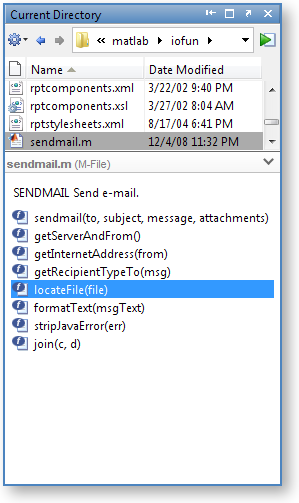
If your memory is like mine, it is handy to quickly review content description to remember functionality of files and directories. From the list of files in the Current Directory Browser, you can see individual file and directory contents displayed in the browser’s lower pane. When a file is selected, the display pane shows M-file help for M-files. Simulink Models show the complete model description. This is convenient when you want to view model information without having to start Simulink. MAT-files show the name, size, bytes and class all without having to load the MAT-file. Directories display the contents.m file.
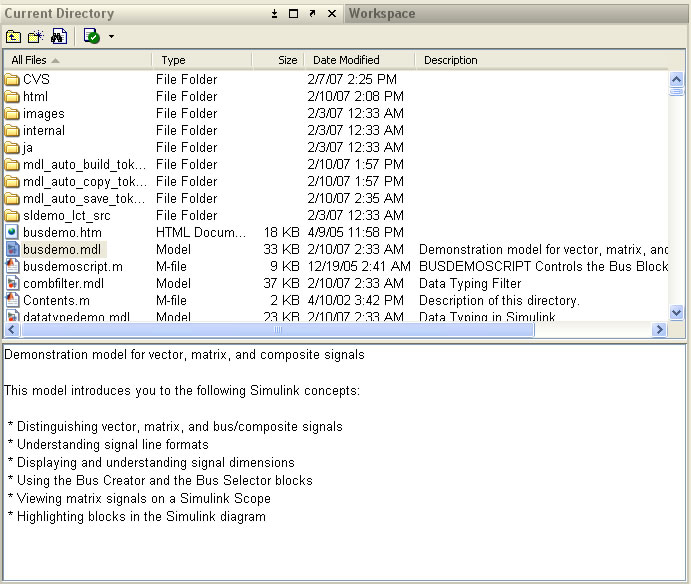
filebrowser.jpg

In order to display this informative file browser description pane, select the File>Preferences>Current Directory menu. Under the Browser display options, select the check box Show M, MDL and MAT file contents.

preferences_small.jpg

Let me know if this works better than Ginkgo Biloba.

3 Responses to “Display information from M, MDL and MAT files without opening them”

  1. Amy Farris replied on :

    Love this! Thanks!

  2. Xianyao Chen replied on :

    Excellent, but is there any commands to show the contents of the mat file without loading them into worksapce? Thanks in advance.

  3. Mike replied on :

    Xianyao,

    Yes. You can use the who command.

    For instance if your file is mydata.mat:

    >>who -file mydata
    

Leave a Reply


Inside the MATLAB Desktop is written by the MATLAB Interface teams.

Team picture
  • Etienne: Hello, Is it possible to change the background color of a particular cell?
  • Ken: No problem Mark…glad to help. Enjoy your font!
  • Mark Andrews: Ken, thanks for replying @3 and giving such clear instructions on how to get this to work.
  • Steve Eddins: Hi Ken, Every year or so I try to find a programming font that would really make me happy. A couple of...
  • Ken: @Jiro: Andale Mono looks nice! I especially like the rendering of the letter “g”.
  • Ken: Hi Mark, The issue your referring to (see the bug report here) was fixed in version 7.5 (R2007b). The problem...
  • Jiro: Ken, That’s a nice font. I use “Andale Mono” which has a similar look. I also like the clear...
  • Queffurust: This is my “cleanup” ; shortcut clc % clear Command Window close all hidden % deletes all...
  • Mark Andrews: Ken, should this work with version 7.0 (R14) on Windows? My favorite font is Consolas, but MATLAB seems...
  • Mark Feldman: Like Bryan (#38) and Kim (#40), I strongly request that you add native vi key bindings to the MATLAB...

These postings are the author's and don't necessarily represent the opinions of The MathWorks.

Related Topics