Skip to Main Content Skip to Search
File Exchange
MATLAB Newsgroup
Link Exchange
  Blogs  
 Contest 
MathWorks.com

Inside the MATLAB Desktop

January 7th, 2008

I’ve got something to cell you

The MATLAB Editor is similar to other editor’s in that it’s a great tool with which to develop software. Additionally, though, the MATLAB Editor can be used as an investigative and exploratory tool, a publishing tool, and a demonstration tool. The feature that makes all this possible is Cell Mode.

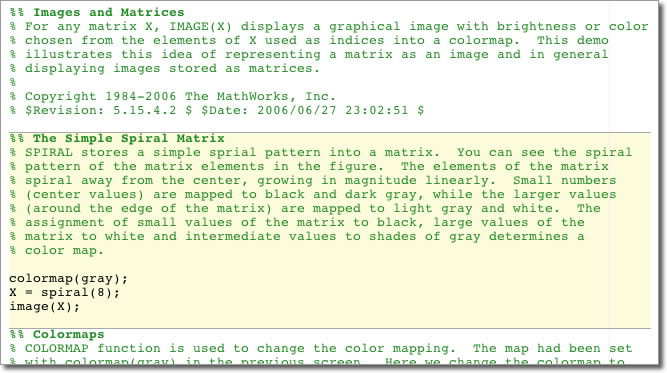
Cell mode allows you to mark up your M-file with cell dividers (%% is the cell divider token). Each cell represents a logical block of code that can be run relatively independently of the rest of the code. I say relatively because a cell may use variables in the workspace including those defined in a previous cell.

Here’s what a file using cell mode looks like (the file below is [matlab root]/toolbox/matlab/demos/imagedemo.m - you can view its published output here):

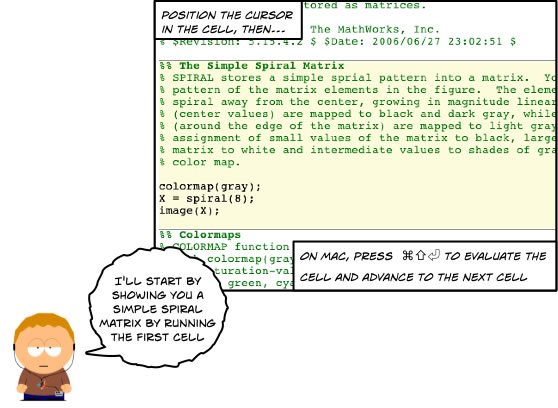
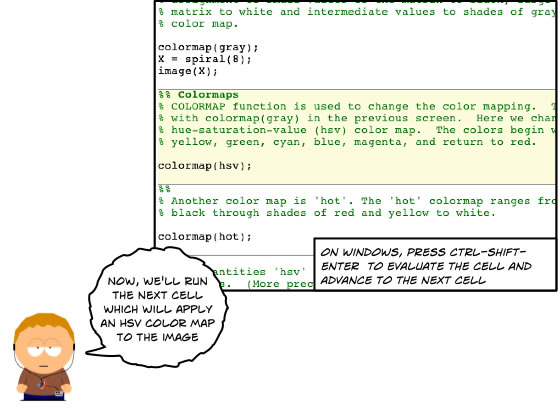
The MATLAB Editor’s cell mode is a great tool for investigation and data exploration, as well as MATLAB publishing (I’ll cover these two topics in later entries), but I find it most valuable for giving great demos. Cell mode lets you have MATLAB running, with the code your going to demonstrate up on the screen. You can easily describe what a given cell does, as it is right up in front of your audience and it’s shown in context with surrounding code. Then with a simple keystroke (โŒ˜โ‡งโŽ on Mac and Ctrl-Shift-Enter on Windows) you can evaluate that cell. I find that showing and explaining the code before displaying its output helps viewers understand what they are seeing. Cell mode provides a very natural flow between cause and effect. We use cell mode here at The Mathworks for all our MATLAB demos.

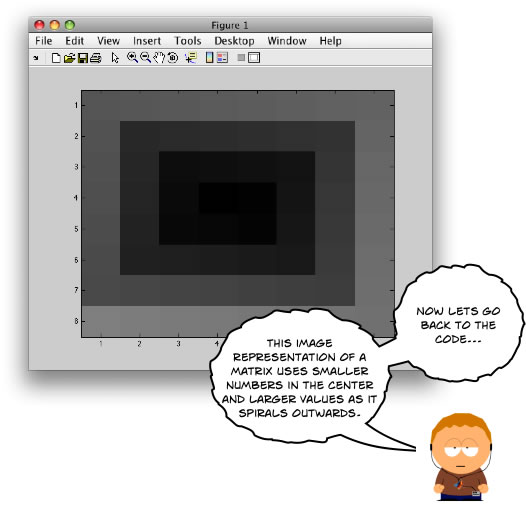
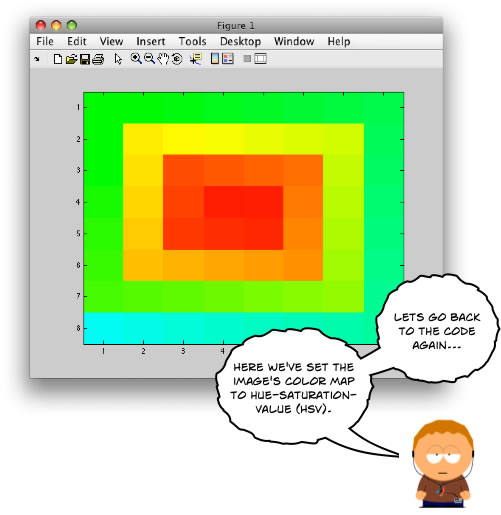
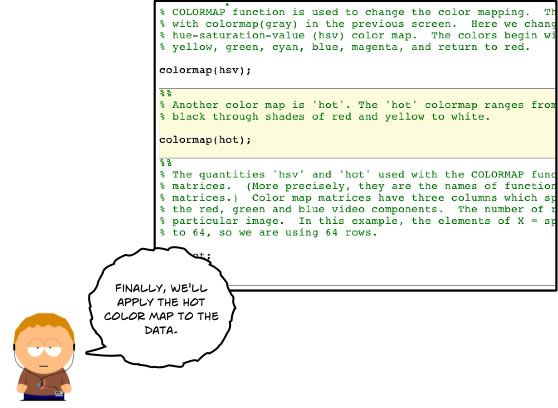
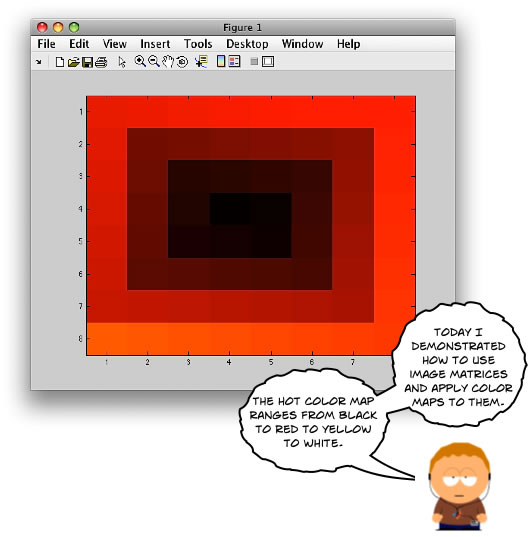
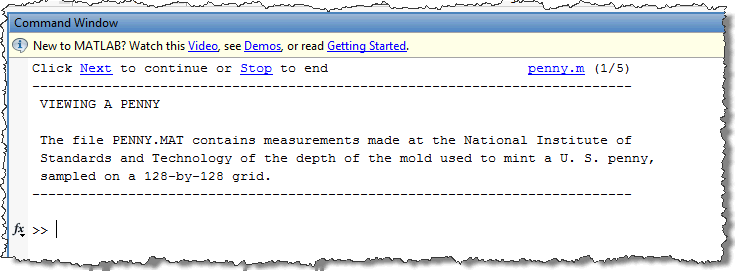
Heres how I would demo [matlab root]/toolbox/matlab/demos/imagedemo.m:

[MATLAB Ken enters stage right]…

And there you have it! An interactive demo, which lets you step through your code as you apply transforms to your data. Cell mode lets you focus on and interact with your audience. You don’t have to type code as you go to get progressive disclosure - you need only select a cell and the MATLAB Editor will help focus your audiences attention on that cell by highlighting it. Your audience gets the benefit of seeing the actual code, and then, right before them, they can watch as it generates output.

For more info, check out the cell mode help which will have you using cells in no time!

Do you use cell mode?

19 Responses to “I’ve got something to cell you”

  1. Dan Kominsky replied on :

    I do use cell mode a lot, but there are two things which really bug me about it.
    1. Breakpoints and the like (including dbstop if error) don’t work, and
    2. The %% Has to be in columns 1&2 which doesn’t jive with the smart indenting functions.

    Any thoughts on when these two issues might be resolved?

    Thanks,
    Dan

  2. Ken replied on :

    Hi Dan,

    Glad to hear you are using cell mode!

    Re. 1: The ability to stop at breakpoints has come up before. We’re still undecided as to whether or not to include this feature. Some people publish as the final step in their work flow (so debugging would be done in a previous stage), but theres also another camp that would like a more interactive work flow. We’d love to hear more about how you work so that we can reevaluate previous assumptions.

    Re. 2: This limitation is currently being addressed and will be removed very soon! Stay tuned…I’ll reply to this comment when the feature goes live.

    Thanks for your feedback Dan,
    -Ken

  3. Dan Kominsky replied on :

    I mostly use the cell mode for algorithm development. When I want the program to run at high speed I generally incorporate it into a function so it can benefit from the JIT. The main benefits of using cell mode for algorithm development are that it assigns the variables into the base workspace so I can use the interactive tools to keep track of values, plot intermediate results, etc. Also I can work on just a small portion of my code without having to do what may be very extensive initialization routines over and over. I guess that your question is whether cell mode serves any function outside of publishing, and I assure that from my perspective is certainly does! I have never yet published a single m-file, but I am often using cell mode, and not being able to know what line bombed is a real headache for me.

    Thanks,
    Dan

  4. turtie replied on :

    I also use cell mode and find it extremely helpful to separate code into blocks. I usually use this when programming GUIs, which helps me organize all the callback and create functions.

  5. Ken replied on :

    Hi Dan,

    I had a brain cramp in my last response - I was reading cell mode but thinking publishing! Your absolutely right about the need to debug in cell mode. We’ve also had requests to supply the line number when the executing cell fails (a modest but very useful bit of information). We’d really like to make cell mode as powerful and friendly a feature as possible.

    I typically envision three major uses of cell mode: demonstrations (as blogged about above), publishing (as was so blindingly stuck in my head earlier!) and investigation (as you pointed out). We’ll definitely talk more in depth about cell mode as a publishing and investigation tool in future entries.

    Thanks for your feedback Dan,
    -Ken

  6. Ken replied on :

    Glad to hear it Quan! I’m interested in hearing more about how you use it in GUI development. Do you play around with a cell until you get the right behavior, and then break that out into a function as Dan suggested?

    Thanks,
    -Ken

  7. Oliver A. Chapman, P.E. replied on :

    I’m still trying to effectively use the cell mode. It seems like a good idea and I’ve revised a ~1500 line, 11 function .m file project to include cells. But, it didn’t seem to significantly enhance the readability of the code like I expected. About half of the above line count are comments. Good coding style calls for appropriate use of functions and it seems that cells don’t contribute significantly more than the use of functions.

    However, this discussion of using cells for demonstrations is a different spin and I look forward to your discussion of cells in publication.

  8. Ken replied on :

    Hi Oliver,

    I agree that cell mode won’t enhance the readability of a previously function based file (other than adding some visual delineations between logical code blocks). In fact, I’ve heard from a number of developers that actually work in the reverse order that you mentioned. That is, they first develop their code using cells, tweak it until the cell behaves as they desire, then they pull that cell out into a function.

    In your particular case, I might suggest breaking your single file into multiple files if possible. For example, if you have setup related cells, you might put those in setup.m. You could then run each ’setup’ cell verifying along the way that your environment looks correct. Alternatively, you could run the file as a whole, but you’d retain the ability to step through each cell if problems arose.

    Also, if you’ve broken your code into multiple files, chances are the logic (rather than the less interesting setup) will live it’s own file(s). This will allow you to publish only your logic, even if your logic file can’t be run by itself. I’ll show how to use publishing in this way in a future post.

    Thanks for your feedback Oliver!
    -Ken

  9. Brian replied on :

    I have been using cell mode to create tutorials for a course on scientific computing. I really like the ability to create one document and configure the publish options to create different versions with just documentation (e.g. questions), or show the code, or evaluate the code. This is a great addition to MATLAB!

    I had two questions:
    1) Is there a way to publish a whole series of documents? For example, to create a set of linked HTML files, where function calls in a script link to the published version of that function?

    2) Is there a way to modify the options structure while a file is being published? For example, turn off evaluation of code for a while, and then turn it back on?

    Thanks,
    Brian

  10. Ken replied on :

    Hi Brian,

    Glad to hear you’re finding cell mode useful! We always enjoy hearing how people are putting features to use - it certainly helps inform the evolution of a feature.

    Re. 1: There is currently no way to publish a series of documents, though similar requests have been made. I’ll take note of your comment and make sure it’s added to the original enhancement request.

    Re. 2: There’s currently no way to easily change the publish settings on a per-file basis, but there is a new feature called publish configurations in the pipeline (stay tuned here and I’ll reply to this comment when the feature is shipped), which will do exactly what you want!. The feature is similar to run configurations, which were new in R2007b. I encourage you to check run configurations out, as it’ll give you a leg up on understanding how to use publish configurations.

    -Ken

  11. kristin replied on :

    Excellent blog entry Ken!

  12. Ken replied on :

    Thanks Kristin!

  13. Scott replied on :

    Just to add to Ken’s response to Brian’s question. I’m not sure if this would help, but you can use the PUBLISH command to publish programmatically. This might make it easier to publish a whole bunch of m-files at once, and also allows you to specify the publishing options for the current file.

  14. Ken replied on :

    Great point Scott. You can find the publish function help here.

    A script that took a list of files or a directory and a set of publish options and then called publish on all those files would be a great addition to MATLAB central…any takers!?

    -Ken

  15. Ken replied on :

    @Dan Kominsky (comment 2533): R2008a has been released! In this version, you can now have %% on any column within the line - the restriction forcing this token to columns 1 & 2 has been removed.

    Check out the full release notes here.

    -Ken

  16. Ken replied on :

    @Brian (comment 2631): R2008a has been released! There’s a shiny new feature called Publish Configurations that allows you to specify publish options on a per-file basis. I’ll be blogging about this feature soon.

    Check out the full release notes here.

    -Ken

  17. Sven replied on :

    A little late in my response, but I’ll go on…

    I agree wholeheartedly with Dan Kominsky. I also use cell mode during algorithm development. It’s very useful for zooming in on a chunk of code and, as Ken points out, also useful for teasing out a separable chunk that can become a function.

    The whole point here though, is that this is exactly the environment in which breakpoints would be useful. Particularly when your m-file is a script, I find it hard to break execution on the line I want. I often go to the lengths of selecting all the previous text, commenting it out, and then running the code with f5 and my breakpoints on. (and then uncommenting when I’m done).

    I have to admit that I’m not (yet) using publish so I may be missing something here, but I’m not sure how having breakbpoints disabled in cell mode is useful to the user.

    Thanks,
    Sven.

  18. Alexander Kemp replied on :

    I definitly like cell mode for publishing. The major point which is missing for me is programmatic access to the currently evaluated cell/to the list of cells in a m-file. Maybe i am blind, but i did not find it in the manual.

  19. Ken replied on :

    Hi Alexander,

    Glad to hear you like publishing! As for accessing cells within a file, are you asking for something like this:

    someCell = myfile.cells[1]
    % do something with the cell here.
    

    Out of curiosity, how would you use such a feature?

    -Ken

Leave a Reply


Inside the MATLAB Desktop is written by the MATLAB Interface teams.

Team picture
  • Etienne: Hello, Is it possible to change the background color of a particular cell?
  • Ken: No problem Mark…glad to help. Enjoy your font!
  • Mark Andrews: Ken, thanks for replying @3 and giving such clear instructions on how to get this to work.
  • Steve Eddins: Hi Ken, Every year or so I try to find a programming font that would really make me happy. A couple of...
  • Ken: @Jiro: Andale Mono looks nice! I especially like the rendering of the letter “g”.
  • Ken: Hi Mark, The issue your referring to (see the bug report here) was fixed in version 7.5 (R2007b). The problem...
  • Jiro: Ken, That’s a nice font. I use “Andale Mono” which has a similar look. I also like the clear...
  • Queffurust: This is my “cleanup” ; shortcut clc % clear Command Window close all hidden % deletes all...
  • Mark Andrews: Ken, should this work with version 7.0 (R14) on Windows? My favorite font is Consolas, but MATLAB seems...
  • Mark Feldman: Like Bryan (#38) and Kim (#40), I strongly request that you add native vi key bindings to the MATLAB...

These postings are the author's and don't necessarily represent the opinions of The MathWorks.

Related Topics