Inside the MATLAB Desktop
May 18th, 2007
Do you dock figure windows? What does your desktop look like?
We often get feedback from customers about what new features they would like to see, and we definitely hear from customers if we introduce bug, but we rarely get to get information from customers about how they use our tools. For example, one thing we are curious about is whether you dock Figure windows in the Desktop?
Here is a screenshot of my desktop with a docked figure window (earthmap.m). To dock the figure, I selected the Figure’s Desktop menu, “Dock Figure 1″ menuitem. After I docked the first window, I then used the left/right tile button in the toolbar to split the area into to figure window sections and then plotted surf(peaks).

I personally do not normally dock figure windows in the desktop because figure windows always come up undocked even if I previously had them docked in the Desktop. I am just too lazy to always tell the figure window to go dock itself in the desktop.
Here are some screenshots of some desktops from MathWorks developers who live in MATLAB all day long. As you can see we all set up our desktops in different ways that suit the way we work. If you can’t see these screenshots very well, you can click on them to see a much larger version of the image.
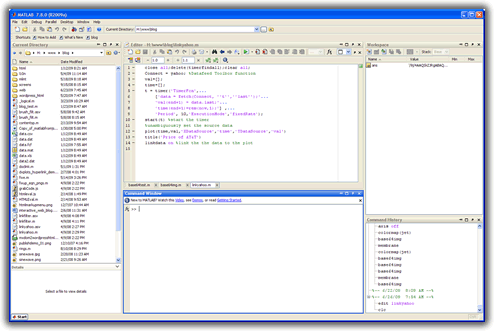
This is Ned Gulley’s desktop. Ned works in MATLAB all day long and a member of the MATLAB Contest Team. Ned’s Editor is docked in the desktop with the filename list to the right side. And, I can see from this screenshot that Ned uses cell mode in the Editor:

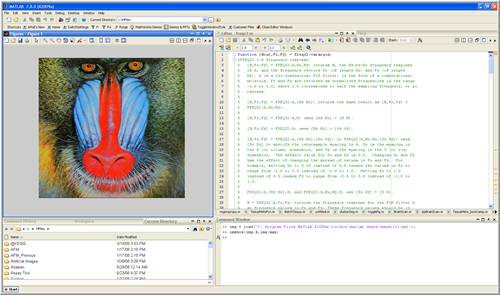
This next shot is a picture of Matt Simoneau’s desktop. Matt works on publishing and demos and is also a member of the MATLAB Contest team. Matt’s layout is setup to work while publishing M-files. He has the Editor and the Web browser docked in the desktop:

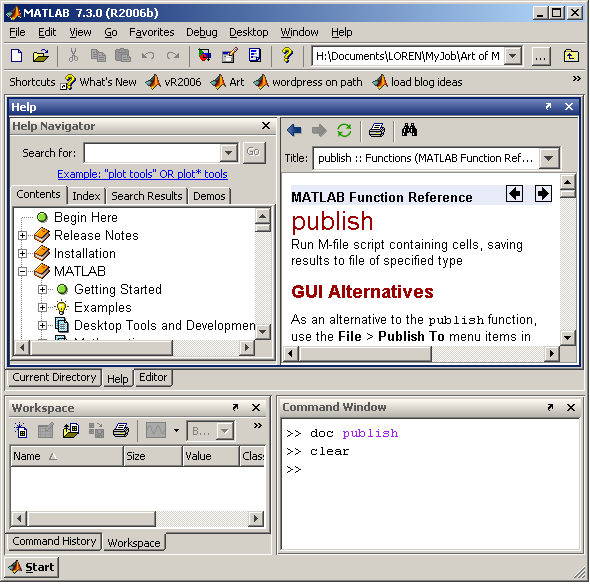
This is Loren Shure’s desktop. Loren works on the MATLAB language. From her screenshot, I can see that Loren likes to work with some of the desktop component’s unpinned and docked on the left side of the desktop:

We are always excited to see how customers layout the desktop. Send us a picture of your MATLAB desktop via email to desktop_blog_feedback@mathworks.com and we will put them in a desktop gallery for everyone to see. And let us know if you dock figure windows!
By
Kristin Thomas
Kristin is a developer on the MATLAB Desktop team. She works primarily on the Command Window when she is not throwing herself down a mountain on her snowboard.
12:44 pm |
Posted in Desktop |
Permalink |
You can follow any responses to this entry through the RSS 2.0 feed.
You can skip to the end and leave a response. Pinging is currently not allowed.
Leave a Reply
|
I never dock my figures - the sizes of most of my figures are often redefined acccording to specific needs and often I have as many as 4 to 6 open floating figures I need for comparison purposes.
Concerning the Desktop all items are undocked and floating . My main window is the editor from which most of the code is written thanks to the cell structure and the “execute highlighted”. Ir needed all other components: command window,history, directory or workspace can be accessed by either a click on the mouse or hot keys.
May I ask a out of context question: Using the GUI I often save figures in .fig format (with Save As”, the only sensible way to exchange figures with other OS like MAC, but was never able to achieve the same result from the command line. The .fig does not appear in available format …
Thanks
Michel
Can you use the following from the Command Window:
saveas(h,’filename’,'format’)
Examples:
saveas(gcf,’test.fig’)
saveas(gcf,’test.fig’, ‘fig’)
I have never docked figures so far, as they will get too small. But docking the command window and the editor next to each other might be a good idea. I will test that.
I never dock any figures. The only thing I dock is the deployment tool and I close it when the compiling is done. On the left there is current directory or work space, on the right there is the command window. The editor, the profiler and help cover the full screen. I switch between editor, command window, profiler and help often.
The functions I write are usually very long or they are called by very long functions. In the profiler window they take a lot of space, of course. It really helps that the help window is in the full screen mode as I needn’t scroll then.
My question to the developers: Do you only write short functions and do you never need to look at the help window? Can I assume that you test new functions by the profiler? I am a developer for image processing programs and I really need anything that can speed up my programs.
Kristin how do you set the background color in your desktop tools?
-naor
To set the colors, go to the Desktop menu “File”->”Preferences”. Select “Colors”. Uncheck the checkbox to use System colors and then choose your text and background colors. Hit apply.
I’ll have to make a blog entry about this in the future. Thanks for the idea.
I sometimes would dock my figures if I could control the way in which they appear (tiled, split, etc.) and possibly the location to which they are docked programmatically. However, these features of the elusive ‘figure container’ seem to be undocumented. Pity
I agree with nicolas’ comment about the “figure container”.
After learning about the ability to dock figures into the desktop “figure container” or figure group and then undock the group from the desktop, I’ve started using this feature a lot. I wish, however, that there was a way to programmatically control the size of the figure group or “container” window. Is there a way to do this?
I like the idea of using the group to keep all figures the same size without having to individually set figure position for each figure. Unfortunately, the only way that I kind find for setting the size of the group is interactively sizing this container window.
Here’s an undocumented/unsupported hack to programmatically resize the figures group container. It works on Matlab 7.4 (R2007a) - no guaranty it will continue working in future versions:
desktop=com.mathworks.mde.desk.MLDesktop.getInstance;
container=desktop.getGroupContainer(’Figures’).getTopLevelAncestor;
container.setSize(width,height); % e.g., (500,300)
You can also do the following useful actions:
container.setAlwaysOnTop(1); % or 0 to return to normal
container.setMaximized(1); % or 0 to return to normal
container.setMinimized(1); % or 0 to return to normal
container.setVisible(1); % or 0 to hide - ignore the java error…
container.methodsview; % show full list of possible actions
This is very nearly brilliant! The only problem now is that when you create a batch of figures and then dock them they dock into the desktop (in a new figure group container). You then must undock the figure container. At that point the container.setSize method seems to do the trick.
I have been hoping for a way to handle the following:
Create a batch of figures in a script (e.g., by running a simulation and making plots using the results) and automatically force those figures to dock into the figure container (separate from the desktop) with a specified size.
My workaround so far has been:
1) Create the figures
2) Run the following script to dock all of the figures:
last_fig_no=max(get(0, ‘Children’));
for fig_no=1:last_fig_no
figure(fig_no)
set(gcf, ‘WindowStyle’, ‘docked’)
end
clear last_fig_no fig_no
3) Manually undock the figure container from the desktop and set the size.
Yair Altman’s approach seems to work for setting the container size. It seems that the missing piece is how to “Undock” the container window. When the container window is still docked in the desktop, the container.setSize method resizes the entire Matlab desktop.
picky, picky… :-)
desktop.setGroupDocked(’Figures’,false);
I hope you can help me about this docking!!
Normaly I do not dock any figures. Every figure opens a new window. But after the upgrade to Matlab R2007a I have some problems with that. When editing a figure, the figure automaticly moves to this figure group container. Of course after editing I could undock it again but thats annoying. Is there any way to avoid this docking?
An other way might be to dock all figures right from the beginning to this container. I found one way to do so:
set(0,’DefaultFigureWindowStyle’,'docked’)
Do you work like that?
I thought for my problem there might be the opposite of this setting, but all I tried was without success. When starting to edit the figure, it moves to the container again.
So maybe you know something about that, the documentation about this container is very poor in the help, I feel. (As it is in general about these “desktop-topics”.)
Hoping for you
Antonia
I am stuck at some point in my project. My task for the project is to collect some data parameters and then use this parameter in other gui.Now i want to know how can i run the parameter collection gui and then return to main gui where i need to do futher processing for the collected data.