
GUI Layout (Part 3)
This is Part 3 of 3 Pick of the Week entries on GUIs.
In Part 1 of the series, I talked about using ResizeFcn to create a GUI that resizes well. In Part 2, I introduced a nifty function that provided more control of specifying the positions of UI controls. Just recently, one
of our fellow MathWorkers, Brian, who works in the UI Building Team, posted a nice utility, BorderLayout, that does what my ResizeFcn in this entry does. It is modeled after Java's BorderLayout and is quite flexible. It allows you to partition the GUI into regions, and
by placing the uicontrols inside those regions, you can control the size of those components.
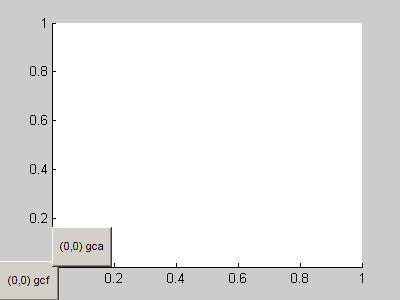
Here's how you would create a right panel (with fixed width), that contains a smaller panel at the bottom with fixed height.
The remaining panels adjust appropriately to fill the space.
 Brian also made this post to the MATLAB Desktop Blog.
Comments?
Tell us about other GUI building utility tools from the File Exchange that you found useful.
Written by Jiro Doke, Senior Applications Engineer, The MathWorks, Inc.
Brian also made this post to the MATLAB Desktop Blog.
Comments?
Tell us about other GUI building utility tools from the File Exchange that you found useful.
Written by Jiro Doke, Senior Applications Engineer, The MathWorks, Inc.
figH = figure;

% East panel has a fixed width of 100 pixels
panel1 = BorderLayout(figH, 0, 0, 100, 0);

% The South panel (within the East panel)
% has a fixed width of 80 pixels
panel2 = BorderLayout(panel1.East, 0, 80, 0, 0);

uicontrol(...
  'String'  , 'I''m fixed in size', ...
  'Units'   , 'Normalized'        , ...
  'Position', [0 0 1 1]           , ...
  'Parent'  , panel2.South        );
Brian also made this post to the MATLAB Desktop Blog.
Comments?
Tell us about other GUI building utility tools from the File Exchange that you found useful.
Written by Jiro Doke, Senior Applications Engineer, The MathWorks, Inc.
- Category:
- GUI or GUIDE,
- Picks




Comments
To leave a comment, please click here to sign in to your MathWorks Account or create a new one.