File Exchange Pick of the Week

March 8th, 2007

Tabbed GUIs

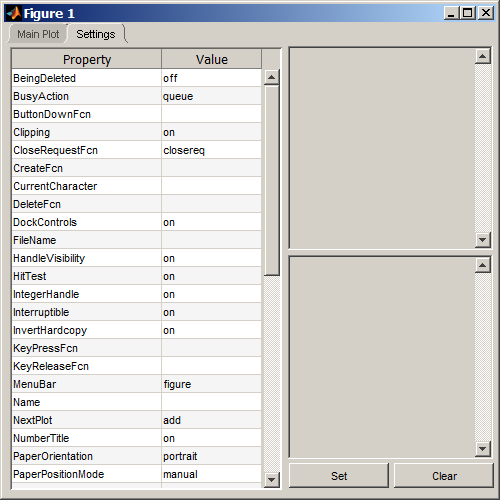
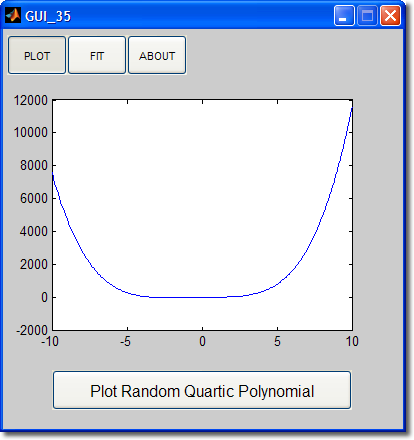
Going through the e-mail this week, I was asked how to make a GUI with tab panels. I know that using a few special techniques, it is possible to build a tab panel using GUIDE. I figured someone on MATLAB Central would have written this common procedure up already. It turns out Bill was that person. So, if you want to know how to put tab panels on a GUI, check this out.

Tab Panel

7 Responses to “Tabbed GUIs”

  1. Gary replied on :

    Not to take anything away from Bill and his clever approach, but there’s got to be a better way! I would love to see a future version of Guide that supports REAL tabs and allows me to show/hide the tab contents as I build the GUI.

  2. Stuart replied on :

    I agree with Gary. There has GOT to be a better way!

  3. Peter replied on :

    This is EXTREMELY important and I hope the MathWorks moves this up on its priority list soon!!! Thanks to all the contributors on this

  4. Radu replied on :

    I’d also love to see real-tab support in Guide.

  5. Ben replied on :

    Looks like there is an ActiveX tab type thing, eg…
    f = figure(’position’, [20 40 500 300]);
    tab = actxcontrol(’Forms.TabStrip.1′, [10 10 480 280], f);

    but I cant figure out how to do anything with them!

  6. Leo replied on :

    Still a long way to go to get the GUI functionalities like that of VB, but I’m still hoping it will be soon. Keep up the the good work guys..

  7. Dmitry replied on :

    Absolutely agree. Lack of “GUI real estate space” becomes a major problem for me soon after I start developing any Matlab GUI. Absence of tabs is a major disadvantage. Otherwise, GUIDE is pretty good.

Leave a Reply

Wrap code fragments inside <pre> tags, like this:

<pre class="code">
a = magic(3);
sum(a)
</pre>

If you have a "<" character in your code, either follow it with a space or replace it with "&lt;" (including the semicolon).


Bob, Brett & Jiro share their favorite user-contributed submissions from the File Exchange.

  • Zach: Hi Doug and Les, I didn’t have a lot of time to mess with this, but I did find a work-around. I plotted...
  • hamed: k
  • Les: @Zach This isn’t exactly what you are looking for but at least it puts all three parameters on the same...
  • Zach: Thanks for your suggestions Doug. I’ll give that a shot and see what happens. I’ve seen many of...
  • Doug: @Zach, I would say to use plotYYY, because that is close to what you want, but using depth as Y makes sense....
  • Doug: @Teja, I think this will work: http://www.mathworks .com/access/helpdesk /help/techdoc/ref...
  • Gify: merry christmas :) nice christmas tree! Regards, Janet Gify
  • Teja: Dear Doug Is there anyway to plot a surface from nonuniform data without meshgrid and griddata? Basically i...
  • Zach: I’m working with geophysical data, so I’d like to produce a depth profile. The y-axis would be...
  • Doug: @Ashok First, please do not use variable names that are MATLAB commands (std and mean). Second, p(j) should be...

These postings are the author's and don't necessarily represent the opinions of The MathWorks.