
Colors for Your Multi-Line Plots
Jiro's pick this week is VARYCOLOR by Daniel Helmick.
Have you ever had to plot many lines on a single graph and you had to construct additional set of colors to augment the 8
built-in colors? You may have to come up with a good set of colors that span a wide range of the spectrum. Daniel's varycolor will give you that color set with a single command.
Let's say I'm going to plot 50 lines. I can get the color matrix like this:
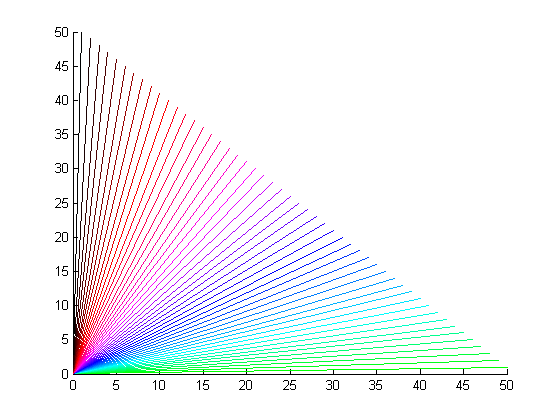 When I have this many lines, I often wonder what the best way to put a legend is. I can simply add the default legend:
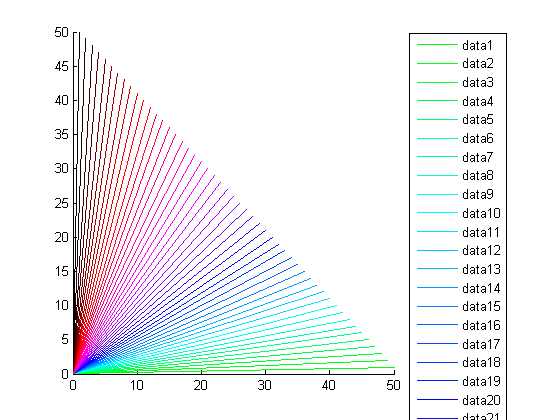 But this is quite impractical. Instead, I can use the color matrix that I just created and use that in my color bar.
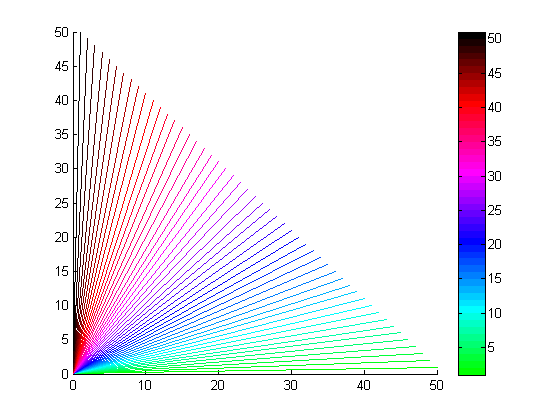 Since I appropriately chose the number of colors to be the same as the number of lines, the colormap scale corresponds to
the line number. Line 1 is green and line 40 is red.
As a bonus, take a look at Loren's blog on Plotting with Style to learn about other ways to customize the line style.
Comments
Tell us here how you customize your visualizations to convey your ideas as clearly as possible. Do you use colors, line styles, or markers?
Or maybe some combinations.
Since I appropriately chose the number of colors to be the same as the number of lines, the colormap scale corresponds to
the line number. Line 1 is green and line 40 is red.
As a bonus, take a look at Loren's blog on Plotting with Style to learn about other ways to customize the line style.
Comments
Tell us here how you customize your visualizations to convey your ideas as clearly as possible. Do you use colors, line styles, or markers?
Or maybe some combinations.
ColorSet = varycolor(50);I can either index into this color matrix and use it as my Color property for plot:
plot(rand(10,1), 'Color', ColorSet(1,:))Or set it as the new ColorOrder property of an axes. Now, my subsequent plots will follow the new color order. (Be sure to use hold all to preserve the color order.)
set(gca, 'ColorOrder', ColorSet);

hold all;
for m = 1:50
  plot([0 51-m], [0 m]);
end
When I have this many lines, I often wonder what the best way to put a legend is. I can simply add the default legend:
legend show Location NorthEastOutside
But this is quite impractical. Instead, I can use the color matrix that I just created and use that in my color bar.
legend off
set(gcf, 'Colormap', ColorSet);
colorbar
Since I appropriately chose the number of colors to be the same as the number of lines, the colormap scale corresponds to
the line number. Line 1 is green and line 40 is red.
As a bonus, take a look at Loren's blog on Plotting with Style to learn about other ways to customize the line style.
Comments
Tell us here how you customize your visualizations to convey your ideas as clearly as possible. Do you use colors, line styles, or markers?
Or maybe some combinations.
- Category:
- Picks




Comments
To leave a comment, please click here to sign in to your MathWorks Account or create a new one.