File Exchange Pick of the Week

April 3rd, 2009

Light Bartlein Color Maps

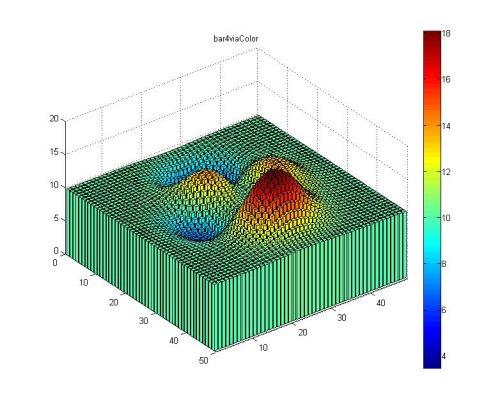
Bob's pick this week is Light Bartlein Color Maps.

That's right, my own submission. Here's why. Last week Loren blogged about Four Color Images. Her final point, Colormaps are Important referenced some fairly well known scientific work by Light and Bartlein. Jody wished to see these colormaps in MATLAB. Rather than just cross link my submission from Loren's blog and leave it at that, this blog entry provides a place for more focused discussion. A penny for your thoughts...


Get the MATLAB code

Published with MATLAB® 7.8

3 Responses to “Light Bartlein Color Maps”

  1. Daniel Armyr replied on :

    Is it a feature or a limitation that the colourmap is not smooth?

  2. Bob replied on :

    On the submission page follow Jody’s link. Scroll down to “Modified Spectral Scheme, 11 Steps” and note that coarse granularity of that map.


    Example 2 from LBMAP tried to be faithful. If it does not bear a strong resemblence, that would be a bug on my part. Either way, it should look much smoother with more levels.

  3. Jody Klymak replied on :

    I think these are great colormaps and excellent candidates for inclusion in the standard set.

    I’d also like to see a few standard earth and sea colormaps. If I see another hydrographic map with depth represented as jet I’ll blow a gasket!

    GMT has some nice colormaps. Not sure what the copyright is: there is an
    interactive gallery here. Note that their colormaps are non-linear, in that each colour can represent a differing range of data.

Leave a Reply

Wrap code fragments inside <pre> tags, like this:

<pre class="code">
a = magic(3);
sum(a)
</pre>

If you have a "<" character in your code, either follow it with a space or replace it with "&lt;" (including the semicolon).


Bob, Brett & Jiro share their favorite user-contributed submissions from the File Exchange.

  • Zach: Hi Doug and Les, I didn’t have a lot of time to mess with this, but I did find a work-around. I plotted...
  • hamed: k
  • Les: @Zach This isn’t exactly what you are looking for but at least it puts all three parameters on the same...
  • Zach: Thanks for your suggestions Doug. I’ll give that a shot and see what happens. I’ve seen many of...
  • Doug: @Zach, I would say to use plotYYY, because that is close to what you want, but using depth as Y makes sense....
  • Doug: @Teja, I think this will work: http://www.mathworks .com/access/helpdesk /help/techdoc/ref...
  • Gify: merry christmas :) nice christmas tree! Regards, Janet Gify
  • Teja: Dear Doug Is there anyway to plot a surface from nonuniform data without meshgrid and griddata? Basically i...
  • Zach: I’m working with geophysical data, so I’d like to produce a depth profile. The y-axis would be...
  • Doug: @Ashok First, please do not use variable names that are MATLAB commands (std and mean). Second, p(j) should be...

These postings are the author's and don't necessarily represent the opinions of The MathWorks.