
GUI Layout (Part 4)
Jiro's pick this week is GridBagLayout by Jason.
This is another entry in our collection of GUI-oriented Picks-of-the-Week. Here are 3 that I highlighted about a year ago:
I love these entries because 1) I love GUIs and 2) these tools make GUI building fun and easy.
GridBagLayout is a rich set of tools implemented using the MATLAB Class System. It has a nice set of properties and methods to perform sophisticated layout of graphical components.
As you can see from the following set of commands, you can add components and provide individual constraints or let the layout
object handle everything. When you resize the figure, the components maintain the appropriate size/location based on the settings.
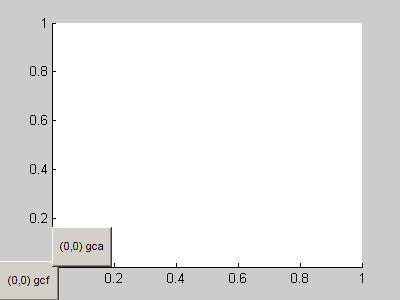
 Here's an animation of how each command affects the GUI.
 Also check out the published document that Jason included with his entry. Stay tuned for Part 5. We'll look at another entry that simplifies the GUI building process
even more.
Comments?
Also check out the published document that Jason included with his entry. Stay tuned for Part 5. We'll look at another entry that simplifies the GUI building process
even more.
Comments?
hl = layout.GridBagLayout(figure);
hl.add(uicontrol('String', 'Button 1'), 1, 2)
hl.add(uicontrol('String', 'Button 2'), 1, 3)
hl.add(axes, 2, [1 3], 'Fill', 'Both')
hl.VerticalWeights = [0 1];
hl.VerticalGap = 20;
hl.HorizontalGap = 20;
hl.HorizontalWeights = [1 0 0];

hl.setConstraints(1, 2, 'MinimumWidth', 80, 'MinimumHeight', 25);
hl.setConstraints(1, 3, 'MinimumWidth', 80, 'MinimumHeight', 25);
hl.setConstraints(2, [1 3], 'LeftInset', 30);
hl.setConstraints(2, [1 3], 'BottomInset', 30);
Here's an animation of how each command affects the GUI.
Also check out the published document that Jason included with his entry. Stay tuned for Part 5. We'll look at another entry that simplifies the GUI building process
even more.
Comments?
- Category:
- GUI or GUIDE,
- Picks


See Also
-
GUI Layout (Part 2)
Blogs
-

GUI Layout (Part 3)
Blogs
-
GUI Layout (Part 1)
Blogs



Comments
To leave a comment, please click here to sign in to your MathWorks Account or create a new one.