File Exchange Pick of the Week

October 21st, 2011

Drawing Ellipses

Brett's Pick this week is ellipse, by David Long.

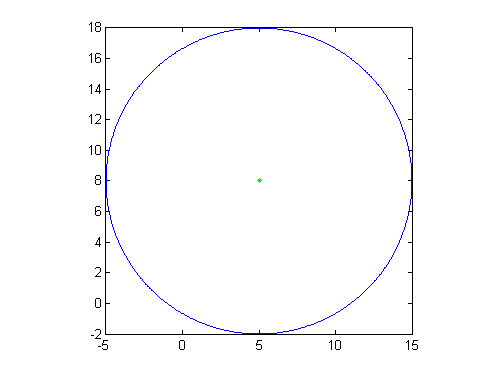
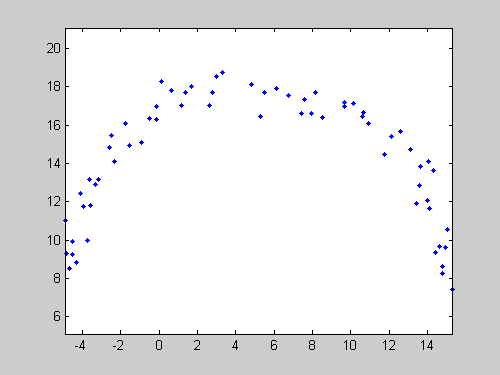
I've blogged before about fitting circles, and about simply drawing circles. And I've blogged about fitting ellipses. I like the general utility of functionality that facilitates those common tasks. Today, I complete the suite with a Pick that trivializes the drawing of an ellipse.

David's syntax is quite nice:

h=ellipse(ra,rb,ang,x0,y0,C,Nb);

There are defaults for all of the inputs (you'd get a circle of radius 1, plotted at [0,0]), but most usefully, you would specify, at a minimum, the semi-major (ra) and semi-minor (rb) axes lengths, the desired angle, and the coordinates of the center (plus, optionally, the color and the number of points used in the construction).

Remember Spirograph? Here's a fun little graphic I created using David's ellipse function, and another previous pick, distinguishable_colors:

colors = distinguishable_colors(20);
n = 20;
angles = linspace(0,2*pi,n);
h = zeros(n,1);
for ii = 1:n
   h(ii) = ellipse(2,1,angles(ii),0,0,colors(ii,:));
end
axis equal
axis off
set(h,'linewidth',2)
set(gcf,'color','w')
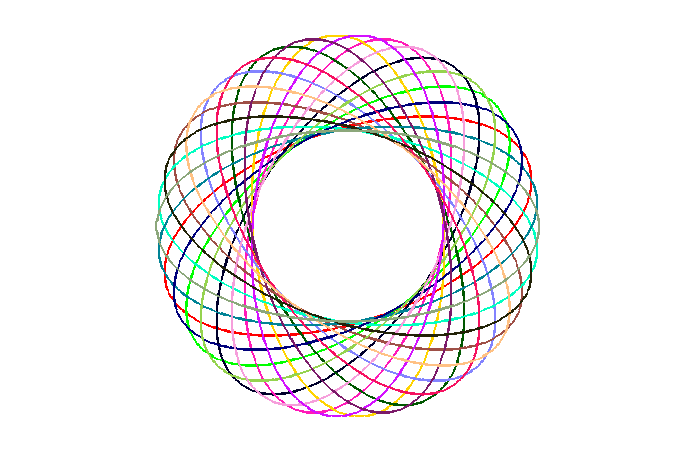
As always, comments to this blog post are welcome. Or leave a comment for David here.


Get the MATLAB code

Published with MATLAB® 7.13

4 Responses to “Drawing Ellipses”

  1. Faten replied on :

    Beautiful!!

  2. sahere replied on :

    hi, i want to draw an ellipse around objects in image, first i use background subtraction and earn an binary image, then by using [LABELED,NUM] = bwlabeln(I);
    , regionprops, i draw a bounding box around each of objects in image, now i want to draw an ellipse around objects, i use steve’code on http://blogs.mathworks.com/steve/2010/07/30/visualizing-regionprops-ellipse-measurements/#comments but my separate objects lie in on ellipse and just draw one ellipse for all objects, i do not know what must i do? please help

  3. bshoelso replied on :

    Sahere, If I understand your question, you might be able to use the position you calculated with Regionprops->BoundingBox as an input to:1) the MATLAB function RECTANGLE (which allows you, by controlling the curvature, to create ellipses; 2) a MATLAB ellipse annotation object; or 3) an Image Processing Toolbox IMELLIPSE object.
    Cheers,
    Brett

  4. bshoelso replied on :

    Sahere, If I understand your question, you might be able to use the position you calculated with Regionprops->BoundingBox as an input to:1) the MATLAB function RECTANGLE (which allows you, by controlling the curvature, to create ellipses; 2) a MATLAB ellipse annotation object; or 3) an Image Processing Toolbox IMELLIPSE object.
    Cheers,
    Brett


MathWorks

Brett & Jiro share their favorite user-contributed submissions from the File Exchange.

These postings are the author's and don't necessarily represent the opinions of MathWorks.