
Alarm Clock(s) with Snooze Buttons
Never miss another appointment!
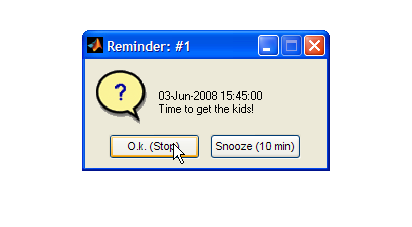
How cool! I'm sitting at my desk working, knowing that I have a call in 45 minutes. I can put a reminder in Outlook, of course, but I tend to get so many Outlook reminders that they become noise. Now I can easily set a reminder from within MATLAB, using Matt Fig's REMINDME utility. And let's face it--I'm a MATLAB geek who would rather see this implemented in MATLAB anyway. REMINDME is trivially easy to use, and is Brett's selection for this week's Pick of the Week. Just set a time and a reminder message (or use the default 'this is your reminder'), and continue working. At the specified time, a dialog box will pop up, prompting me to acknowledge the alarm and turn it off or hit a 10-minute snooze button:imshow('remindmeimg.png')
 By the way, our own Jiro also wrote and posted an ALARM with more bells and whistles. Jiro's version is much more full-featured; Matt's is easier to use. Grab one or both, and never
be late again!
By the way, our own Jiro also wrote and posted an ALARM with more bells and whistles. Jiro's version is much more full-featured; Matt's is easier to use. Grab one or both, and never
be late again!
- Category:
- Picks


See Also
-

Stopwatch
Blogs
-
Be Notified
Blogs



Comments
To leave a comment, please click here to sign in to your MathWorks Account or create a new one.