Skip to Main Content Skip to Search
File Exchange
MATLAB Newsgroup
Link Exchange
  Blogs  
 Contest 
MathWorks.com

Doug’s Pick of the Week

June 27th, 2008

Atomic clock + alarm challenge

Bob's pick this week has a twist.

Contents

The challenge

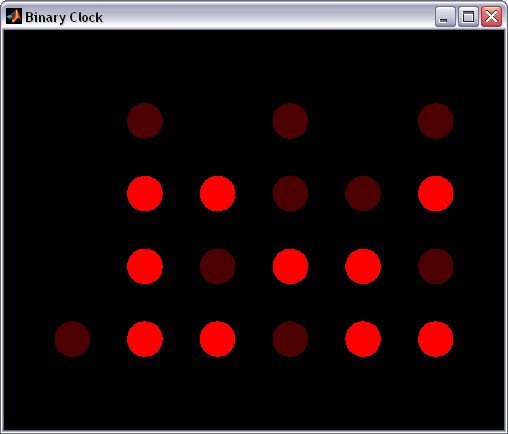
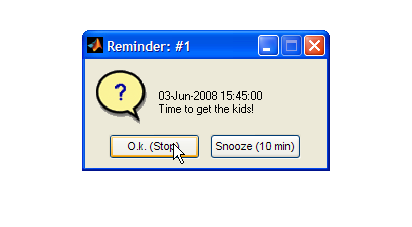
Last week Brett's pick was a MATLAB alarm clock. But an alarm is only as good as the clock behind it. Your mission, should you accept, is to hook up the alarm to an atomic clock!

The pick

"How?" you might ask. That's where this week's pick comes in. Java Time by Scott Burnside is your other building block.

The catch

Scott's motivation was a Java example, so his MATLAB GUI does the deed using Java code and data types.

I suggest excising the portion of his code that fetches the time. Build a wrapper function to return that time value as a datenum for example.

The incentive

Submit your atomic alarm clock to the file exchange and it might just become our next "Pick of the Week." Good luck!

Talk to us

If you have questions or comments about this challenge, tell us about it here.


Get the MATLAB code

Published with MATLAB® 7.6

11 Responses to “Atomic clock + alarm challenge”

  1. JesseL replied on :

    How about this?

    URL = ‘http://tycho.usno.navy.mil/cgi-bin/timer.pl’;
    time = datenum(regexp(urlread(URL), ‘(.*)\sUTC’,'tokens’,'once’),’mmm. dd, HH:MM:SS’)

  2. Bob replied on :

    JesseL, thanks. That’s very close but I got an error.

    ??? Error using ==> datenum at 174
    DATENUM failed.
    
    Caused by:
        Error using ==> dtstr2dtnummx
        Failed on converting date string to date number.
    

    Let’s see who fixes that…

  3. JesseL replied on :

    That’s because it didn’t paste the right thing! I think the webpage is rendering the tag in the regular expression. The regexp string should be:

    ‘[BR](.*)\sUTC’
    You should replace the [ ] with

  4. JesseL replied on :

    Yup, like I thought, its rendering them. Because, the lessthan and greaterthan signs are gone from my previous comment.

    Replace [ with lessthansign
    Replace ] with greaterthansign

    Maybe there’s an escape character?
    Test: \

  5. jiro replied on :

    Yup, I think you’re right, JesseL. I had to use the character entities to display < and > correctly:

    &lt; and &gt;
    

    The following should be the correct code that you want:

    URL = 'http://tycho.usno.navy.mil/cgi-bin/timer.pl';
    time = datenum(regexp(urlread(URL), ...
       '<BR>(.*)\sUTC','tokens','once'),'mmm. dd, HH:MM:SS')
    

    P.S. BTW, there’s a “Preview” button just above the comment box, which you can use to preview your comment. This way, you can check to make sure the rendering is correct.

  6. Bob replied on :

    JesseL, that worked great.

    >> URL = 'http://tycho.usno.navy.mil/cgi-bin/timer.pl';
    >> time = datenum(regexp(urlread(URL),...
         '<BR>(.*)\sUTC','tokens','once'),'mmm. dd, HH:MM:SS')
    time =
      7.3359e+005
    >> datestr(time)
    ans =
    02-Jul-2008 12:08:18
    

    Jiro, good formatting tips. Here’s a reminder that for anyone who wants to post code snippets be sure to use the <pre> tag around your code like this.

    <pre>
    %your code...
    </pre>
    

    Then if your code includes some kind of <TAG> just replace it with &lt;TAG&gt; when you paste it as a blog comment so it will display correctly, and of course use Preview to make sure. (I had to do that several times.:)

  7. Bob replied on :

    Okay, so the first part of the challenge has a solution. JesseL’s excellent use of a regular expression made short work of that. But now … how to use that time stamp in your MATLAB alarm clock to compensate for inaccuracies in your system time? And perhaps more importantly, what is a reasonable tolerance for accuracy in this application?

    Cheers
    Bob

  8. Daniel Armyr replied on :

    OK, so I started to implement this and ran into my first cotcha. The URL in question presents time in UTC (and other time zones), but matlab only seems to give time in local time. Is there a way to ask Matlab what timezone it believes it to be in?

  9. Bob replied on :

    Daniel, wonderful observation! Unfortunately, MATLAB relies on local system time. Different operating systems feature different interfaces for accessing system time. For example, on Windows you can use the legacy TIME (and DATE) functions.

    >> !time
    The current time is:  8:09:17.33
    Enter the new time:
    

    Let’s see what other clever users suggest. :)

  10. Daniel Armyr replied on :

    Well, when in doubt, guess. Assuming your system clock isn’t off by more than 1 hour and you aren’t in one of these half-hour time-zones, this will work.

    I get the current time with the following:

    % Get the current time in hours (12hour format).
    crnt = mod(now+getCurrentTimeDelta,0.5)*24;
    
    function [ timeDelta ] = getCurrentTimeDelta( timeZone )
    %GETCURRENTTIMEDELTA Gets the offset in time of the system clock.
    %Time format is compatible with now. To get exact time, add the
    %return value to the current system time. As an optional argument,
    %supply the time-zone.
    
    URL = 'http://tycho.usno.navy.mil/cgi-bin/timer.pl';
    atomTime = datenum(regexp(urlread(URL), ...
       '(.*)\sUTC','tokens','once'),'mmm. dd, HH:MM:SS');
    sysTime = now;
    
    if ( nargin == 0 )
        timeZone = 2; %The timezone in hours.
        timeDelta = atomTime - sysTime + timeZone/24;
    else
        % Assume time diff is less than 1 hour
        timeDelta = atomTime - sysTime;
        timeDeltaInHours = timeDelta*24;
        timeDelta = (timeDeltaInHours - round(timeDeltaInHours))/24;
        fprintf ( 'Time delta: %gs.\n', timeDelta*24*60*60 );
    end
    
    end
    %EOF
    

    I also submitted the complete updated function to the file exchange, but it seems it will take a few days for it to be processed, so you will have to be patient. It has been sumbitted under the title “Atomic reminder”.

  11. Daniel Armyr replied on :

    And here it is:
    http://www.mathworks.com/matlabcentral/fileexchange/loadFile.do?objectId=20693&objectType=file

Leave a Reply


Doug Hull is an Application Engineer at The MathWorks. A MATLAB user since 1994, he gets paid to live, eat, and breathe MATLAB! This blog is dedicated to promoting the File Exchange by highlighting files and original video content.


  • Moran: Hi Chris, I tried everything I could think of, and have sent several observations about this bug to support,...
  • odessit: Hello, I have compiled standalone application with deploytool. It would work fine, but the error is in...
  • Duane Hanselman: FYI… % strmatch replacements % strmatch is obsolete, strncmp and strcmp are built in % case...
  • Doug: Duane, I just looked, I did not see an m-lint warning against STRMATCH in 2008a. However, I seem to recall what...
  • hashem: Hi Doug, I built a GUI and write a help for it in “chm” (compiled HTML file) format, and I...
  • Tim Davis: I left out the comments in the code, above. Most of the functions should be familiar to most MATLAB users....
  • Tim Davis: I was a little confused by all the back-and-forth discussion of zero blocks. Is a block of zeros to be...
  • Tim Davis: Try this one. It doesn’t require any toolboxes, just “sparse” and “dmperm” ....
  • Duane Hanselman: Did anyone ever try replacing strmatch with strcmp (or its siblings as needed)? I recall mlint...
  • jiro: @Daniel, We do use the hardware, but we don’t expose the supersampling feature through that path, so if...

These postings are the author's and don't necessarily represent the opinions of The MathWorks.

Related Topics