
Guitar Tuner
Today's Pick comes to us from guest Picker (pun intended) and MathWorks applications engineer Eric Johnson. When he's not playing with MATLAB, Eric can occasionally be seen roaming the floors at The MathWorks with his guitar in hand.
***************************
Do you play guitar and keep one near your computer for interim jamming? It's a fact of life that your guitar will need tuning from time to time. Tune it in MATLAB using Ryan's Guitar Tuner tool!
I like Guitar Tuner's clean, simple interface. When the note is within 10 cents (0.6% of the correct frequency) the tuner line lights up green. All of the code is contained in a single GUIDE-created MATLAB file so it can be easily customized. For instance, we can modify these lines:
    %CHECK IF TUNED WITHIN 10 CENTITONE:
    flat  = 15.43379*exp(0.05776234*(tone-0.1));
    sharp = 15.43379*exp(0.05776234*(tone+0.1));
to change the sensitivity to +/- 20 cents:
    %CHECK IF TUNED WITHIN 20 CENTITONE:
    flat  = 15.43379*exp(0.05776234*(tone-0.2));
    sharp = 15.43379*exp(0.05776234*(tone+0.2));
It also has a built in tone generator for tuning by ear. On a related note (pun intended) if you are using MATLAB for music-related applications you might also be interested in Musical Notes. Musical Notes is a collection of functions for converting between scientific pitch notation (A#4, E5, etc.), frequency, semitone/interval, and cents.
- Category:
- Picks


See Also
-
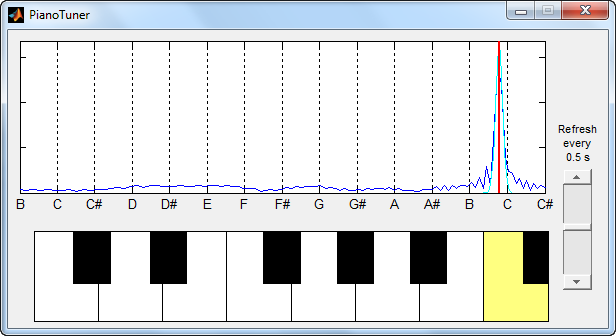
PianoTuner
Blogs
-

You could be a star!
Blogs
-
Auto-Tune your voice!
Blogs



Comments
To leave a comment, please click here to sign in to your MathWorks Account or create a new one.