File Exchange Pick of the Week

February 18th, 2011

Fancy Menus

Jiro's pick this week is menubar by Dirk-Jan Kroon.

I'm honestly perplexed that his files have not been highlighted in Pick of the Week before. He is a big contributor to File Exchange with 57 submissions and second most downloaded in the last 30 days as of this writing. As you can see from his author page, many of his files have high ratings. I'm sure I'll be looking at more of his entries later.

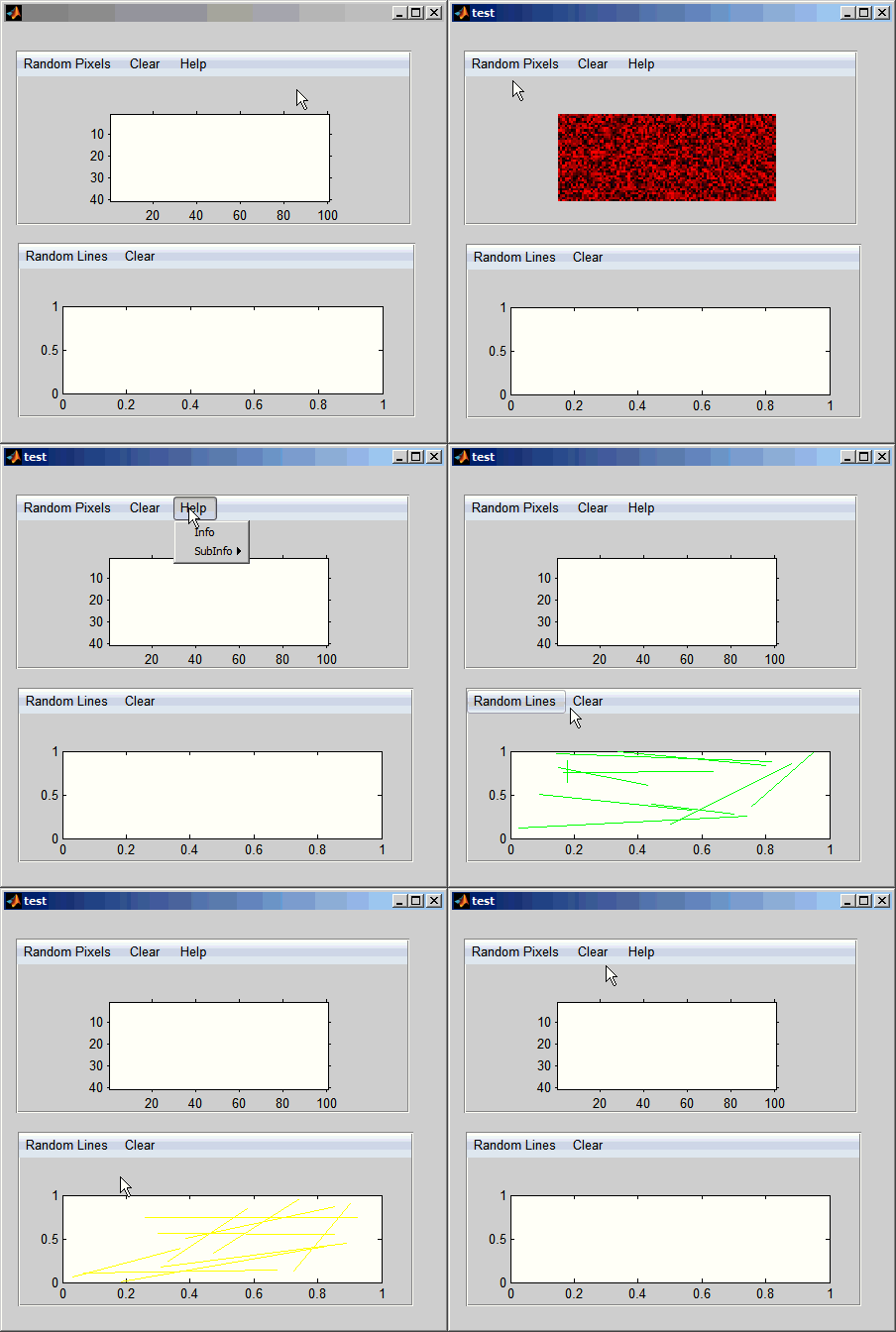
This entry, menubar, is a clever one. Some of you may know that you can create menus in your GUI using uimenu. It allows you to create menus at the top of the GUI with a standard look and feel. Dirk-Jan's menubar lets you create fancy-looking menus. You can also place them anywhere in your GUI. The way you create it is to simply create a uicontextmenu and call menubar. He provides a sample GUI which you can run:
Comments

Let us know what you think here or leave a comment for Dirk-Jan.


Get the MATLAB code

Published with MATLAB® 7.11

2 Responses to “Fancy Menus”

  1. UM replied on :

    I get this error

    ??? Undefined function or method ‘imshow’ for input arguments of type ‘uint8′.

    Error in ==> menubar>CreatMenuBar at 196
    data.menuitems(i).HandleImshow=imshow(barimage,’Parent’,data.menuitems(i).Handle);

    Error in ==> menubar at 95
    CreatMenuBar(uimenuhandle,C(i),Pos,figure_handle);

    Error in ==> test>test_OpeningFcn at 67
    menubar;

    Error in ==> gui_mainfcn at 221
    feval(gui_State.gui_OpeningFcn, gui_hFigure, [], guidata(gui_hFigure), varargin{:});

    Error in ==> test at 27
    gui_mainfcn(gui_State, varargin{:});

  2. jiro replied on :

    @UM: The author of this tool is using “imshow” which is a function from Image Processing Toolbox. Try changing “imshow” to “image” and that might fix it.

Leave a Reply

Wrap code fragments inside <pre> tags, like this:

<pre class="code">
a = magic(3);
sum(a)
</pre>

If you have a "<" character in your code, either follow it with a space or replace it with "&lt;" (including the semicolon).


MathWorks

Brett & Jiro share their favorite user-contributed submissions from the File Exchange.

These postings are the author's and don't necessarily represent the opinions of The MathWorks.