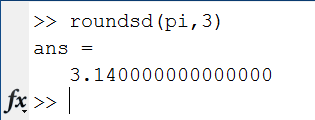
Recently, my colleague Rob Comer and I were talking about how to write out a number, in decimal, so that if it were read back into MATLAB, would retain its full precision. The question is how many digits to write out. The number depends on several things, including the datatype the value is stored in. In addition, it may depend on the precision of the value - i.e., was it data collected during an experiment in which only two significant figures were recorded? Today I'll post about the solution Rob and I came up with for choosing the number of digits so if you write out the data as a string, you can read it back in to MATLAB with full precision retained.
Contents
Create Some Values
Let's first create some values, both single and double versions of pi.
format long g dblpi = pi snglpi = single(pi)
dblpi =
3.14159265358979
snglpi =
3.141593
Figure Out Number of Digits
To figure out the number of digits to print, we need to know what the floating point accuracy, sometimes called eps for the number of interest.
eps(snglpi) eps(dblpi)
ans =
2.384186e-007
ans =
4.44089209850063e-016
As makes sense, we can see that the accuracy of the single precision value is larger than that for the "equivalent" double precision value. That means that the number next closest to the single precision value is farther away than the number next closest to the double precision value.
Number of Digits
We can use eps(x) to help us figure out how many digits to print after the decimal place. First find total number of digits, base 10:
log10(eps(snglpi)) log10(eps(dblpi))
ans =
-6.62266
ans =
-15.352529778863
To get to a positive number of digits, simply negate the results.
-log10(eps(snglpi)) -log10(eps(dblpi))
ans =
6.62266
ans =
15.352529778863
And round up to get make sure we don't miss any accuracy.
ceil(-log10(eps(snglpi))) ceil(-log10(eps(dblpi)))
ans =
7
ans =
16
Let's convert the results to a string. We are taking advantage of the ability to control the number of digits using * in sprintf.
snglpistr = sprintf('%.*f', ceil(-log10(eps(snglpi))), snglpi) dblpistr = sprintf('%.*f', ceil(-log10(eps(dblpi))), dblpi)
snglpistr = 3.1415927 dblpistr = 3.1415926535897931
Now we've captured each value so if written out as a string, and read back into MATLAB, the accuracy is preserved.
Convert to a Function
Taking what we know for finding the number of digits, let's make a function that we can use to test it out.
digits = @(x) ceil(-log10(eps(x)));
printdigs = @(x) sprintf('%.*f', digits(x), x);Try Some Values
printdigs(pi) printdigs(2/3) printdigs(1000*pi) printdigs(pi/1000)
ans = 3.1415926535897931 ans = 0.6666666666666666 ans = 3141.5926535897929 ans = 0.0031415926535897933
Some Magic Now
Rob created the necessary magic for getting rid of trailing zeros after the decimal point, while leaving at least one digit to the right of the decimal.
x = 1/2000 str = printdigs(x) strout = stripzeros(str)
x =
0.0005
str =
0.0005000000000000000
strout =
0.0005
Let's try some more values. First create a function to help us again.
strippedStringValues = @(x) stripzeros(printdigs(x)); vals = [ 100/289, -1/17, 1/2000, 0, 500 -200, 123.4567] for k = vals strippedStringValues(k) end
vals =
Columns 1 through 2
0.346020761245675 -0.0588235294117647
Columns 3 through 4
0.0005 0
Columns 5 through 6
500 -200
Column 7
123.4567
ans =
0.34602076124567471
ans =
-0.058823529411764705
ans =
0.0005
ans =
0.0
ans =
500.0
ans =
-200.0
ans =
123.4567
Here's the magic code for stripping the zeros, for those who are interested.
dbtype stripzeros1 function str = stripzeros(strin) 2 %STRIPZEROS Strip trailing zeros, leaving one digit right of decimal point. 3 % Remove trailing zeros while leaving at least one digit to the right of 4 % the decimal place. 5 6 % Copyright 2010 The MathWorks, Inc. 7 8 str = strin; 9 n = regexp(str,'\.0*$'); 10 if ~isempty(n) 11 % There is nothing but zeros to the right of the decimal place; 12 % the value in n is the index of the decimal place itself. 13 % Remove all trailing zeros except for the first one. 14 str(n+2:end) = []; 15 else 16 % There is a non-zero digit to the right of the decimal place. 17 m = regexp(str,'0*$'); 18 if ~isempty(m) 19 % There are trailing zeros, and the value in m is the index of 20 % the first trailing zero. Remove them all. 21 str(m:end) = []; 22 end 23 end
How Do You Control Printed Digits?
Are you able to just use the default printing from MATLAB for your values? Do you use disp, leave off the semi-colon (;), use one of the *printf functions? What customizations do you need to make to print out values? Let me know here.
Get
the MATLAB code
Published with MATLAB® 7.11


Great topic Loren; though I hardly need to read-back values into Matlab, displaying the “right” number of digits is always an issue.
Personally, I started with using ‘disp’, now I am moving towards the regular use of *printf, as it has a very flexible formatting feature.
Vectors are quite cumbersome to display in a nice way; that’s why I posted an M-file to the file exchange, namely http://www.mathworks.de/matlabcentral/fileexchange/20036-vect2str-vector-to-string-conversion
I once wrote a routine for formatting a value and standard error into a nice-to-read string, where it would be easy to see which digits the error applied to.
http://homepages.inf.ed.ac.uk/imurray2/code/imurray-matlab/errorbar_str.m
Covering all possible scales of value and error quickly turned my code into a big hairly mess! Although I’m sure it could be written more elegantly.
A flexible set of functions for human-friendly formatting of numbers could be useful…I should go look on Matlab central when I find a moment.
Since I found out about fprintf on this blog some years back, It has been my tried and true companion. disp() gets an occasional use for very quick debugging hacks. Leaving out the semicolon is reserved for programs less than 10 lines long, or so.
Thank you for bringing this issue into light. I would suggest to replace the CEIL by FLOOR in function handle digits because you get funncy results for number like 1/10.
I use the num2hex function to write numbers out and the hex2num function to read them in.
~Jonathan
Hi Loren,
Thanks for another interesting blog post! Reading this post calls to attention the floating-point innumeracy many budding computational scientists exhibit as they first learn to use computers. The first point, of course being, that very few numbers are exactly represented on computers. I always point newcomers to the field to “What Every Computer Scientist Should Know About Floating-Point Arithmetic” http://docs.sun.com/source/806-3568/ncg_goldberg.html
MATLAB does a great job of hiding many of these problems from us, but they still show up. Take, for example, your code example showing the value of pi. You have printed out the same number of digits in each, but the last two digits are different in the three different examples! If you were relying on the intrinsic digits of ‘pi’ not changing after the operations you expressed, you would be in for a nasty surprise! This is why we need to be aware not just what numbers are stored in our variables, but also the relative accuracy of these numbers as Iain points out in a previous comment.
Instead of helping us understand the significance of floating point error, the zero-stripping function exacerbates this problem by removing a number’s trailing significant digits without regard for their importance in describing the number’s certainty! If somebody hands me the number 5.00000000000000, I have much more confidence in the tightness of the error interval representing it than if 5.0 was given to me instead. 5.0 could originally have been an exact integer, a relatively inaccurate single-precision floating point (7 significant digits), double-precision (16 significant decision), or an exotic floating-point representation.
I just realized that the MATLAB function MAT2STR is doing this job already.
Aron-
As for your point teaching folks about floating point, that was NOT the goal of the exercise. If you are trying to write the shortest file, removing excessive zeros is helpful. So it all depends on the goal. This goal was writing out values in text that could be read back and reproduce the original values.
–Loren
Muktar-
Thanks for pointing out mat2str. Although it preserves the precision, it does not strip trailing zeros, but leaving at least one decimal place, so a slightly different way to go about the task. It also switched to scientific notation with exponents in some cases which was not appropriate for Rob’s original application.
e.g.
>> mat2str(5.0)
ans =
5
>> x = pi / 1000000;
>> mat2str(x)
ans =
3.14159265358979e-06
>> sprintf(‘%.*f’, ceil(-log10(eps(x))), x)
ans =
0.0000031415926535897933
–Loren
Mukhtar -
Thank you for bringing up the case of 1/10. It’s a nice example because both of the following strings, 0.1 (obtained using floor) and 0.10000000000000001 (obtained using ceil), convert back to the same floating point number.
Inspired by this case, I have modified my code to first try the computation with floor,
str = sprintf('%.*f', floor(-log10(eps(x))), x)then examine the following:
If true, we’re all set. Otherwise, I add one more decimal digit to the output.
–Rob
Loren,
thanks for pointing towards the less desired behavior of mat2str giving scientific notation.
Rob,
Thank you for clarifying the need for distinguishing between two cases. I will also update my files accordingly.
I find it amazing that such seemingly trivial discussions lead to a better undertanding of numerics. I love Matlab, its developers and its community.
Rob,
I have one question regarding your check
isequal(str2double(str),x)
If this function needs to be extended so that it can handle matrices also, would the following make any difference in speed
isequal(eval(str),x)
because EVAL is a built-in function?
Thanks.
Loren,
The following command should work in place of the stripzeros code. Not certain which is more efficient, though.
strout=regexprep(strin,’^(0+)|(0+)$’,”);
James-
Thanks for the regxpertise!
–Loren
James,
I found your methos very clever. However, it needs modification for cases like the following
>> regexprep(’3.0000′,’^(0+)|(0+)$’,”)
ans =
3.
This one, hopefully, works for all cases, and it also avoids replacing strings:
so = char(regexp(si, ‘(?<=\.0)0*$|(?<=[1-9])0*$’, ‘split’));
@Mukhtar Ullah,
pretty good regexp. But unfortunately it doesn’t work correct in case of preceding zeros, e.g.
char(regexp('00120.003400', '(?<=\.0)0*$|(?<=[1-9])0*$', 'split')) ans = 00120.0034For me this works quite well:
char(regexp('00120.003400', '^(0+)|(0+)$', 'split')) ans = 120.0034-Elco,
Thank you for detecting a problem with preceding zeros. But now we both have a problem: one works for trailing zeros all the time, the other works for preceding zeros except for cases like these
>> char(regexp(’3.0000′, ‘^(0+)|(0+)$’, ‘split’))
ans =
3.
>> char(regexp(’00.5000′, ‘^(0+)|(0+)$’, ‘split’))
ans =
.5
So I decided to combine the two approaches and get a, hopefully, final solution:
char(regexp(str, ‘^0+(?!\.)|(?<=\.0)0*$|(?<=[1-9])0*$’, ‘split’))
This should work now for all cases.
In fact, the regexp in the last comment can be simplified to
char(regexp(str, ‘^0+(?!\.)|(?<!\.)0+$’, ‘split’))
-Mukhtar
I don’t know if this is any slower, but I wonder if we would get the same result using this much simpler code:
Anyway, it has been an interesting coding exercise for me!
While this may be a little tangential to Loren’s posting, I think a mention of two particular functions may be interesting to some of the readers of this blog post. If you’re willing to remove the “in decimal” constraint then you can write out the exact value MATLAB has in memory using the NUM2HEX function. This writes out the IEEE double precision representation of the number using 16 hexadecimal digits. For more information on that representation, take a look at this Cleve’s Corner article from 1996 (the information it contains still applies today.)
http://www.mathworks.com/company/newsletters/news_notes/pdf/Fall96Cleve.pdf
The HEX2NUM function reverses the process.
I usually just use the format string %.50g in fprintf or sprintf. It will print out the number with 50 decimal precision (which is enough for me…), but because %g is used instead of %f, the leading or trailing zeroes are removed to condense the output. I’ve almost always used %g instead of %f because it gives a cleaner, more condensed output. I think it will print out in exponential format, %e, if that is shorter.
Loren,
This works great until you try a small number like eps(0). Do you have ideas on how to handle printed digits when exponential notation is best and you don’t want to lose precision?
Thanks,
Steve
Just to clarify … comments 21 (from Brett) and 22 (from Steve) both get outside the scope of my use case and requirements, which inspired Loren’s original post. I require fixed point strings, never exponential, which precludes use of %g. And, except when exactly equal to 0, all the numbers I print have absolute values substantially larger than 10^-10 (way, way larger than eps(0)).
On the other hand, if I were able to use exponential format and I was dealing with extremely small values (which is an interesting case), then I’d consider working with %g as suggested by Brett.
–Rob