
MathWorks Automotive Conference and Model Referencing

I recently attended the MathWorks Automotive Conference. This was a great opportunity to connect with industry experts and see how they use MATLAB and Simulink.
During the conference, I gave a presentation titled Building Efficient and Fast Models: Sharing User Experience. I thought some readers may find the topic useful, so I decided to summarize the main points here.
You can find the recording and slides here:
- Recording: Building Efficient and Fast Models: Sharing User Experience
- Slides: Building Efficient and Fast Models: Sharing User Experience - PDF
Key takeaways
I would summarize the key takeaways as:
- Componentization using Model Reference Accelerator mode is key to performance
- Know your workflows to determine what and when to componentize using Model Reference Accelerator mode
- Foundation for successful componentization
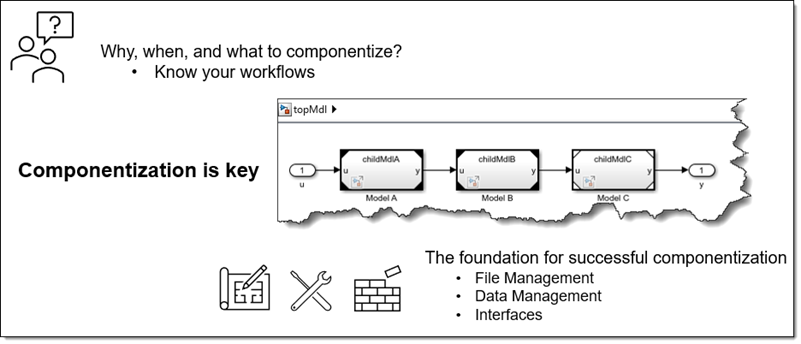
Know your workflows
I always like to refer to the workflows described in this technical article: Improving Simulation Performance in Simulink - MATLAB & Simulink.
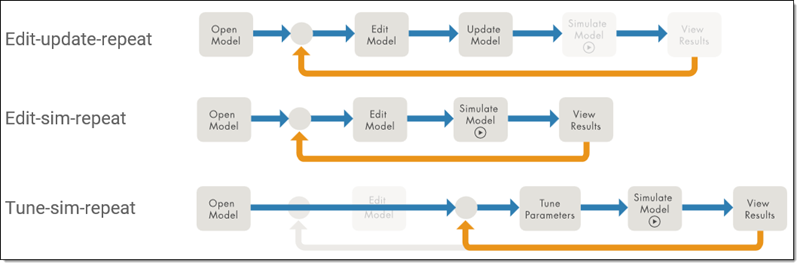
The most important recommendation to keep in mind based on those workflows is:
- If a model is not structurally modified between simulations, it should not be recompiled.
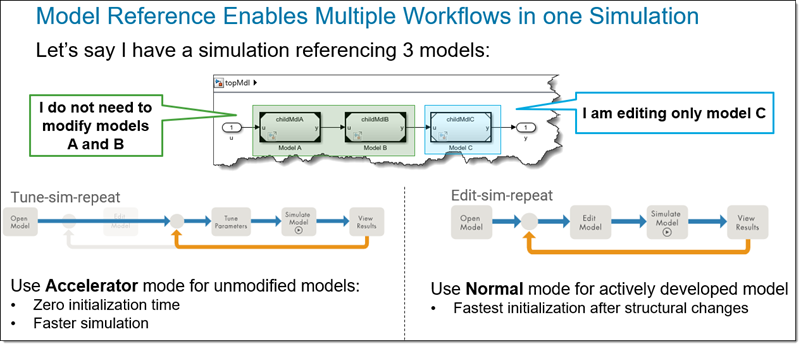
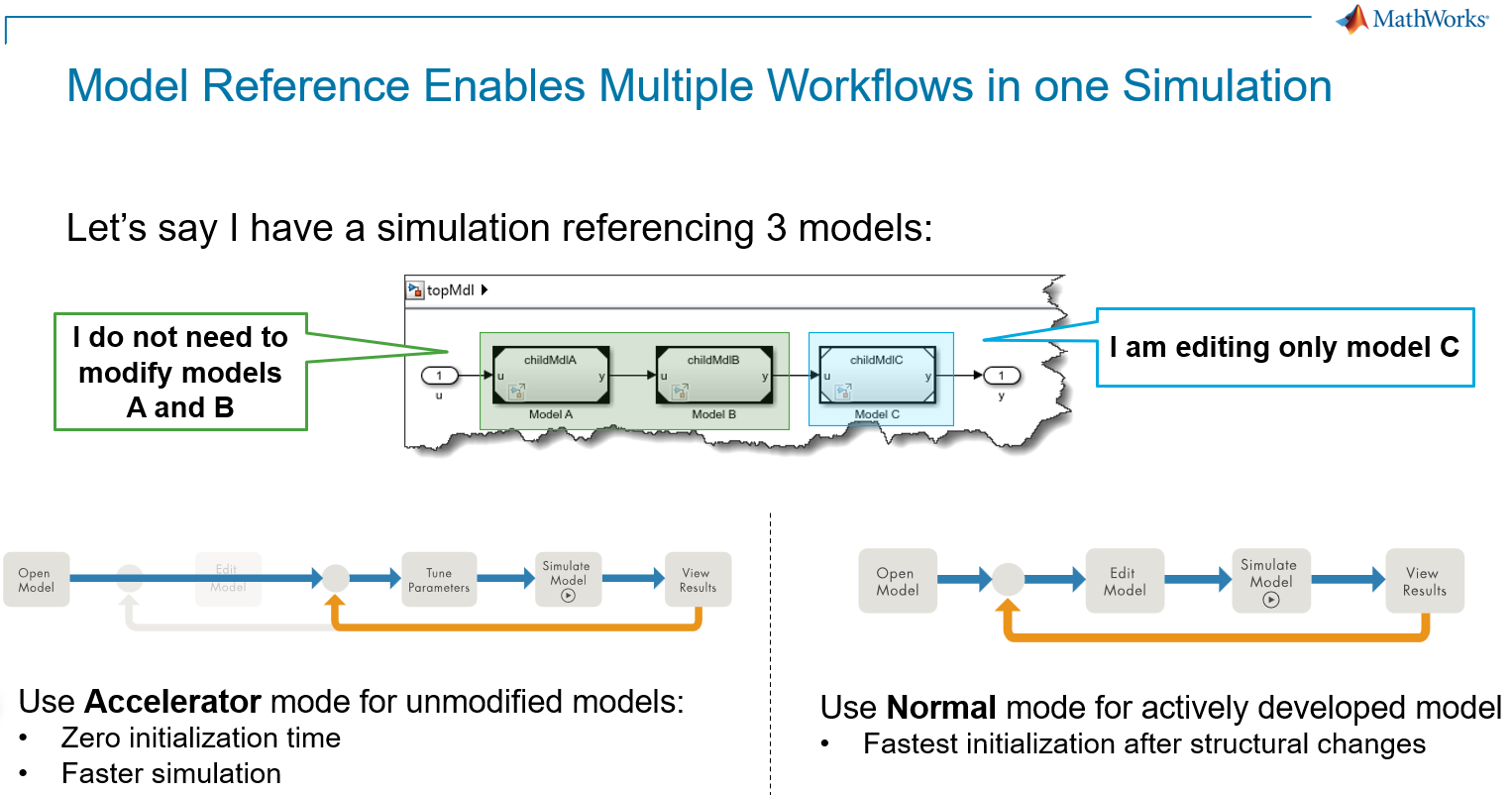
Multiple workflows in one simulation
This is where Model Reference Accelerator mode comes into play. Model Reference allows a single simulation to be composed of multiple Simulink models... which means multiple workflows in one simulation:
Foundation for successful componentization
Once you realize how and when Model Reference Accelerator mode can benefit your workflows, it's time to dig into the specifics of what is needed to adopt it.
When creating a model that I plan to accelerate, or converting an existing subsystem to an accelerated referenced model, I usually go through a series of steps or questions.
1 - Can it run as a referenced model in Accelerator mode?
Some features are not supported by Model Reference Accelerator mode.
I will not go through the full list here, but here are a few examples:
- Blocks that run MATLAB code in interpreted mode are not supported for Accelerator mode code generation
- Goto and From blocks cannot cross model boundaries.
You can get the full list of limitations here: Model Reference Requirements and Limitations
2 - Can I tune parameters without rebuilding the accelerator target?
To benefit from Model Reference Accelerator mode, the parameters you care about must remain tunable without triggering a rebuild. For the majority of parameters, it just works by default. In some cases, you need to do a bit of extra work.
Here are examples of the use cases I encounter the most frequently:
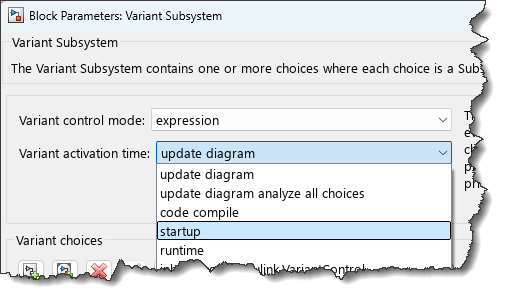
- Variant Subsystems: By default the variant activation time parameter is set to update diagram. To be tuned in accelerator mode, the variant activation time needs to be set to startup.
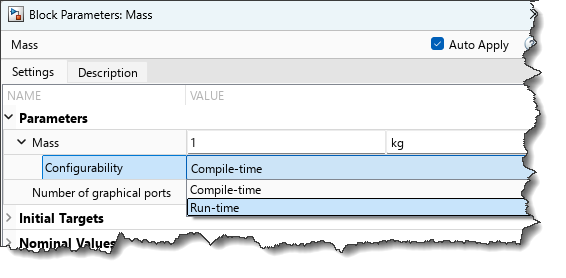
- Simscape: Simscape parameters have a Configurability setting that needs to be set to Run-time:
- Mask Initialization code: By default, Simulink does not generate accelerator code for mask initialization MATLAB code. For your mask initialization to preserve tunability, you need to follow the syntax described here: Preserve Tunability of Parameters That Are Modified or Created in Mask Initialization.
3 - Is the accelerator target initializing as fast as possible?
Once compiled and the cache is available, a referenced model in accelerator mode should start instantly, in less than one second. If you see longer initialization times, it's worth investigating.
To better understand how cache and accelerator rebuilds work, look at this blog post: Accelerator Cache and Rebuilds – Everything you need to know
In MATLAB R2026a, a detailed breakdown of the model initialization has been added to the Simulink Profiler. We expect this newly added information to be very useful.
Now it's your turn
Are you already using Model Reference to speed up your simulations?
If you have an existing model that you think could benefit from Model Reference, try getting help from an AI Agent like Claude Code or Codex. I had good success with the example in this blog post: Refactoring a Simulink Model using the MATLAB MCP Server.


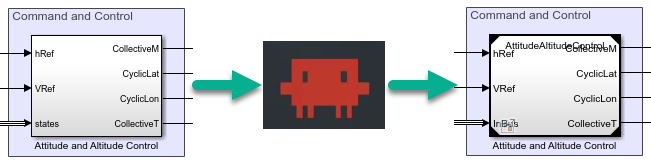

コメント
コメントを残すには、ここ をクリックして MathWorks アカウントにサインインするか新しい MathWorks アカウントを作成します。