
Generating Code for Real-Time Multicore Systems
Do you generate code to be executed on a multi-core processor? Wouldn't it be cool if you could decide which part of the model will execute on which core?
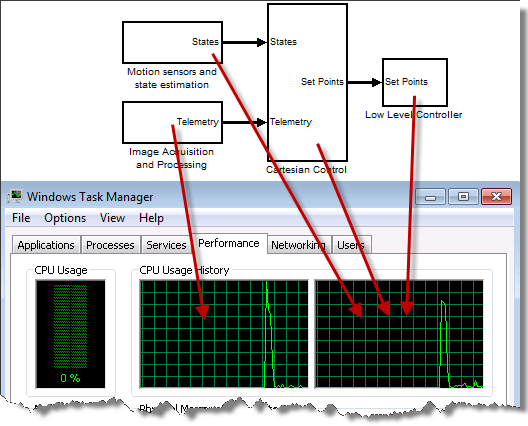
Modeling Concurrent Execution
This week, my friends Teresa and Tunc, will be introducing a new feature in R2011b designed especially for this: Modeling Concurrent Execution.
Teresa: Before we start, I need to make one thing clear: Modeling Concurrent Execution is not a feature to take advantage of your multi-core processor to speed up desktop simulations. If your goal is to speed up desktop simulation, I recommend looking at the documentation section Improving Simulation Performance and Accuracy and at posts in the Performance Category of this blog
Tunc: That’s right. Modeling Concurrent Execution is about controlling the execution of the code generated from a model on real-time rapid-prototyping and HIL targets, such as xPC Target.
Teresa: How much speedup can you expect for rapid prototyping with concurrent execution?
Tunc: That really depends on how much concurrency is available in the model. We have seen examples of models sped up by a factor 2 when using three cores. If your model can be partitioned into several tasks, the speedup could be significant.
How does that work?
Guy: I want an example! How can I do that with the model shown above? What do I need to do?
Tunc: To begin, you need to partition your model using Model Reference blocks. As explained in the Design Considerations section of the documentation, the top level of the model may only include model blocks and virtual connectivity blocks.
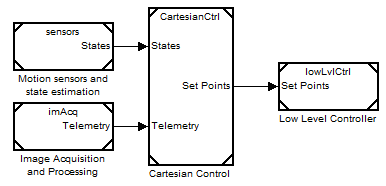
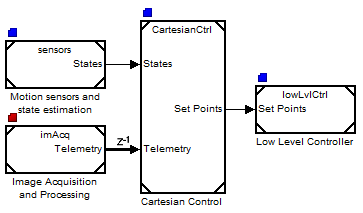
Guy: Here is my partitioned model. I did the partitioning based on the functionalities in the model. I have 4 components and the model seems to respect the constraints for a top level model, what's next?
Tunc: Now you need create a Concurrent Execution Configuration Set for all the model involved. This can be done using the Simulink.SoftwareTarget.concurrentExecution function, or from the Model Explorer:
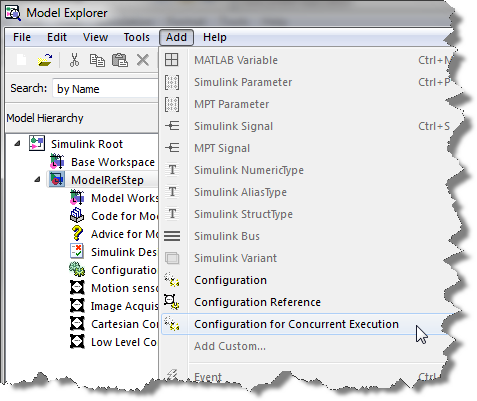
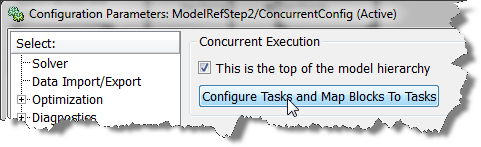
Teresa: Once this is done, go to the configuration parameters of the top model, check the box saying This is the top of the model hierarchy and click on the Configure Tasks and Map Blocks To Tasks button.
Tunc: In the Concurrent Execution configuration parameters dialog box, you can define tasks and map blocks to each of these tasks. Let's begin by creating 2 tasks since your processor has 2 cores:
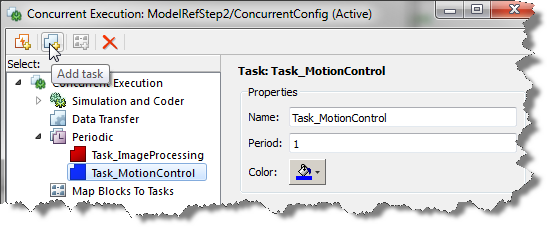
Guy: Based on my knowledge of the algorithms present in this model, I think the image processing component contains at least half of the computations. To divide things evenly, I will use one core for image processing and do the rest on the other core:
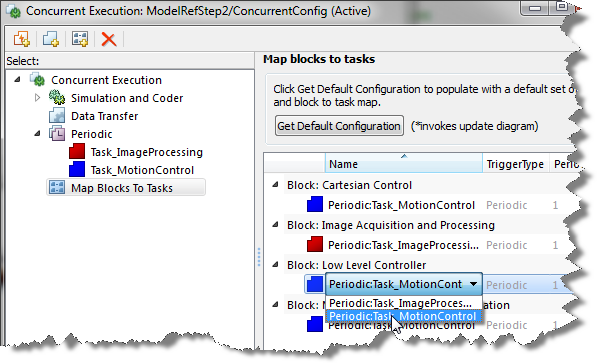
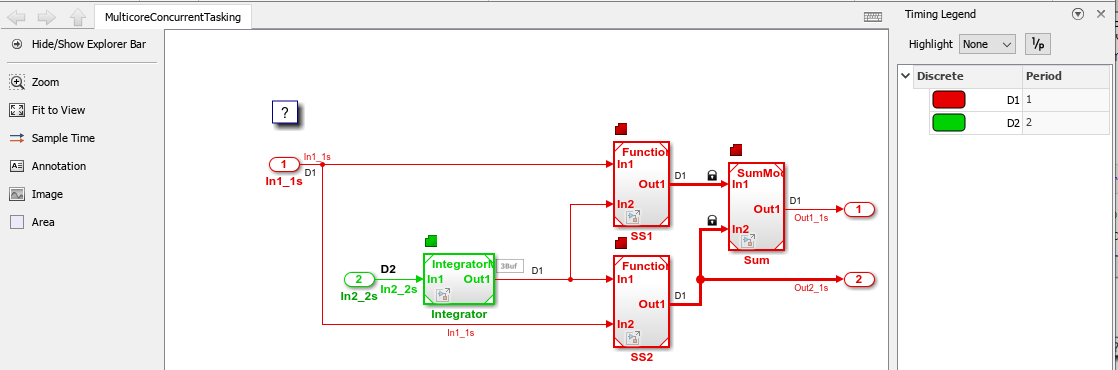
Teresa: Notice that in the model, color annotations have been added to show which task the blocks are mapped to. Also, you can see a "z-1" showing that a delay is introduced to ensure data integrity in the communication between tasks.
Guy: Nice, so now I can click the build button and run that in real-time on my multicore xPC Target machine!
How does this scale up?
Teresa: This is easy for a simple model like this, but it could be complex with more blocks and tasks. What approach do you recommend to partition a more complicated model?
Tunc: It is an iterative process that requires refining the partitioning, based on how well it’s performing on target. It requires profiling analysis. To get started, though, Simulink is able to create the smallest partitioning schedule using automatic analysis of rates. You can click the Get Default Configuration button, and it will set up an initial mapping based on the tasks’ rates.
Teresa: I like that. So, I would go from this initial mapping and refine it?
Tunc: Exactly.
Now it's your turn
This was just a simple example to illustrate the basic functionality of this feature. I recommend going through Configuring Models for Targets with Multicore Processors to learn all the possibilities!
Are you excited by this feature? Leave us a comment here.





Comments
To leave a comment, please click here to sign in to your MathWorks Account or create a new one.